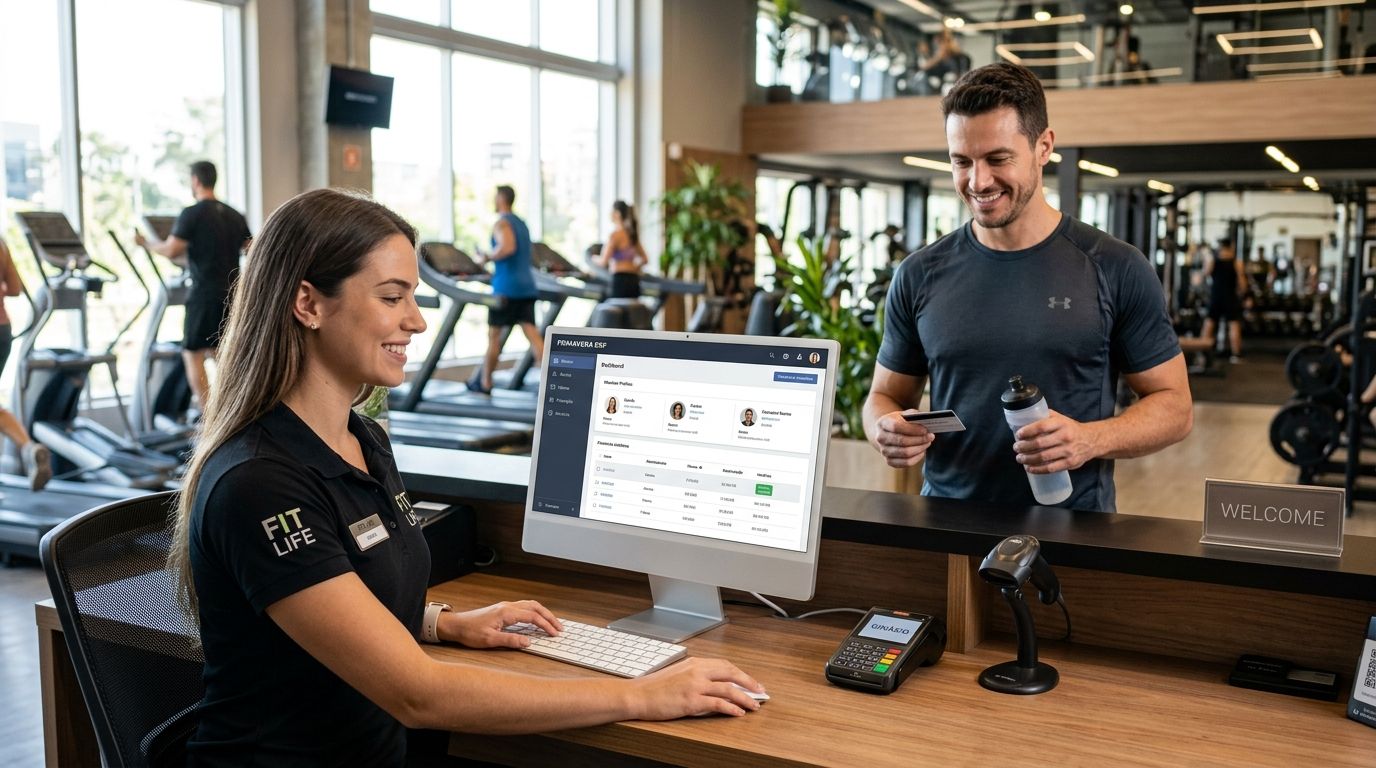
ERP Primavera for gyms and fitness studios ties recurring membership billing, class scheduling, and retail sales into one system built around Portugal's SAF-T tax rules. This guide breaks down which Primavera modules a gym actually needs, how WINTOUCH POS fits alongside it, and where a lighter POS-only setup covers you just as well.
- ERP Primavera for gyms and fitness studios (erp primavera para ginásios) fits multi-location chains and gyms mixing memberships with retail — single-studio setups often do fine on WINTOUCH POS alone.
- Recurring billing, proration, and freeze handling are what separate a real gym ERP setup from a generic invoicing tool.
- WINTOUCH POS connects to Primavera through an API for real-time stock and sales sync — set this up before opening a second location.
- SAF-T compliant invoicing is mandatory in Portugal in 2026, whether the billing system behind it is Primavera or something lighter.
Why this matters
A gym rarely has one revenue stream. Monthly memberships run alongside PT session packages, class credit bundles, retail sales of supplements and apparel, and day passes for walk-ins. A spreadsheet or a bare-bones POS can track one of those cleanly; running all four at once, across proration and mid-month freezes, is where manual systems start losing money quietly.
Portugal's SAF-T-PT requirement adds a second constraint: whatever system issues a gym's invoices has to produce that file correctly, every time, in 2026 and beyond. A complete POS terminal for gyms and fitness studios handles the front-desk and retail side of that. ERP Primavera is where the back-office consolidation — payroll splits, multi-location reporting, tax filing — actually happens.
What makes gym billing different from retail or hospitality
Most ERP guides assume a single transaction type: a sale, an invoice, done. Gyms run three billing models at once — flat recurring fees, usage-based class credits, and one-off retail sales — often for the same member in the same month. Get this wrong and reconciliation turns into a manual chore every single billing cycle.
Map every revenue stream before picking a module set
Before configuring anything, list what actually generates an invoice in your gym:
- Monthly or annual membership tiers
- PT and coaching session packages
- Class credit bundles with expiry dates
- Retail sales — supplements, apparel, accessories
- Day passes and guest fees
A studio selling only memberships and drop-in classes rarely needs full ERP Primavera. A gym running three revenue types plus a retail counter almost always outgrows a POS-only setup within a year.
Set up recurring billing rules for memberships
This is the step most gyms get wrong first, because generic invoicing tools don't handle gym-specific edge cases:
- SEPA direct debit mandates for automatic monthly collection
- Proration for members who join mid-month
- Freeze or pause periods that suspend billing without canceling the contract
- No-show and late-cancellation fees tied to class bookings
- Contract renewal cycles with automatic term rollover
Get these rules wrong at setup and every freeze request becomes a manual credit note six months later.
Sync class schedules and access control with invoicing
Class caps, waitlists, and turnstile access all need to talk to the billing system, not sit in a separate app:
- Turnstile or door-access integration tied to active membership status
- Class caps and automatic waitlist promotion
- Instructor payroll splits based on classes taught, not just hours clocked
- Room and equipment booking conflicts flagged before double-booking happens
Connect WINTOUCH POS to Primavera for retail and front-desk sales
The front desk is where memberships, day passes, and retail all collide in the same transaction. Connecting WINTOUCH POS to Primavera ERP via API keeps stock and sales data moving in real time instead of on a nightly batch:
- Real-time stock sync for supplements and apparel
- One till handling day-passes, class credits, and retail in a single transaction
- Unified reporting across the counter and the back office
- SAF-T-compliant invoice generation at the point of sale, not after the fact
Build a loyalty and retention layer on top of billing
Once billing and stock are synced, retention tools are the next lever. Setting up loyalty and gift card programs in WINTOUCH POS covers:
- Punch-style tracking for class pack usage
- Referral credit applied automatically at renewal
- Renewal and birthday promotions tied to membership anniversary dates
- Gift cards redeemable against retail or class credits
Track staff hours and instructor pay separately from member billing
Coaches often get paid per class taught, while front-desk staff clock in on a fixed schedule. Mixing the two in one payroll process creates errors:
- Separate clock-in tracking for front desk versus coaching staff
- Payroll split by session count for PT, by hours for salaried roles
- Overtime flags before a pay run, not after
- A direct feed into the accounting module so payroll and billing reconcile without a manual export
Reconcile multi-location numbers if you run more than one gym
A single-location studio can run on local reports. A three-location chain can't, without turning month-end into a spreadsheet exercise:
- Consolidated profit and loss across locations
- Stock transfers between locations tracked as inter-branch movements, not manual adjustments
- A standardized item catalog so the same supplement SKU reports the same way everywhere
- Centralized SAF-T generation covering every location under one tax filing
“The moment a gym opens a second location, spreadsheet reconciliation between memberships and retail stops scaling.”
Comparing the options for gyms and fitness studios
| Option | Best for | Key limitation |
|---|---|---|
| WINTOUCH POS only | Single-location studio with drop-in classes and light retail | No native multi-entity consolidation for chains |
| WINTOUCH POS + ERP Primavera (API-linked) | Multi-location gyms mixing memberships, PT, and retail | Setup time to map billing and proration rules correctly |
| Generic gym management SaaS | Class scheduling and member-app-first gyms with minimal retail | Often lacks Portuguese SAF-T-compliant invoicing out of the box |
| Spreadsheet plus manual invoicing | Very small studios just starting out | Breaks down once membership count passes a few dozen |
Verdict: single-location studios do fine on WINTOUCH POS alone through most of 2026; anything running two or more locations, or mixing memberships with a real retail counter, gets more out of pairing it with ERP Primavera.
Talk through your gym's setup
Get a tailored quote for WINTOUCH POS and Primavera integration.
Common mistakes gyms make with billing and ERP setup
- Running memberships and retail through two disconnected systems, then reconciling by hand every month
- Treating class credit packages as flat fees instead of tracking usage against an expiry date
- Delaying the POS-to-Primavera API link until stock discrepancies force the issue
- Letting freeze and pause requests bypass the ERP and live in a side spreadsheet
- Ignoring SAF-T invoice generation until a tax inspection flags a gap
FAQ
Does a single-location gym need ERP Primavera?
Usually not in 2026 — a single-location studio with drop-in classes and light retail runs fine on WINTOUCH POS alone. ERP Primavera earns its setup time once a gym adds a second location or a meaningful retail counter.
How does WINTOUCH POS connect to ERP Primavera?
WINTOUCH POS syncs with ERP Primavera through an API that moves stock and sales data in real time. This keeps supplement and apparel inventory accurate without a nightly manual import.
Is SAF-T invoicing mandatory for gyms in Portugal?
Yes — any Portuguese business issuing invoices, including gyms and fitness studios, must produce SAF-T-PT files in 2026. This applies whether the billing system is ERP Primavera or a lighter POS-only setup.
Can ERP Primavera handle membership freezes and proration?
Yes, when the billing rules are configured correctly at setup. Freezes, proration for mid-month signups, and renewal cycles all need to be mapped before go-live, not patched in afterward.
What's the difference between WINTOUCH POS and a generic gym management app?
WINTOUCH POS handles retail sales and till operations with native SAF-T-compliant invoicing built for Portuguese tax rules. Generic gym apps often focus on class scheduling and member apps but lack that compliance layer out of the box.
How do multi-location gym chains consolidate reporting?
ERP Primavera consolidates profit and loss, stock transfers, and SAF-T filing across every location under one system. Without it, multi-location gyms typically rebuild those numbers manually each month.
Do class credit packages need special ERP configuration?
Yes — class credits are usage-based, not flat recurring fees, so they need expiry tracking distinct from membership billing. Treating them as flat fees is one of the most common configuration mistakes gyms make.
One last thing
Retail sales — supplements, apparel, water bottles at the counter — are usually the smallest revenue line in a gym, and also the one most likely to fall out of sync when memberships and stock live in separate systems. That's typically where the WINTOUCH POS to Primavera link pays for its own setup time fastest, well before the membership-billing rules ever need touching again.


