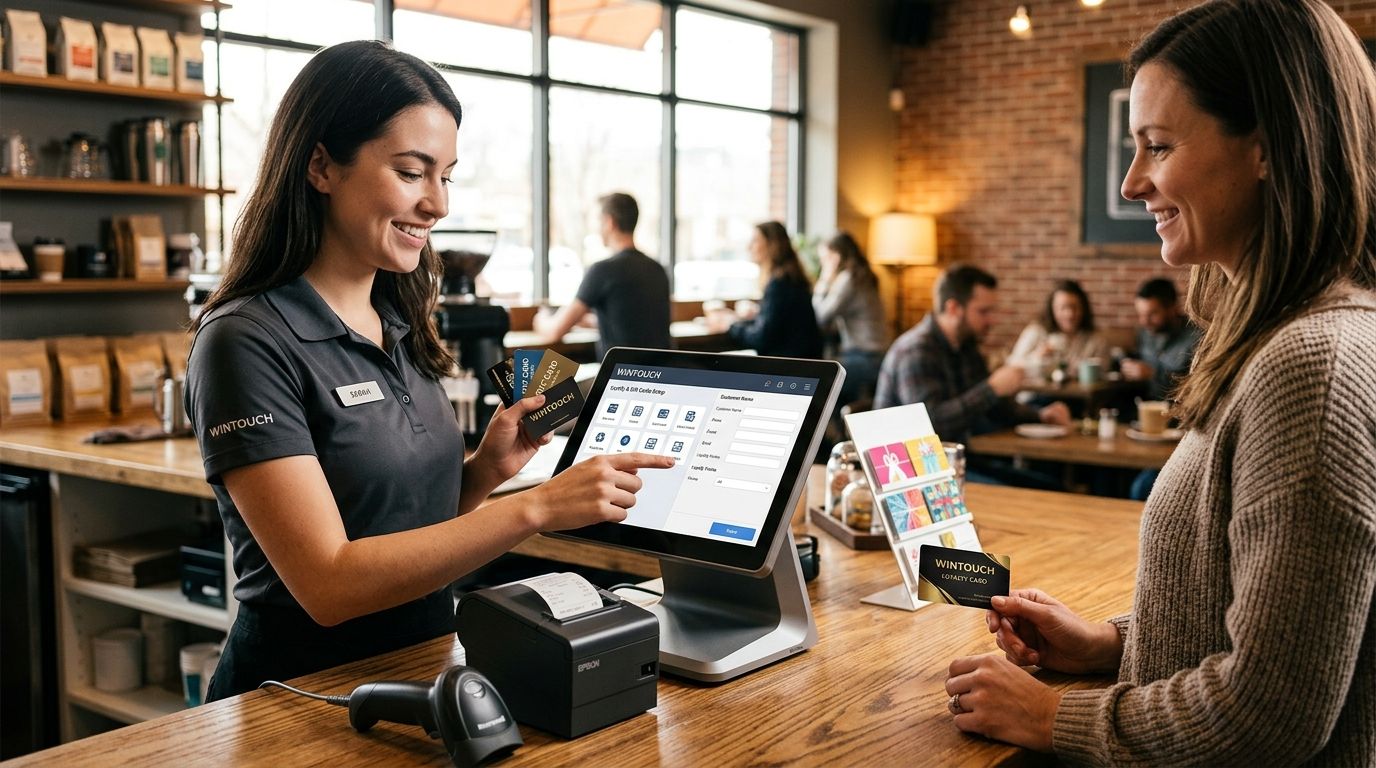
Setting up loyalty and gift card programs in WINTOUCH POS in 2026 comes down to four steps: activate the customer module, define your earn-and-redeem rules, create gift cards as trackable SKUs, then test the full flow on a live terminal before you open registers. The step most Portuguese retailers skip — mapping gift card liability into Primavera or Cegid — is what causes reconciliation headaches at month-end.
- WINTOUCH POS loyalty program setup runs through the customer module, earn/redeem rules, and terminal testing — no separate loyalty app needed.
- Gift cards in WINTOUCH POS are configured as trackable SKUs, so redemptions show up in daily sales reports automatically.
- Multi-location retailers need WINTOUCH Cloud to keep loyalty balances and gift card liability synced across stores.
- Reconciling gift card liability against Primavera or Cegid is the step that trips up most first-time setups in 2026.
Why this matters
A loyalty program keeps customers coming back without discounting your whole catalog, and a gift card program pulls in cash before the sale is ever redeemed. Retailers and restaurants already running WINTOUCH POS have both features built into the same license — no separate loyalty app, no third-party gift card processor to bolt on.
VOLL, the Portuguese B2B IT reseller carrying the license, lists more than 200 WINTOUCH POS/ERP products in its catalog — loyalty and gift cards ship as part of the same package, not an add-on you source separately.
The catch is accounting, not the checkout screen. A gift card sold in January but redeemed in June sits as a liability on your books until the customer spends it, and if that liability isn't mapped into Primavera or Cegid correctly, your VAT reconciliation in 2026 won't match your POS sales report. Get the setup order right — module, rules, SKUs, ERP mapping, testing — and this stops being a problem.
How to set up loyalty and gift card programs in WINTOUCH POS
Follow this order. Skipping ahead to gift cards before the customer module is active is the most common setup mistake in 2026.
- Activate the customer module. Loyalty and gift cards both depend on WINTOUCH POS recognizing repeat customers by phone number, tax ID, or card scan — this has to be on before anything else works.
- Define your earn-and-redeem rules. Decide whether loyalty runs on points-per-euro spent, a fixed discount after a purchase threshold, or a hybrid. WINTOUCH POS lets you set this inside the customer module, but the exact logic depends on how your license is configured.
- Create gift cards as sellable SKUs. A gift card needs its own product code so it shows up correctly in daily sales reports as a liability, not as revenue, the moment it's sold.
- Set up the checkout hardware. Gift cards need a barcode or magnetic card to scan at redemption, plus a receipt printer that can issue a physical card or voucher at the point of sale.
- Map the accounts in your ERP. If you run Primavera or Cegid alongside WINTOUCH POS, the gift card liability account and the loyalty discount account both need to exist before you go live — otherwise redemptions won't reconcile.
- Test the full cycle on a live terminal. Sell a test gift card, redeem it partially, confirm the remaining balance carries over, then check that a loyalty point earns and redeems as expected.
- Train staff on the redemption flow. The most common failure point in 2026 isn't the software — it's a cashier who doesn't know how to look up a points balance or apply a partial gift card redemption.
Step 5 is where most first-time setups lose time. If your WINTOUCH POS install already talks to Primavera through the API, account mapping goes faster — see how that connection works on the Primavera ERP integration guide.
Loyalty rules that actually work at checkout
Points-per-euro is the simplest rule to run and the easiest for staff to explain — a customer sees a number go up every time they buy, and that number turns into a discount later. Threshold-based loyalty, where a fixed reward kicks in after a spend level, tends to work better for boutiques and salons where basket sizes vary more. Whichever rule you pick, keep it visible on the receipt — a loyalty balance nobody can see doesn't drive repeat visits.
Gift cards: what changes on the accounting side
A gift card is deferred revenue, not a sale, until it's redeemed — that's the fact that trips up bookkeepers moving from a simpler till system to WINTOUCH POS. Sold-but-unredeemed gift card balances need their own liability account, separate from cash and card sales, or your end-of-month numbers will overstate revenue in the month you sold the card and understate it in the month it's spent.
Why loyalty and gift card setup varies
No two WINTOUCH POS installs configure loyalty and gift cards the same way. What works for a single boutique doesn't scale to a five-location chain without changes:
- Number of locations — a single store syncs loyalty balances locally; a chain needs WINTOUCH Cloud so a customer's points and gift card balance are identical whether they buy in Lisbon or Porto.
- ERP integration — stores running Primavera or Cegid need liability and discount accounts mapped before go-live; standalone WINTOUCH POS installs skip this step entirely.
- Business type — restaurants often run loyalty on visit frequency, retail on spend amount, and both use gift cards differently around peak seasons like December.
- Existing hardware — if the checkout counter already has a barcode scanner and thermal printer, gift card setup is a software configuration; if not, hardware goes on the list first.
- Staff turnover — a business with heavy seasonal staffing needs simpler redemption steps than one with a stable, trained till team.
- Promotional complexity — a flat points system takes an afternoon to configure; tiered loyalty with expiring points and seasonal multipliers takes longer and needs more testing before launch.
Related questions
Does WINTOUCH POS support gift cards across multiple locations?
Yes, but only reliably if the stores run on WINTOUCH Cloud rather than separate on-premise installs, because gift card balances and loyalty points need to sync in real time across locations. A customer buying a gift card in one store and redeeming it in another is the exact scenario that breaks on isolated, non-cloud setups.
Can WINTOUCH loyalty data feed into Primavera or Cegid?
Yes, WINTOUCH POS can push sales and loyalty discount data into Primavera or Cegid once the API connection and account mapping are set up correctly. Skipping the account mapping step is what causes loyalty discounts to show up as unexplained variances in monthly reports.
What hardware do I need to run gift cards at checkout?
At minimum, a barcode or magnetic stripe reader to scan the card and a receipt printer capable of issuing a physical card or voucher — most checkout counters already running WINTOUCH POS have both installed.
Get WINTOUCH POS set up correctly
Talk to VOLL before you configure loyalty and gift cards in Primavera.
FAQ
What's the fastest way to set up a loyalty program in WINTOUCH POS?
Activating the customer module first and using a simple points-per-euro rule is the fastest path — most single-location retailers finish this in under a day once the module is enabled. Skipping straight to gift cards before the customer module is active is the step that slows most 2026 setups down.
Do gift cards and loyalty points work together in WINTOUCH POS?
Yes, WINTOUCH POS runs both from the same customer profile, so a customer can pay with a gift card and still earn loyalty points on that purchase. The two features don't conflict, but each needs its own configuration inside the customer module.
Is WINTOUCH POS loyalty data compatible with Primavera ERP?
Yes, loyalty discounts and gift card liabilities can push into Primavera through the API connection, provided the accounts are mapped before go-live. Without that mapping, loyalty discounts show up as unexplained variances in your monthly reports.
How do multi-location retailers keep gift card balances in sync?
Multi-location retailers need WINTOUCH Cloud rather than separate on-premise installs, because gift card balances and loyalty points have to update in real time across every store. A card sold in one location and redeemed in another only works reliably on the cloud version.
What happens to gift card revenue before it's redeemed?
A sold-but-unredeemed gift card sits as a liability on the books, not as revenue, until the customer actually spends it. This is the accounting detail that most first-time WINTOUCH POS setups get wrong in 2026, overstating revenue in the month of sale.
Can I migrate loyalty and gift card data from an on-premise WINTOUCH install to the cloud?
Migrating from on-premise WINTOUCH POS to WINTOUCH Cloud carries customer records, including loyalty balances, but gift card liability accounts still need to be re-verified against your ERP after the move. Treat the migration as a checkpoint to audit both features, not just a technical switch.
Does WINTOUCH POS support restaurant-specific loyalty rules?
WINTOUCH POS supports configurable loyalty logic inside the customer module, but whether it runs on visit frequency versus spend amount depends on how your license is set up. Confirm the exact mechanic with your installer before assuming a specific rule is included by default.
One last thing
The detail nobody mentions when they talk about WINTOUCH POS loyalty program setup: expired or never-redeemed gift cards don't disappear from your liability account on their own — someone has to close them out manually, or they sit on the balance sheet indefinitely. Build a quarterly review of outstanding gift card balances into your routine, especially if you're running Primavera or Cegid alongside WINTOUCH POS, because an auditor will ask about it before you do.


