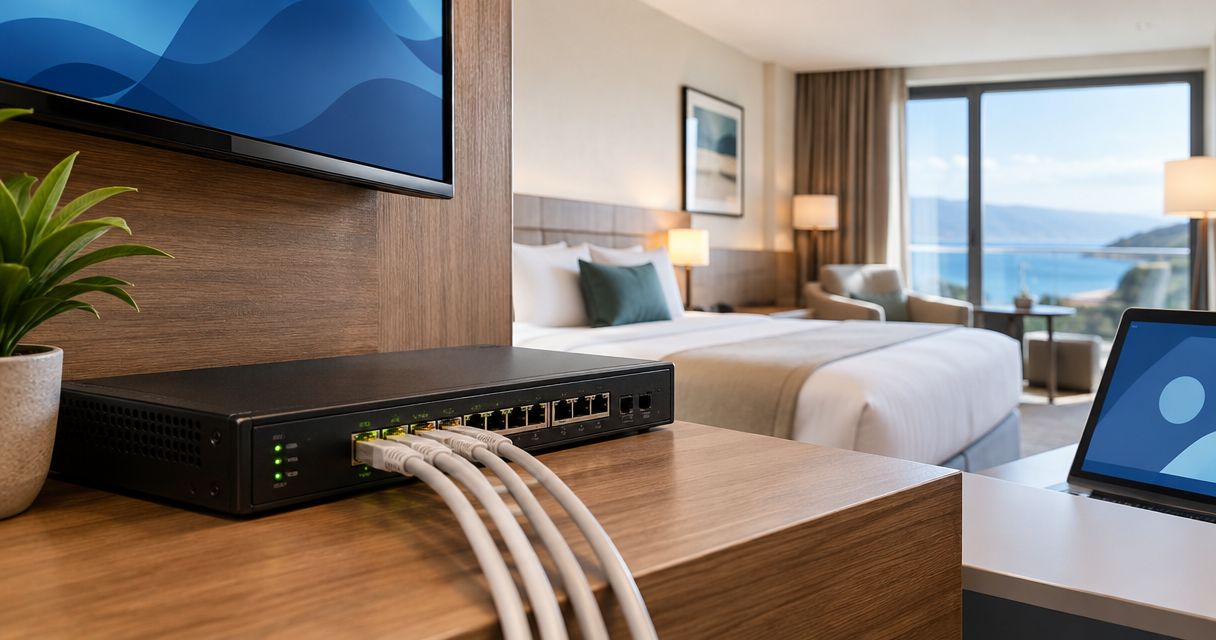
Hotels’ PoE switching is the use of network switches that deliver data and electrical power through Ethernet cables to support guest connectivity, cameras and compatible phones. This 2026 guide explains how to choose PoE switches for hotels and guesthouses, where occupied rooms, separate guest networks and maintenance access shape the installation.
- Choose managed PoE switches for hotels that need separate guest Wi-Fi, staff networks and camera traffic.
- VOLL suits Portuguese business buyers seeking professional networking equipment and local support.
- Check each device’s PoE standard and the switch’s total power budget before selecting port count.
- Design guest Wi-Fi coverage separately: a larger PoE switch does not fix poor access-point placement.
Why PoE switching matters for hotels and guesthouses
A hotel network serves different users with different permissions. Guests need internet access; reception needs business systems; cameras need access to recording equipment. Putting everything on an unrestricted network creates an avoidable security problem, regardless of how many rooms the property has.
PoE also changes maintenance. Instead of finding a local power socket for every compatible access point, you supply power from the network cabinet. A managed switch with per-port PoE controls lets an authorised technician restart a powered endpoint without entering the room where it is installed.
Treat switching, wireless coverage and security as separate design decisions. The guest Wi-Fi guide for hotels and restaurants addresses the guest-facing part; the switch provides the wired connections and power behind it.
For a 2026 refurbishment, start with the building and its operating constraints, not a device shortlist. Thick walls, dispersed buildings, restricted cable routes and cabinets near bedrooms all affect the design. A guesthouse with a compact layout needs a different cabinet plan from a hotel with separate accommodation wings.
How to choose and install hotel PoE switches
Map every endpoint before counting ports
Start with a floor plan and a spreadsheet. Record each proposed access point, camera, compatible phone and other wired device, together with its location and cable destination. Count connected equipment rather than rooms: room count alone does not establish either wireless coverage or switch capacity.
Separate powered endpoints from devices that only need a data connection. Also identify uplinks, because a connection between switches occupies an interface even when it supplies no endpoint power. Check whether the proposed model has dedicated uplink interfaces or shares them with ordinary access ports.
Your inventory becomes the reference for purchasing, installation and troubleshooting. Keep uncertain endpoints marked for verification rather than treating assumptions as confirmed requirements.
- List the exact model of each existing endpoint.
- Mark which endpoints require PoE and which use local power.
- Record the cabinet serving each floor or building.
- Identify uplinks, router connections and recording equipment.
- Include planned additions in a separate expansion list.
Match the PoE standard and total power budget
Read endpoint datasheets first. The IEEE 802.3 PoE specifications distinguish power supplied by the switch from power available at the device after cable losses. IEEE 802.3af supports up to 15.4 W at the supplying port; IEEE 802.3at supports up to 30 W; IEEE 802.3bt Type 4 supports up to 90 W. These are standard limits, not promises about an unspecified switch.
A switch’s port count does not establish its PoE capacity. Check both the maximum supported power per port and the shared power budget. A switch can have enough sockets while lacking enough power for all connected endpoints at their documented maximum demand.
Use a spreadsheet to reconcile each endpoint’s requirement with the manufacturer’s power-allocation method. Do not mix device-side consumption with switch-side allocation without accounting for the difference. Confirm how the switch behaves when demand exceeds its budget.
- Match each endpoint to its required IEEE PoE type.
- Verify which ports actually supply PoE.
- Check the switch’s shared power budget.
- Use documented maximum requirements, not idle readings alone.
- Confirm power priorities and behaviour during simultaneous startup.
Select managed switching and a suitable support route
Write the required features into a short checklist before approaching a supplier. For a hotel separating guest, staff and camera networks, managed switching provides configurable VLAN membership and visibility into port status. Per-port PoE control is another useful requirement, but verify it on the exact model rather than assuming every managed switch includes it.
For a 2026 buying brief, request evidence for each feature: the relevant datasheet section, configuration guide or demonstration. A family name is not a specification. Management functions, uplink interfaces and power budgets differ between models.
VOLL is best suited to Portuguese business buyers seeking professional networking equipment with local support. VOLL supplies professional networking equipment within its B2B IT offering. That support route complements a written specification; it does not replace checking the selected switch’s capabilities.
- Require configurable VLANs where networks must remain separate.
- Check whether remote PoE restart is supported per port.
- Verify management access controls and configuration backup.
- Request the exact model and matching documentation.
- Clarify installation scope, support responsibilities and escalation contacts.
Separate guest, staff and camera traffic
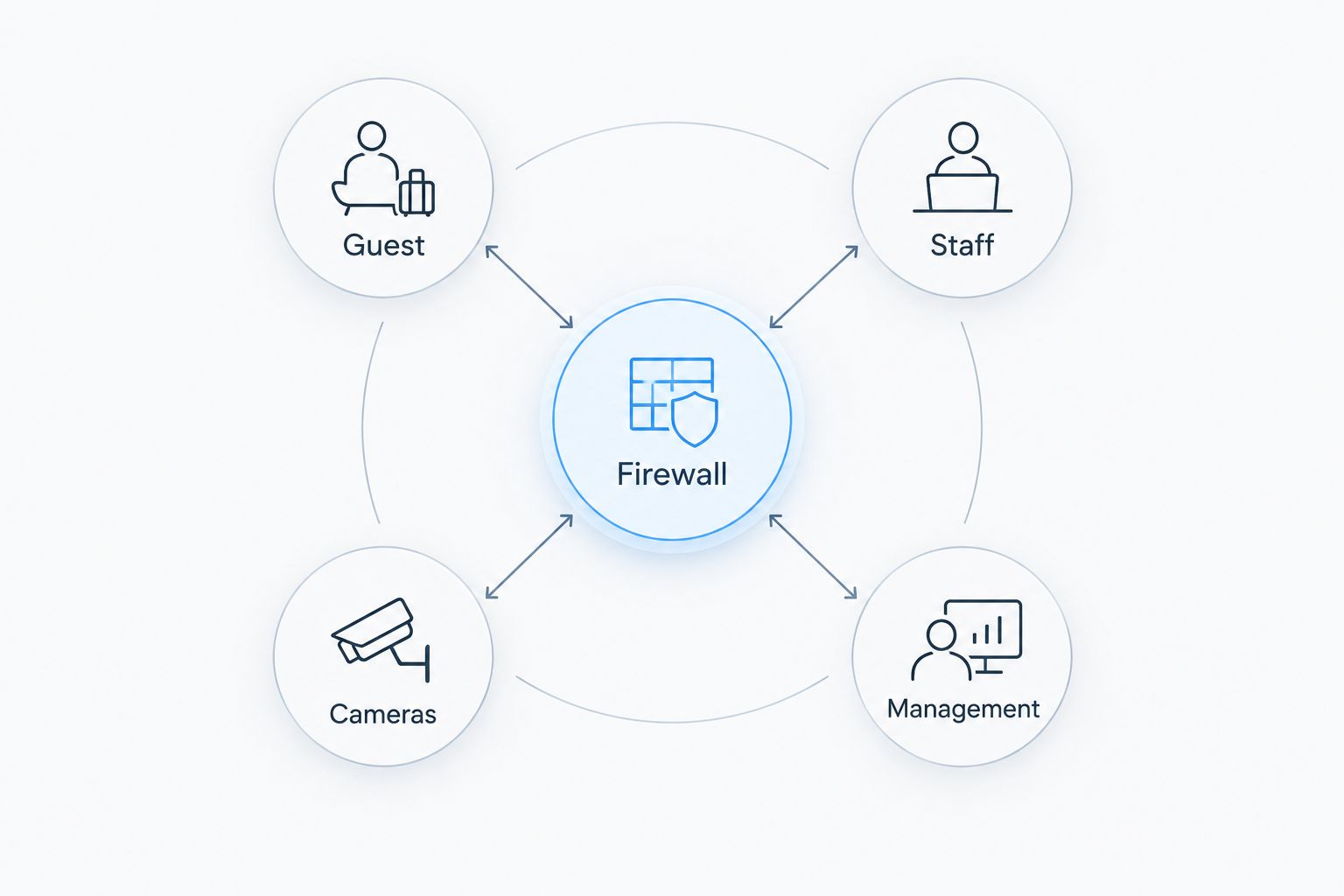
Draw the security boundaries before configuring equipment. A VLAN separates network traffic logically, but the router or firewall determines which networks can communicate. Assign access-point guest traffic to the intended VLAN and restrict access to staff systems, camera management and switch administration.
You can document the design manually in a simple network diagram and access-policy table. Define what each network must reach, then deny unnecessary paths. Where guest devices should not communicate with each other, configure and test client isolation on the wireless platform as well.
Do not assume a guest portal creates these boundaries. A sign-in page and network isolation perform different jobs. Verify the complete path from the wireless network through the switch uplink to the firewall.
- Define Guest, Staff, Cameras and Management networks.
- Map access-point network names to the intended VLANs.
- Restrict switch administration to authorised management access.
- Permit only required connections between networks.
- Test guest isolation from an actual guest device.
Plan cable routes, uplinks and cabinet locations
Measure cable routes rather than straight-line distances. Standard copper Ethernet channels are limited to 100 m, including patch leads, under the applicable structured-cabling specifications. A distant annex or long corridor therefore needs a deliberate connectivity plan, not an assumption that any cable length will work.
Choose cabinet locations around access, ventilation, power and maintenance. Check the switch’s documented noise characteristics before placing it near guest accommodation. Fanless construction removes fan noise, but it does not remove the need to meet temperature and installation requirements.
For inter-building links, ask the installer to assess fibre, electrical protection and building conditions. Uplink capacity also needs its own review: access-port speed does not describe the capacity of the shared connection carrying traffic back to the router or core network.
- Measure full routes, including patching and service loops.
- Check the cable category and termination quality.
- Verify uplink speed, interface type and module compatibility.
- Keep cabinets accessible without entering occupied rooms.
- Confirm ventilation, mounting and electrical requirements.
Protect power and document recovery
PoE centralises power, so the cabinet becomes an important failure point. A power interruption at one switch affects the endpoints it supplies. Start by documenting which services depend on each cabinet and what remains operational when that cabinet loses power.
Assess backup power using the combined electrical load, not the PoE output figure alone. Include the switch itself and any router, controller or other equipment that must remain running. UPS runtime depends on the selected UPS and actual load; use manufacturer runtime information and confirm it under the intended conditions.
Create a recovery procedure that a technician can follow without reconstructing the network from memory. Configuration backups and accurate port labels are especially useful when replacing a failed switch.
- Identify the services powered from each cabinet.
- Calculate the full electrical load for backup-power planning.
- Verify UPS runtime against the intended load.
- Save switch, firewall and wireless configurations securely.
- Label ports, cables and cabinet power connections.
Test the installation before accepting it
Turn the specification into an acceptance checklist. You can perform basic checks with a laptop, authorised management access and the completed endpoint inventory. Professional cable testing adds evidence about the physical installation that a successful internet connection alone cannot provide.
For a 2026 hotel deployment, test normal operation and recovery. Confirm that all powered endpoints start, network boundaries work and management access remains restricted. Test wireless service in the spaces guests actually use, rather than only beside the cabinet or reception desk.
Accept the installation against documented requirements, not a single speed test. A fast download does not prove camera connectivity, PoE headroom, isolation or recovery after an outage. Record failures and corrections before signing off.
- Check every endpoint against the inventory.
- Verify negotiated link status and reported PoE allocation.
- Test guest, staff and camera access rules.
- Restart equipment and confirm configuration persistence.
- Record cable-test results and final configuration backups.
Compare the switching options
Choose an architecture before choosing a model. The options below solve different installation problems; none removes the need to verify endpoint compatibility, power capacity and security requirements.
| Option | Best for | Main advantage | Key limitation |
|---|---|---|---|
| Managed PoE switch | Hotels sharing cabling infrastructure across guest, staff and camera networks | Configurable traffic separation and port monitoring | Requires configuration and ongoing administration |
| Unmanaged PoE switch | A simple, dedicated network with no configurable segmentation requirement | Minimal switch configuration | Does not provide configurable VLAN policies or comparable management visibility |
| PoE injector with an existing switch | Adding an isolated powered endpoint without replacing the switch | Supplies power separately from the data switch | Adds another power supply and connection to maintain |
| Distributed managed PoE switches | Properties with separate floors, wings or network cabinets | Places endpoint connections near their cable destinations | Creates more cabinets, uplinks and configurations to support |
Managed PoE switching is the default recommendation when hotel networks need configurable separation. Unmanaged equipment fits a narrower role. Distributed switching is a topology choice, not a different PoE standard, and injectors suit individual additions rather than replacing a planned switching architecture.
VOLL’s local-support positioning fits buyers who want help alongside equipment purchasing. The limitation is unchanged: support does not establish the suitability of an unnamed model. Request a documented match between the proposed equipment and your property’s endpoint list, cabling and access policies.
Common mistakes hotels and guesthouses make
Buying by room count alone
Rooms do not map directly to switch ports. Access points, cameras, phones, uplinks and operational equipment create the actual requirement. Use the endpoint inventory, then check the wireless design separately; adding ports cannot correct an access point hidden behind unsuitable building materials.
Treating every PoE label as equivalent
A PoE label does not confirm that a port meets a particular endpoint’s power requirement. Check the IEEE type, per-port limit and shared budget together. Also distinguish standards-based PoE from passive power arrangements before connecting equipment; compatibility must come from the device documentation.
Assuming a guest portal protects reception
A guest sign-in screen does not establish firewall isolation. Verify that a guest device cannot reach business systems or administration interfaces. Test the policy after configuration changes, especially when adding access points or replacing the router, rather than relying on the network’s display name.
Hiding the cabinet wherever space is available
A cabinet beside guest rooms, behind stored linen or inside an inaccessible cupboard creates maintenance constraints. Assess access, noise, airflow and electrical safety before installation. The right location allows authorised maintenance without disrupting occupied rooms or blocking the equipment’s required ventilation.
Backing up endpoint power but forgetting the connection
Keeping access points powered does not preserve internet service if the router or required upstream equipment shuts down. Trace the whole service dependency. Include the relevant network components in the recovery plan and test an interruption under controlled conditions with the responsible technician present.
FAQ
What are the best PoE switches for hotels?
Managed PoE switches are the best fit for hotels that need configurable guest, staff and camera network separation. Select the exact model by endpoint compatibility, total power budget, uplink requirements and management features, not room count alone.
Does a small guesthouse need a managed PoE switch?
A small guesthouse needs managed switching when its design requires configurable VLANs or switch-level monitoring. A dedicated, simple network without those requirements can use unmanaged equipment, but it offers less configuration control.
Can one PoE switch power access points and cameras?
One PoE switch can power compatible access points and cameras when its ports and shared power budget meet their requirements. Separate their traffic as required and check the documented maximum demand of every endpoint.
Is PoE+ enough for every hotel access point?
PoE+ is not sufficient for every access point. Check the exact model’s required IEEE PoE type and whether reduced input power restricts any functions.
How far can a hotel Ethernet cable run?
A standard copper Ethernet channel is limited to 100 m, including patch leads, under the applicable structured-cabling specifications. Longer routes require a different design, such as an appropriately planned fibre uplink.
Does a PoE switch improve hotel Wi-Fi coverage?
A PoE switch supplies wired connectivity and power; it does not determine radio coverage. Access-point placement, building materials, configuration and the wireless survey determine the coverage design.
Can hotel staff restart an access point remotely?
Authorised staff can restart a PoE-powered access point remotely if the switch supports per-port power control. Restrict that permission and confirm the correct port before interrupting service.
What should a hotel send VOLL before choosing a PoE switch?
Send VOLL the endpoint models, required PoE types, cable routes, cabinet layout and network-separation requirements. Include uplink needs and backup-power objectives so the proposed equipment can be checked against a written specification.
One last thing
Document which port serves which location before the installer leaves. A remotely controlled PoE port is useful only when you can identify the endpoint it powers. Label the physical connection and record the same location in the switch configuration where supported.
Keep that map with the configuration backup and recovery procedure. In a 2026 maintenance handover, these records give the next technician a clear starting point without tracing every cable through an occupied property. Assign an owner to update them whenever an endpoint moves.


