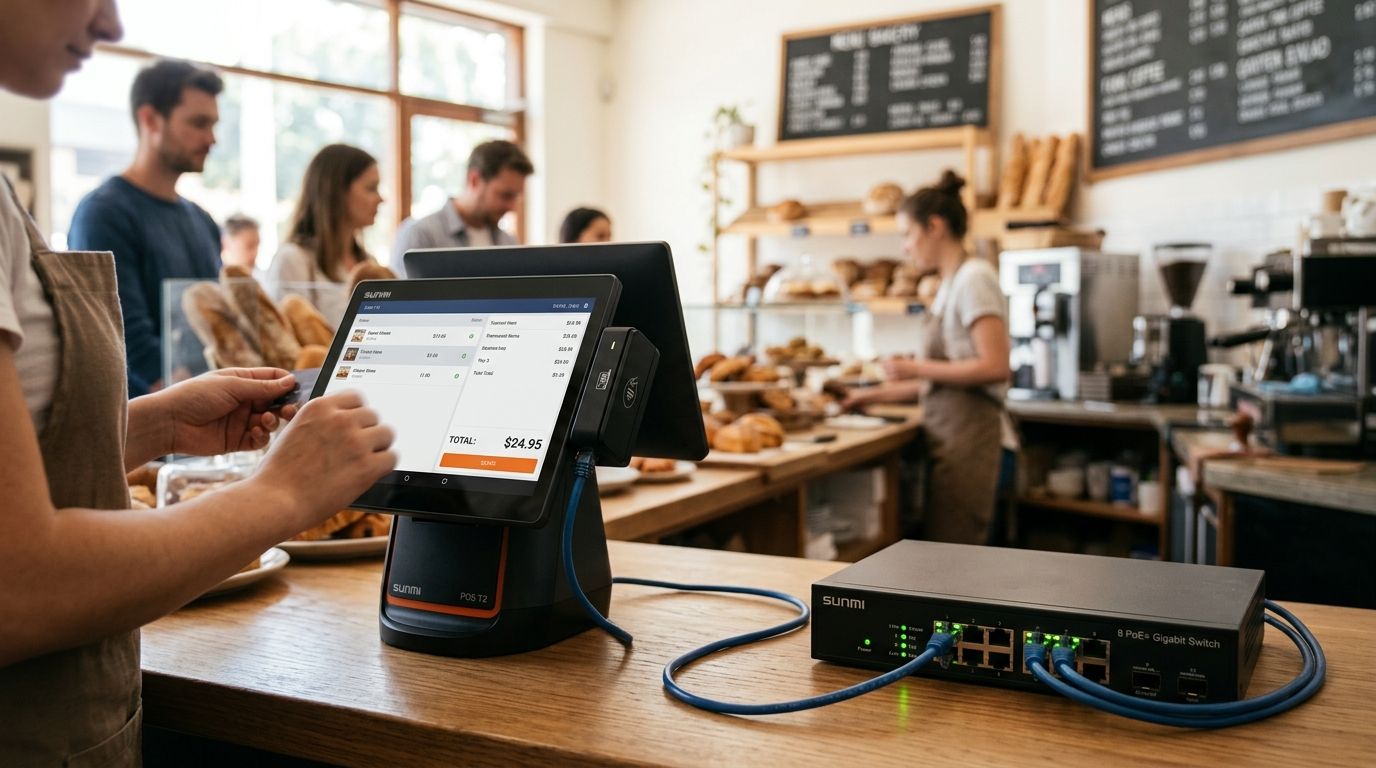
PoE switches for SUNMI POS terminal installations power and network the terminal over a single Ethernet cable, replacing the tangle of a power brick plus a network cable at every counter, kiosk or kitchen pass. Retail and hospitality operators running SUNMI hardware need a switch sized to the exact power class of each device, not a generic office switch bought on price alone.
- A PoE switch sized correctly for SUNMI terminals removes one power outlet requirement per counter and cuts install time.
- 802.3af (15.4W) covers most single SUNMI terminals; 802.3at (30W, PoE+) covers terminals paired with printers or kiosks.
- Cat5e/6 copper PoE runs are capped at 100m — plan cable routes before buying the switch.
- Voll supplies PoE switches and SUNMI hardware together with 24-48h delivery across Portugal in 2026.
- Mixing POS, kiosk and camera traffic on one flat network without VLANs is the most common install mistake.
Why this matters for SUNMI POS installations
A SUNMI terminal at a counter, kiosk or delivery hub usually sits far from a wall outlet but close to a network drop that was pulled for a router or camera. A PoE switch turns that single Ethernet run into both power and connectivity, which matters most in kitchens, food trucks and multi-till stores where outlet access is the actual bottleneck, not network coverage.
Stores running WINTOUCH POS on cloud infrastructure depend on a stable LAN connection to sync sales in real time — a PoE switch that drops power under load takes the terminal and the connection down at the same time, which a standard switch plus separate power adapter never does. That single point of failure is why the switch spec matters more here than in a general office network.
How to size and install PoE switches for SUNMI POS terminals
Map every terminal and its power draw
Before comparing switches, count exactly what is drawing power on each PoE port.
- List every SUNMI unit per location: countertop terminal, handheld base station, self-service kiosk
- Check the datasheet for each device's PoE class (af or at) — don't assume
- Add kitchen display screens or label printers that will share the same switch
- Budget for 20% headroom above today's total draw for the next hardware added
- Separate power-hungry devices (kiosks, larger displays) onto PoE+ ports specifically
Choose the right PoE class — af vs at
Most single SUNMI countertop terminals run comfortably on 802.3af's 15.4W ceiling. Terminals paired with a thermal printer, a second display, or a self-service kiosk usually need 802.3at (PoE+) headroom at 30W per port.
- Confirm the PoE class stamped on the SUNMI unit's spec sheet, not the switch box
- Buy PoE+ (802.3at) ports if you're adding kiosks or kitchen displays later
- Check the switch's total power budget, not just per-port wattage — a 24-port switch can still starve ports if the budget is undersized
- Use a PoE injector only as a stopgap on an existing non-PoE switch, never as the permanent fix for more than one or two ports
- Avoid mixing af and at devices on a switch with a tight total budget without checking the math first
Size port count and switch tier
Buy for the counters you have plus the ones you'll open this year, not exactly today's count.
- An 8-port PoE switch covers a single counter with one or two terminals plus a camera or access point
- A 16- or 24-port managed switch fits multi-till stores, cafés with a kitchen display, or a small restaurant floor
- Check uplink speed — 1G is fine for POS traffic alone, 2.5G or SFP uplinks matter once cameras share the switch
- Sizing the switch to your floor plan avoids buying a rack-scale switch for a two-till kiosk stand
- Managed switches cost more but let you segment POS traffic later without re-cabling
Plan cable runs and distance limits
PoE over Cat5e/6 copper is capped at 100 meters between switch and device — that's a hard ceiling, not a guideline.
- Measure the actual run from the rack or patch panel to each counter, not straight-line distance
- Use Cat6 for new runs even if Cat5e would technically pass, for headroom on future upgrades
- Add a PoE extender or a second switch closer to the counter if any run exceeds 90m
- Keep PoE cabling away from long parallel runs next to mains power to cut interference
- Label every drop at both ends during install — POS troubleshooting later depends on it
Segment POS traffic with VLANs
A flat network where the till, the kitchen display, the guest Wi-Fi and a security camera all share one broadcast domain is the single biggest reliability and security risk in these installs.
- Put every SUNMI terminal on its own POS VLAN, isolated from guest Wi-Fi
- Keep kitchen display systems and kiosks on a separate VLAN from card-data traffic
- Apply QoS so POS traffic gets priority over guest streaming during peak hours
- Restrict POS VLAN access to the WINTOUCH server and payment gateway only
- Combine cameras and PoE POS gear on the same switch only when the switch's total power budget and VLAN plan account for both
Add backup power for uptime
A PoE switch that loses mains power takes every connected terminal down with it — the fix is a UPS on the switch itself, not just on the till.
- Put the PoE switch and the rack it lives in on a UPS, not just the terminal's outlet
- Size the UPS for the switch's full power budget plus any router or modem on the same circuit
- Test failover once a quarter — a UPS nobody has tested is a UPS you don't actually have
- Log power events if the switch is managed, to catch brownouts before they cause an outage
Comparison: PoE switch options for SUNMI POS installations
| Option | Best for | Key limitation |
|---|---|---|
| Unmanaged 8-port PoE (802.3af) | Single counter, 1-2 terminals | No VLAN segmentation, no traffic priority |
| Managed 16/24-port PoE+ | Multi-till store, café with kitchen display | Higher setup effort to configure VLANs correctly |
| PoE+ switch with SFP uplink | Store combining POS, kiosks and cameras on one switch | Needs a compatible SFP module for the uplink |
| Switch + PoE injector combo | Adding one PoE device to an existing non-PoE switch | Doesn't scale past a handful of ports |
A managed 16-port PoE+ switch is the right default for any store running more than two SUNMI terminals in 2026 — it's the only option on this list that lets you segment POS traffic from guest Wi-Fi without re-cabling later.
Get a PoE switch sized to your terminals
Request a quote covering PoE class, port count and cabling for your SUNMI install.
Common mistakes stores make with PoE switches for SUNMI terminals
- Undersizing the power budget — buying a switch rated for 24 ports at 15.4W each but running it near its total wattage ceiling once kiosks are added
- Skipping VLANs entirely — putting POS, guest Wi-Fi and kitchen displays on one flat network, which turns any Wi-Fi congestion into a POS slowdown
- Running cable past 100m without an extender, then blaming the terminal for intermittent drops that are actually a cabling problem
- Buying on port count alone without checking whether the ports are 802.3af or 802.3at, then discovering the kiosk won't power up
- No UPS on the switch — protecting the till's power but leaving the switch itself as the single point of failure for the whole counter
FAQ
What's the best PoE switch for SUNMI POS terminals?
A managed 16-port PoE+ (802.3at) switch is the best default for stores running more than two SUNMI terminals in 2026, since it lets you segment POS traffic from guest Wi-Fi and handles both terminals and kiosks on the same power budget. Single-counter setups with one terminal can use an unmanaged 8-port 802.3af switch instead.
Do SUNMI terminals need PoE+ or standard PoE?
Most single SUNMI countertop terminals run on standard 802.3af power at 15.4W per port. Terminals paired with a printer, second display or self-service kiosk usually need 802.3at (PoE+) at 30W — check the spec sheet for the exact SUNMI model before buying.
How many PoE ports do I need for a small store?
Count every SUNMI terminal, printer and camera that needs a port, then add 20% headroom for growth. A single-counter store typically needs 4-8 ports; a multi-till store with a kitchen display needs 16-24.
Can I mix SUNMI terminals and IP cameras on the same PoE switch?
Yes, as long as the switch's total power budget covers both and traffic is segmented with VLANs. Mixing them on an undersized switch without VLANs risks starving ports and mixing camera traffic with card-data traffic.
What happens if the PoE switch loses power?
Every terminal, kiosk and camera connected to that switch goes down at once, since PoE delivers both power and data over the same cable. A UPS on the switch and its rack protects the whole counter, not just the till's own outlet.
Is a managed or unmanaged PoE switch better for POS?
Managed switches are better once a store runs more than two terminals, because they support VLAN segmentation between POS and guest Wi-Fi. Unmanaged switches work fine for a single counter with one or two devices and no need to segment traffic.
How far can a PoE cable run to a SUNMI terminal?
Standard PoE over Cat5e/6 copper is capped at 100 meters between the switch and the terminal. Runs longer than that need a PoE extender or a second switch closer to the counter.
Do I need a PoE injector instead of a PoE switch?
A PoE injector works as a stopgap for adding one device to an existing non-PoE switch, but it doesn't scale past a handful of ports. Any store adding more than one or two PoE devices should replace the switch itself rather than stack injectors.
One last thing
The 100-meter PoE distance cap is the detail installers miss most often — a counter that looks close to the rack on a floor plan can easily exceed that limit once cable routes around walls and ceiling voids, and the fix (an extender or a closer switch) is far cheaper to plan before the drop is pulled than after the terminal starts dropping connection.


