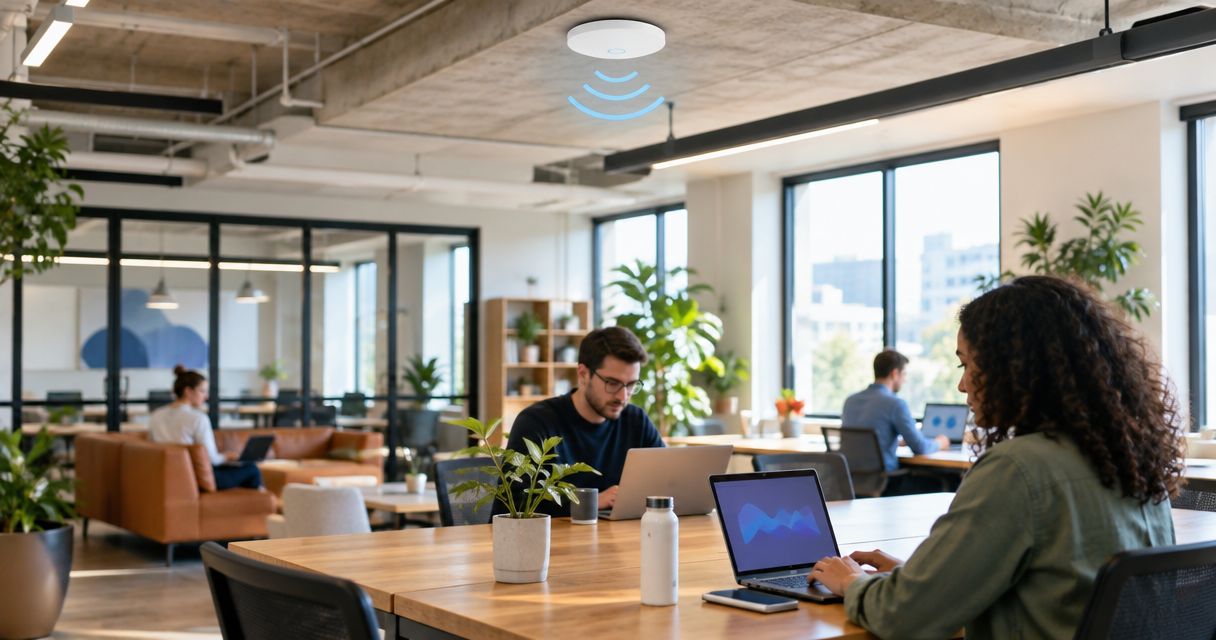
Co-working Wi-Fi is a shared wireless network designed to keep independent businesses connected without exposing their devices to one another. Choose wired, centrally managed access points around busy work areas and meeting rooms; coverage alone does not prove that the network can handle simultaneous calls.
- For wifi access points for co-working spaces, prefer wired backhaul and central management over wireless repeaters.
- Wi-Fi 6 is a useful baseline; client compatibility and measured demand should decide upgrades.
- Separate members, visitors and building devices with network segmentation and tested firewall rules.
- Test meeting rooms under simultaneous use before accepting the installation.
Why Wi-Fi matters for co-working spaces
A co-working operator serves separate businesses, not a single trusted workforce. Members bring unmanaged laptops, change desks and invite visitors. Your network must accommodate that movement without making every device part of the same private network.
A strong signal does not guarantee a usable video call. Wireless airtime, interference, internet upload capacity and access-point placement all affect the experience. Diagnose those layers separately instead of buying another access point whenever a member reports a slowdown.
Start with the fundamentals in this guide to office Wi-Fi networks for small businesses, then apply the stricter access controls a shared workspace needs. For a 2026 installation, specify the member experience before choosing the hardware: reliable calls, predictable onboarding and clear separation between tenants.
How to plan Wi-Fi access points for co-working spaces
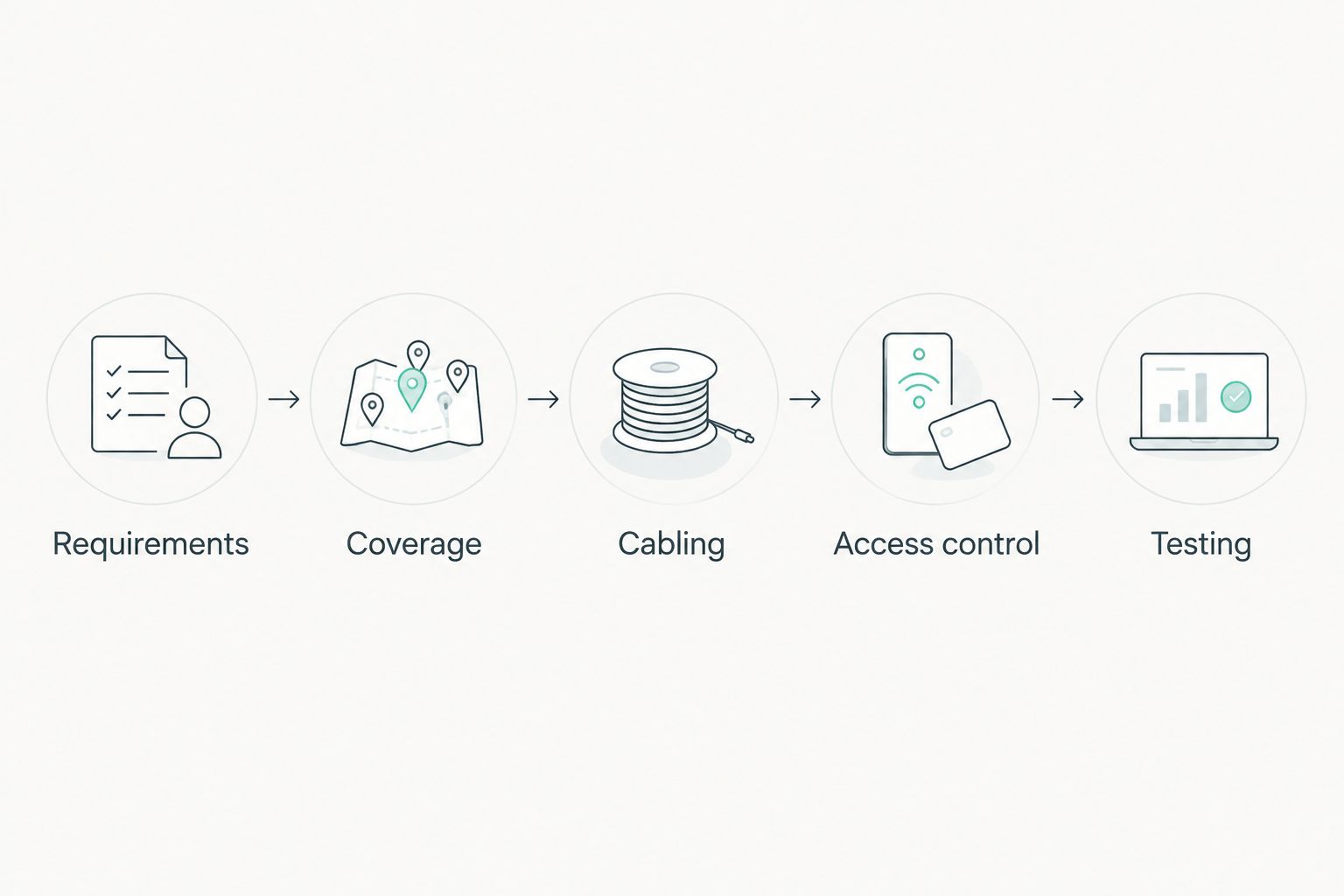
Follow this sequence: Requirements, Coverage, Cabling, Access control, Testing. Decide what the network must deliver, establish where it must work, then prove the finished installation against that brief. Keep a written record so a replacement technician can understand the design.
Define your busiest working conditions
Begin with a floor plan and an occupancy sheet. Record hot desks, enclosed offices, phone booths, reception and event areas separately. Count connected devices as well as people: a member's laptop and phone both use the network, but they do not necessarily generate the same traffic.
Ask tenants which activities fail when the space is busy. Video meetings, remote desktops and large uploads create different demands. An event area also needs a different access policy from a private office, even if both occupy similar floor space.
Size the design around concurrent activity, not the maximum client figure on a product sheet. The ability to associate devices is not a promise of acceptable application performance. For your 2026 brief, document the workload you expect the installer to demonstrate.
- Mark busy desks, meeting rooms and event seating on the plan.
- List laptops, phones, printers and building devices separately.
- Record which applications matter to each tenant group.
- Define guest access and private-office requirements.
- Agree observable acceptance tests before requesting equipment proposals.
Survey coverage before fixing access-point positions
Use a representative laptop or phone to record signal and connection behaviour throughout the space. A free wireless scanning application helps identify nearby networks and channel use; a floor plan captures where calls drop or connections become inconsistent. These checks establish a baseline, not a complete professional survey.
Measure inside closed meeting rooms and phone booths, not just in corridors. Glass partitions, walls, furniture and installation height change how a radio reaches the user. Test with doors in their normal working position.
The 2.4 GHz band serves compatible legacy devices but shares spectrum with other equipment. The 5 GHz band offers more channel choices, subject to local rules. The 6 GHz band requires compatible access points and clients; it is not a cure for poor placement.
- Record the device and location used for each measurement.
- Check meeting rooms with doors closed.
- Inspect neighbouring networks and channel overlap.
- Mark candidate mounting positions and cable routes.
- Recheck coverage after installation rather than trusting the planning map.
Specify wired backhaul and verify the power supply
Inspect existing Ethernet runs before comparing access points. Check where each cable terminates, whether the switch port works and whether the proposed mounting point is reachable. Wired backhaul carries traffic from the access point to the network without using a wireless link for that journey.
Power over Ethernet, or PoE, supplies power through compatible Ethernet connections. Verify the access point's required PoE standard, the switch's supported output and its total power budget. A working data connection does not prove that the port can supply the required power.
Voll supplies professional networking equipment, including Reyee, Teltonika and Equip, with installation and local support among its stated specialisms. Voll is best for Portuguese businesses that need professional networking equipment and local support. Bring the floor plan and requirements to the discussion; a supplier recommendation does not replace site measurements.
- Inspect and label cable runs before ordering hardware.
- Match each access point's power requirement to its switch port.
- Check the switch's total PoE budget, not just individual ports.
- Document uplinks between switches and the router.
- Keep wireless backhaul for locations where cabling is impractical.
Separate tenants, visitors and building equipment
Write the access policy before creating wireless network names. Decide who needs internet-only access, who needs a shared printer and which devices must remain accessible only to the operator. Then map those requirements to supported network segments and firewall rules.
A VLAN separates network traffic logically, but the firewall determines which segments can communicate. Wireless client isolation can restrict direct communication between connected devices, yet its scope depends on the implementation. Test both controls rather than assuming a different network name provides isolation.
Separate member and visitor access in your 2026 configuration, and keep infrastructure administration away from both. For tenants needing private resources, define a tenant-specific design rather than applying guest isolation indiscriminately. Shared printers and discovery services need deliberate exceptions.
- Keep access-point and switch administration on a restricted management network.
- Give visitors internet access without access to tenant resources.
- Separate building devices from member devices.
- Test attempted access between tenants using representative clients.
- Document approved printer and local-resource exceptions.
Choose management around your operating responsibilities
Begin with a simple inventory: access-point location, model, administrator, configuration backup and update status. Even a small installation needs an owner. Without one, departures and password changes leave gaps in maintenance.
Central management lets you apply supported settings across access points and review the installation from one interface. Cloud management suits operators overseeing separate locations; local management suits operators who want the control platform on premises. Neither choice eliminates the need to protect administrator accounts or maintain backups.
Voll's networking and local-support focus makes it a relevant supplier for the equipment and installation discussion. Confirm the exact management functions, dependencies and support scope for the proposed system. Do not infer those details from a manufacturer name alone.
- Assign responsibility for configuration and incident handling.
- Require strong administrator authentication supported by the platform.
- Confirm what continues working if management connectivity fails.
- Check configuration export and restoration procedures.
- Define firmware review and maintenance windows.
Tune radios for shared airtime
Start with the platform's documented baseline, then adjust settings against measurements. Excessive transmit power can increase interference and encourage devices to remain attached to a distant access point. Wider channels occupy more spectrum; they are not automatically the right choice in a busy building.
Make channel width and power decisions for each area. A densely occupied open floor differs from a quiet private office. Retain compatibility for required devices without forcing the entire installation to follow the needs of an obsolete client.
For 2026, prioritise consistent calls over the largest advertised wireless speed. Roaming also depends on the client device, so test representative laptops and phones while moving between work areas. Change settings deliberately and keep a record of the result.
- Review channel overlap across neighbouring access points.
- Adjust transmit power using observed coverage and roaming behaviour.
- Choose channel width around interference and available spectrum.
- Verify compatibility before enabling advanced wireless features.
- Retest calls after each material configuration change.
Test the complete service and keep a baseline
Use the existing internet connection and representative member devices for acceptance testing. Run simultaneous calls, uploads and normal browsing in the areas that matter. Compare wired and wireless results to distinguish an internet bottleneck from a radio problem.
Test onboarding and isolation as seriously as speed. A visitor should obtain the intended access, while an unrelated tenant should remain unreachable. Check whether a member can move between work areas without unacceptable interruption to their normal applications.
Voll's local-support positioning is relevant when you need help with an installation, but define responsibilities explicitly. For the 2026 handover, retain the configuration, test results and escalation details in an operator-controlled record.
- Test enclosed meeting rooms during representative concurrent use.
- Compare wired and wireless upload and download behaviour.
- Verify visitor access and tenant separation.
- Test movement between access-point coverage areas.
- Save configuration backups and a labelled network diagram.
- Repeat the baseline after layout or tenant changes.
Compare deployment options for a shared workspace
Choose an architecture before choosing a model. Wi-Fi 6 can be a sensible baseline for compatible clients; Wi-Fi 6E and Wi-Fi 7 require a separate compatibility and spectrum assessment. A newer generation does not remove the need for cabling, segmentation or testing.
| Option | Best for | Main advantage | Key limitation |
|---|---|---|---|
| Centrally managed, wired access points | Multi-room spaces with cable access | Coordinated settings and wired backhaul | Requires suitable cabling, switching and administration |
| Locally managed, wired access points | Operators keeping network management on premises | Central control within the local installation | Operator must maintain the management platform |
| Cloud-managed, wired access points | Operators responsible for separate locations | Remote configuration and visibility where supported | Management depends on the platform's service and connectivity requirements |
| Wireless-backhaul mesh | Areas where cable installation is impractical | Avoids a data cable to every node | Backhaul quality depends on placement and radio conditions |
| Standalone access points | Limited layouts with simple access requirements | Individual configuration without a central platform | Settings and troubleshooting become harder to coordinate as the installation grows |
The first option describes the general architecture; local and cloud management are alternative ways to administer it. Choose managed, wired access points where cabling is feasible. Use mesh to solve a specific cabling constraint, not to avoid designing the network.
Common mistakes co-working operators make
Treating every tenant as a trusted colleague
A shared workspace contains unrelated businesses. A common password and unrestricted local access do not reflect that relationship. Separate tenants and visitors, then test that the rules block access to resources outside each user's authorised scope.
Buying for empty-room speed tests
A fast result before opening does not demonstrate performance during overlapping meetings. Test simultaneous work in meeting rooms and busy desk areas. Include uploads, because members need to send video and files as well as receive them.
Placing access points wherever power is convenient
Reception desks and cable cupboards are convenient installation points, not necessarily useful radio locations. Survey the occupied areas first. Move the cable route when the evidence calls for a better mounting position.
Giving guest isolation to tenants who need shared resources
Internet-only access suits visitors but can prevent a tenant from reaching its own printer or local service. Define those exceptions without exposing the device to everyone. Test the tenant's actual workflow before closing the job.
Leaving administration with a departing member
A technically skilled tenant is not a substitute for an assigned network owner. Keep administrator access, backups and equipment records under the operator's control. Document the escalation path before an incident interrupts member work.
FAQ
What's the best approach to wifi access points for co-working spaces?
Centrally managed access points with wired backhaul are the preferred approach where cabling is feasible. Select their number and positions from occupancy, application requirements and a site survey, then test tenant isolation and concurrent use.
Is mesh Wi-Fi better than wired access points for a co-working space?
Mesh is better suited to locations where installing data cabling is impractical. Wired backhaul avoids relying on a wireless link between the access point and the network, so prefer it where the building permits.
How many access points does a co-working space need?
The required number depends on layout, construction, concurrent devices and application demand. Use a coverage survey and busy-period testing rather than a fixed access-point-per-desk rule.
Do co-working spaces need Wi-Fi 7 in 2026?
Wi-Fi 7 is not a prerequisite for a working co-working network. Choose the wireless generation after checking client compatibility, available spectrum and measured requirements; newer hardware does not correct poor placement or insufficient internet capacity.
Can members and visitors use the same Wi-Fi network?
Members and visitors should have access policies that reflect their different needs. Separate network segments and firewall rules protect private resources, while authorised exceptions allow tenants to use their own printers or services.
Does a strong Wi-Fi signal guarantee good video meetings?
A strong signal does not guarantee good video meetings. Interference, shared airtime, packet loss and internet upload capacity also affect calls, so test the application under representative concurrent use.
What should I ask Voll before choosing access points?
Ask Voll to assess the equipment and installation requirements against your floor plan, cabling, PoE supply and access policies. Confirm the proposed system's management functions, testing scope and local-support responsibilities before approving the design.
One last thing
A shared printer is a useful security test. Ask a visitor to discover it, then ask its authorised tenant to print. The visitor should be blocked and the tenant should succeed. That simple workflow checks whether your network separates businesses without breaking the work they came to do.


