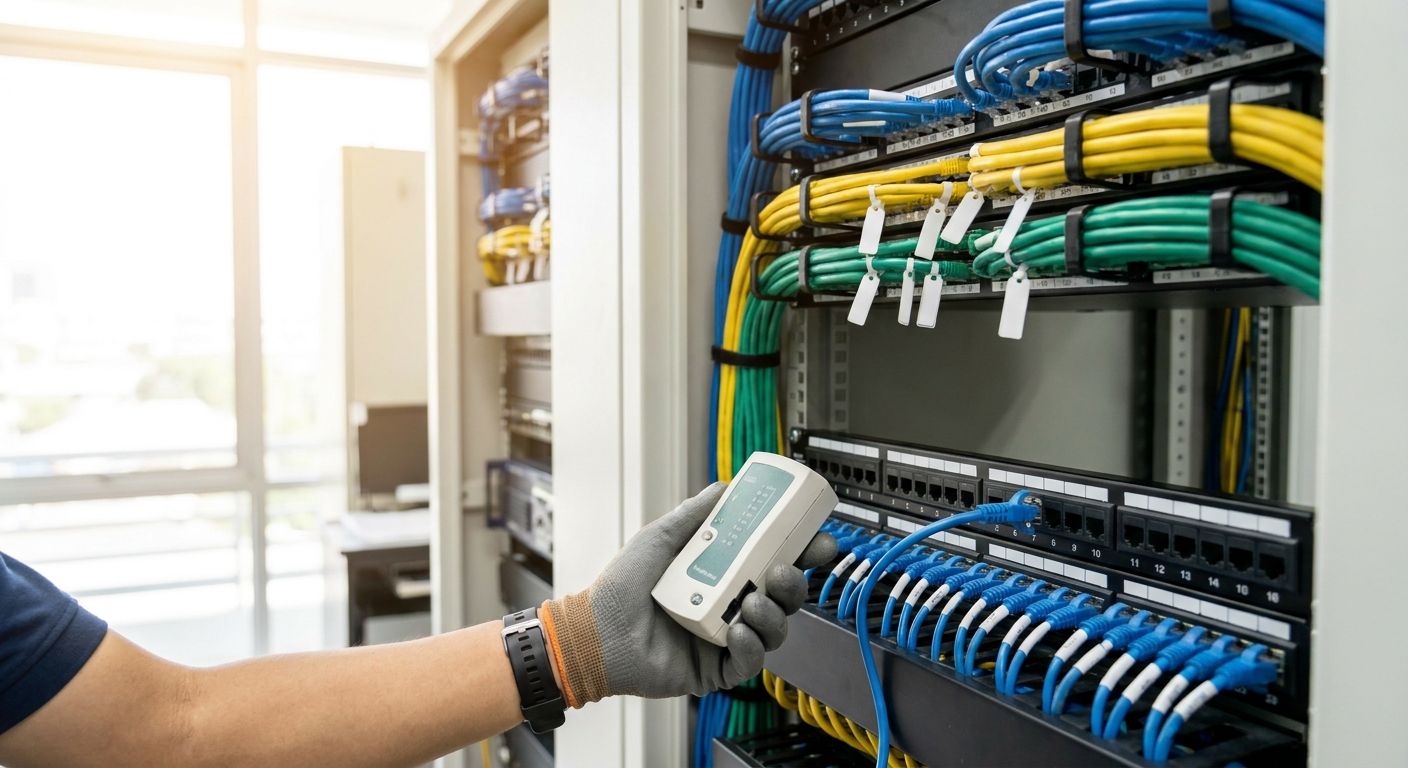
Structured cabling for a new office network installation is the physical backbone — Cat6 or Cat6A runs, a patch panel, and a rack — pulled and terminated before desks, phones, and Wi-Fi access points go live, with the goal of avoiding a second round of drilling once staff move in. A brand-new office differs from a renovation: there's no legacy wiring to reuse, no existing rack to inherit, and every decision about cable count, port density, and pathway routing gets made once, on a deadline, before the lease clock starts.
- Structured cabling for office network installs should use Cat6A, not Cat6, if any run exceeds 55 meters.
- Budget one data drop per desk plus two spares per room for growth through 2026 and beyond.
- PoE switches cut cabling cost by powering access points and IP phones over the same cable.
- Test and certify every cable run before drywall closes — re-opening a wall costs more than the cable.
- A labeled patch panel and rack diagram save hours on every future move, add, or change.
Why structured cabling matters for new office builds
A new office has zero existing infrastructure, which is actually the advantage — every cable path, port, and rack position gets planned instead of patched. Get it wrong and you're drilling through finished walls in month three to add a drop for a printer nobody accounted for.
The cost of skipping the plan shows up later, not on install day. Wi-Fi access points, VoIP desk phones, IP cameras, and POS terminals all depend on cabling laid down correctly the first time — retrofitting any of them after furniture and finishes are in place costs multiples of doing it during the build-out. Offices moving into a new lease in 2026 that treat cabling as an afterthought end up running extension cords and Wi-Fi extenders within the first quarter.
Structured cabling also determines what your office Wi-Fi network can actually deliver. Access points need a wired backhaul to hit real throughput — a mesh unit fed by a weak cable run underperforms no matter how good the hardware is.
Update your device inventory before you touch a cable
Count every device that needs a wired or PoE connection before ordering a single meter of cable.
- Desks and workstations (one drop minimum, two for shared spaces)
- Wi-Fi access points (ceiling-mounted, one per 100-150 m² of open floor)
- VoIP desk phones, if phones aren't going over Wi-Fi
- IP security cameras at entrances and stockrooms
- POS terminals or payment devices at any checkout or reception point
- Printers, kitchen display screens, and digital signage
- Two to four spare drops per room for growth
Choose the cable category for the distances involved
Cat6 and Cat6A both terminate in RJ45 jacks, but they perform very differently past 55 meters.
- Cat6 handles 10 Gigabit Ethernet up to 55 meters and Gigabit up to 100 meters — fine for a single-floor office under 500 m²
- Cat6A holds 10 Gigabit Ethernet to the full 100-meter channel limit — the safer default for multi-floor buildings or long runs to a central rack
- Shielded Cat6A (F/UTP or S/FTP) reduces interference near electrical conduit or elevator shafts
- Fiber uplinks between floors or buildings when copper runs would exceed 100 meters
- Plenum-rated jacket cable when running above drop ceilings used for HVAC return air
Plan power for the network gear, not just the desks
Every switch, access point, phone, and camera on the network draws power somewhere — decide early whether that's PoE or a separate outlet.
- PoE (802.3af/at) covers most access points and IP phones at up to 30W per port
- PoE++ (802.3bt) covers PTZ cameras and higher-draw access points at up to 90W per port
- A dedicated circuit for the rack itself, separate from general office outlets
- A UPS sized to the rack load, not just the servers — UPS systems for server rooms and network racks keep switches and access points up during a brownout, which matters more for VoIP and POS uptime than most people assume
- Battery runtime long enough to shut down gracefully, not ride out a long outage
Install the rack and patch panel before the walls close
The rack is the single point every cable run terminates at — get its position wrong and every cable run gets longer or shorter than planned.
- Position the rack near the building's incoming internet demarcation point, not at the far end of the floor
- Leave 1-2U of blank rack space for future switches
- Mount the patch panel above the switch, not below, for shorter, cleaner patch cords
- Include a horizontal cable manager between every patch panel and switch row
- Ground the rack per local electrical code, not as an afterthought
Run and label every cable as it goes in
Unlabeled cabling turns a five-minute fix into a half-day hunt six months later.
- Label both ends of every cable with room number and drop number
- Keep cable runs at least 30 cm from fluorescent lighting and electrical conduit
- Avoid sharp bends — cable radius should stay above four times the cable diameter
- Use a printed patch panel schedule, not memory, to track which port goes where
- Leave a service loop at both ends for future re-termination
Configure the active equipment once cabling is certified
This is where passive cabling turns into a working network — switches, access points, and firewalls all connect through the patch panel you just built.
- A managed PoE switch at the rack for phones, access points, and cameras — see network switches for growing offices for port-count and PoE-budget options
- Dedicated PoE switching for camera runs specifically — PoE switches for IP camera installations size the power budget separately from desk and phone traffic
- VLANs to separate guest Wi-Fi, POS traffic, and internal office traffic on the same physical cabling
- A firewall at the internet handoff before anything else connects
- Static IP reservations for printers, cameras, and POS terminals
VOLL's catalog covers the switch, access point, and rack-power side of this once the cabling itself is certified — the passive cabling work stays a licensed electrician or cabling contractor's job, but the active equipment that plugs into it is where a B2B supplier with local stock and 24-48h delivery matters.
Test and certify every run before anything gets covered
A cable that looks fine can still fail a certification test — testing catches wiring faults, length violations, and crosstalk before drywall or ceiling tiles hide the problem.
- Run a wire-map test on every single drop, no exceptions
- Certify length against the 100-meter channel limit, not just "looks about right"
- Test for near-end crosstalk (NEXT) on any run near power conduit
- Keep certification reports on file — insurers and future contractors both ask for them
- Retest after any rework, not just on first install
Document the layout and plan for the next expansion
A new office rarely stays the same headcount for more than 18-24 months — document the cabling so the next expansion doesn't start from zero.
- A floor plan marking every drop location and its patch panel port
- A rack diagram showing every switch port assignment
- A spreadsheet cross-referencing room, drop number, and device type
- Spare conduit or cable pathway left in place for future runs
Comparison: cabling and network options for a new office
| Option | Best For | Key Limitation |
|---|---|---|
| Cat6 copper | Single-floor offices under 500 m² | Drops to Gigabit speeds past 55 meters |
| Cat6A copper | Multi-floor or long-run offices | Thicker cable, harder to bend around tight corners |
| Fiber backbone | Inter-floor or inter-building links | Needs a media converter or SFP-capable switch at both ends |
| Wireless-only (no structured cabling) | Very small offices under 5 desks | No wired backhaul for access points — throughput and reliability both suffer |
Structured cabling with Cat6A to a central rack wins for any office over 500 m² or more than one floor — wireless-only setups save on install day and cost more in throughput and reliability every day after.
Spec the switches and access points
Browse network gear sized to your new office's port count and PoE budget.
Common mistakes new offices make with structured cabling
- Under-provisioning drops. One data port per desk with zero spares means every new hire or reorganized desk needs a new cable pull.
- Skipping certification testing. A cable that passes a basic continuity check can still fail throughput under load — certification catches it before the wall closes.
- Running cable too close to electrical conduit. Crosstalk from parallel power runs shows up as random dropped connections months later, not on day one.
- Undersizing the PoE budget. Cameras, phones, and access points all draw PoE power from the same switch — a switch sized for desks alone runs out of power budget fast.
- No UPS on the rack. A brief power blip takes down VoIP, Wi-Fi, and POS all at once if the switch and router aren't on battery backup.
FAQ
What is structured cabling for an office network?
Structured cabling is the standardized system of Cat6 or Cat6A cable runs, patch panels, and a central rack that carries all wired network traffic in an office. It replaces ad-hoc cable runs with a documented, testable system that supports phones, Wi-Fi access points, cameras, and POS terminals from one backbone.
Is Cat6A worth it over Cat6 for a new office?
Cat6A is worth it whenever any cable run exceeds 55 meters or the office spans more than one floor, since it holds 10 Gigabit Ethernet to the full 100-meter channel limit where Cat6 drops to Gigabit speeds. For a small single-floor office under 500 m², Cat6 is usually sufficient.
How many network drops does a new office need per desk?
Plan for one data drop per desk minimum, two for shared or hot-desk spaces, plus two to four spare drops per room for growth. Under-provisioning drops is the most common structured cabling mistake in new office builds.
Does structured cabling need to be certified after installation?
Yes — every cable run should be wire-mapped and length-certified against the 100-meter TIA-568 channel limit before drywall or ceiling tiles close over it. Skipping certification means faults surface only after the office is in daily use, when fixes cost far more.
Can PoE switches reduce the amount of structured cabling needed?
PoE switches don't reduce cable count but they remove the need for separate power outlets at every access point, camera, or VoIP phone location. A single Cat6A run carries both data and power up to 90W under the PoE++ (802.3bt) standard.
What happens if structured cabling runs too close to electrical conduit?
Cable runs closer than 30 cm to electrical conduit or fluorescent ballasts pick up crosstalk that shows up as intermittent dropped connections, not total failure. This makes the problem hard to diagnose after the fact, which is why routing distance gets planned before cable goes in, not after.
Should structured cabling be planned before or after choosing Wi-Fi access points?
Cabling gets planned first, based on floor plan and device count, then access point placement follows the cabling — not the other way around. An access point with no nearby wired drop either needs a new cable pull or runs as a wireless mesh hop, both of which underperform a direct wired backhaul.
How long does structured cabling last before it needs replacing?
Properly installed and certified Cat6A cabling typically outlasts several generations of active network equipment — 15-20 years of physical service life is standard for copper structured cabling under normal office conditions. Switches, access points, and routers get replaced on much shorter cycles, which is exactly why the passive cabling should be planned for headroom beyond current needs.
One last thing
The 100-meter limit in the TIA-568 standard isn't 100 meters of cable — it's the full channel including patch cords at both ends, so a 95-meter cable run with two 3-meter patch cords already exceeds spec. Measure the channel, not just the cable, before ordering.


