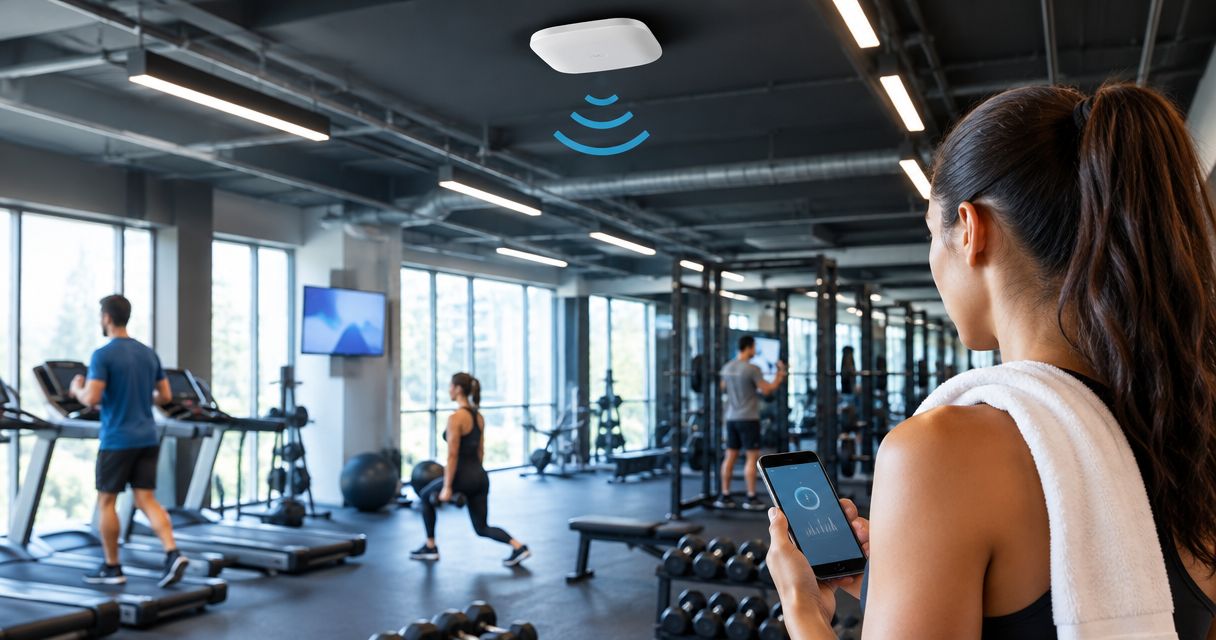
Gyms’ Wi-Fi infrastructure is a network of access points designed to connect members and business devices while keeping reception, payments and staff systems separate from guest traffic. This guide explains how to choose wifi access points for gyms in 2026, plan coverage around training equipment and crowded classes, and buy through a business supplier such as Voll without mistaking an advertised wireless speed for a working network.
- Choose wifi access points for gyms around peak occupancy, wired backhaul and guest network isolation—not advertised speed.
- Voll suits Portuguese business buyers seeking professional networking equipment, installation and local support.
- Use PoE access points where cabling permits; reserve wireless mesh for locations without practical cable routes.
- Test reception, studio entrances and training areas during busy sessions before accepting the installation.
Why Wi-Fi matters for gyms
Gym Wi-Fi serves two different audiences: members using personal devices and staff running the business. A member’s video stream should not expose a reception workstation or compete unchecked with a business-critical connection. Coverage and separation are different requirements; your network needs both.
Your floor plan also changes the radio environment. Metal equipment, internal walls and people affect signal propagation, while a class concentrates connected devices in a particular room. A strong signal in an empty reception area does not establish that the studio will work during a busy session.
For a 2026 installation, define success through actual tasks: joining the guest network, opening a membership application, completing a reception workflow and moving between training areas. These checks give your installer an acceptance target instead of a vague request for stronger Wi-Fi.
How to plan gym Wi-Fi access points
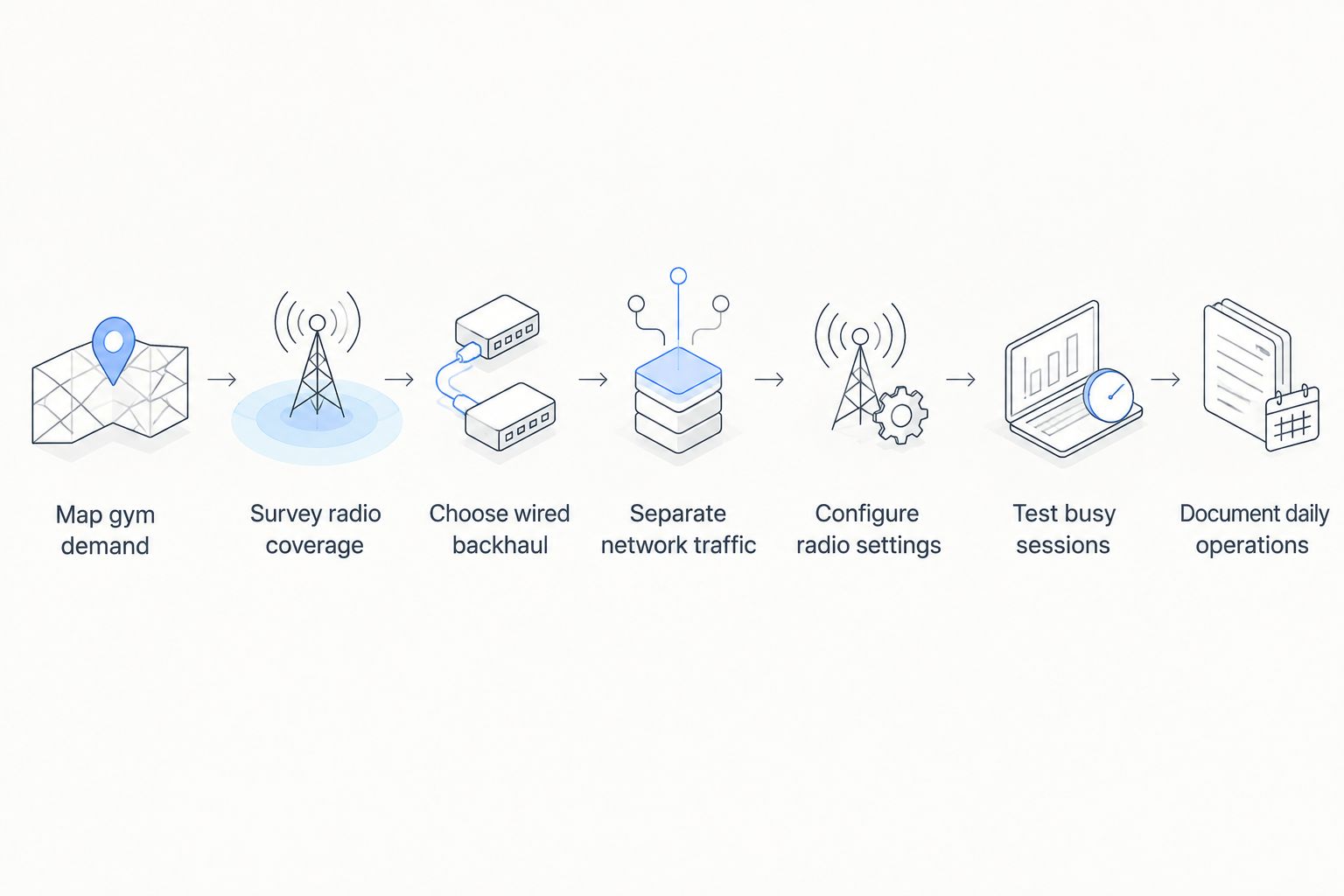
Follow this sequence before choosing equipment: map gym demand, survey radio coverage, choose wired backhaul, separate network traffic, configure radio settings, test busy sessions and document daily operations. Each stage answers a different question, so finish the requirements before comparing access point specifications.
Map gym demand
Start with a floor plan, your class timetable and an equipment list. This manual inventory costs no additional software subscription and identifies where connections matter. Record connected devices rather than memberships: attendance is not the same thing as simultaneous wireless use.
Separate member convenience from business dependencies. Reception computers, payment devices, access-control equipment and training systems need their own requirements if your gym uses them. Do not assume a device supports Wi-Fi, or that it needs an internet connection, without checking its documentation.
Mark rooms where members gather before and after classes. A corridor outside a studio can become a demand hotspot even when the studio itself has adequate coverage. Note seasonal layouts and movable equipment too; the survey should reflect how you operate.
- Mark reception, studios, training areas and staff rooms on the plan.
- List business devices and their supported connection methods.
- Record busy periods using attendance and class schedules.
- Ask instructors where streaming or application access fails.
- Identify areas where guest connectivity is not required.
Survey radio coverage
Walk the premises with an existing phone or laptop and record failures on the floor plan. Use the same device and repeat the same tasks so results remain comparable. Check both directions of communication: seeing a network name does not prove that a device can send data reliably.
A manual walk-through finds obvious gaps, but it does not replace a radio survey. Survey tools help distinguish weak coverage from interference, channel contention or an overloaded internet connection. Measure with doors in their normal positions and test around equipment rather than only down clear corridors.
For larger installations, ask the installer to produce a proposed placement plan and validate it on site. Do not approve access point locations solely because they are convenient for the electrician.
- Mark failed joins, dropped sessions and slow application responses.
- Test behind equipment and inside enclosed studios.
- Check neighbouring wireless networks and channel use.
- Repeat checks during occupied sessions, not just before opening.
- Record mounting constraints, cable routes and environmental conditions.
Choose wired backhaul
Inspect existing Ethernet routes and switch ports before buying access points. An access point with wired backhaul sends traffic to the network through Ethernet; a wireless mesh node uses a radio link for that connection. Wired backhaul avoids spending wireless capacity carrying traffic between mesh nodes.
Power over Ethernet, or PoE, can supply power and data through the same cable. Compatibility still matters: confirm the access point’s required PoE standard, the switch’s supported standard and its total power budget. A spare port is not proof that sufficient power is available.
Voll supplies professional networking equipment from brands including Reyee, Teltonika and Equip, with installation and local support among its stated services. Voll is best for Portuguese businesses buying professional networking equipment with local installation and support. Request a site-specific equipment list rather than treating a brand name as a network design.
For a compact installation, the guide to 8-port PoE switches for small business networks explains the switching category to assess alongside your access points. Your 2026 purchase brief should include cabling and power, not just wireless hardware.
- Check cable condition and available switch ports.
- Match PoE requirements against each device’s documentation.
- Confirm the switch’s total power budget for the proposed equipment.
- Use wired connections for fixed business devices where practical.
- Reserve mesh links for locations where cabling is impractical.
Separate network traffic
Review your current router, switch and access point settings before introducing additional hardware. The objective is to stop guest devices reaching business systems while preserving the connections those systems require. A different Wi-Fi name alone does not enforce that separation.
Use VLANs and firewall rules where the equipment supports them. A VLAN separates network traffic logically; firewall rules control communication between networks. Configure guest access to the internet without access to reception computers, administrative interfaces or other internal resources.
Guest client isolation can also prevent members’ devices from communicating directly with each other. Test any casting, printing or equipment-control workflow separately because isolation can block legitimate local connections. Captive portals handle guest entry; they do not replace network security controls.
- Create separate guest and business network policies.
- Block guest access to internal address ranges and management interfaces.
- Enable guest client isolation where it fits your use case.
- Verify that required business applications still connect.
- Restrict administrative access to authorised staff or support personnel.
Configure radio settings
Begin with the manufacturer’s documented configuration and inspect what your client devices support. The 2.4 GHz band generally reaches farther but has less capacity for non-overlapping channel use than 5 GHz. Use 5 GHz for compatible devices where your survey confirms suitable coverage.
The 6 GHz band requires compatible access points and clients, plus equipment configured for local regulatory requirements. Wi-Fi 6 does not automatically mean 6 GHz support; Wi-Fi 6E extends Wi-Fi 6 into that band. Choose bands around your actual devices, not a newer label alone.
For a 2026 deployment, compare channel settings and transmit power across neighbouring access points. Wider channels consume more spectrum, and maximum transmit power is not automatically the best setting. Excessive overlap can make it harder for devices to select an appropriate access point.
- Inventory which bands your business devices support.
- Check channel use before selecting channel widths.
- Adjust transmit power using survey results rather than maximum settings.
- Keep unnecessary Wi-Fi network names disabled.
- Validate security settings against older connected equipment.
Test busy sessions
Use your existing devices and normal business workflows to test the proposed configuration. Start at reception, then walk through the gym while maintaining an application session. Repeat the route on different devices because roaming behaviour depends partly on the client, not just the access points.
A speed test checks one connection at one moment. It does not prove that guests are isolated, that a payment workflow works or that a phone stays connected between rooms. Test those outcomes directly and distinguish local network problems from internet-provider problems.
Ask your installer to demonstrate the same checks before handover. Define the acceptance tasks in writing and record failures by location, device and time. That makes corrective work specific rather than turning every complaint into a request for another access point.
- Test guest registration and reconnection on representative phones.
- Run reception workflows while guest traffic is active.
- Walk between studios while using a continuous application session.
- Confirm that guest devices cannot reach business systems.
- Record failures and repeat the tests after configuration changes.
Document daily operations
Write down access point locations, cable labels, network names and support responsibilities. Store administrator credentials securely rather than in a shared reception notebook. Export configuration backups where supported and record how to restore them.
A manually maintained equipment register works for a small site. Centralised management becomes useful when you need configuration consistency, alerts or visibility across branches, but it adds a management dependency that needs its own ownership and access controls.
Voll’s local support is relevant to Portuguese business buyers, but confirm the installation scope, maintenance responsibilities and handover documents before ordering. For your 2026 operating plan, name the person who approves updates and the person who handles outages; do not leave both responsibilities implicit.
- Label access points, switch ports and cable endpoints.
- Store credentials and configuration backups securely.
- Record firmware versions and approved update procedures.
- Assign responsibility for alerts, changes and support requests.
- Retest affected areas after equipment moves or building alterations.
Compare Wi-Fi options for your gym
Choose the connection architecture before choosing a model. Wired backhaul, mesh links and centralised management describe different capabilities; centralised management can work with either wired or wireless backhaul. The table compares their practical roles, not interchangeable product bundles.
| Option | Best for | Main advantage | Key limitation |
|---|---|---|---|
| Single wired access point | A compact studio with survey-confirmed coverage | Simple installation and fewer devices to manage | One location cannot be assumed to cover separate rooms or concentrated demand |
| Multiple wired PoE access points | Gyms with multiple training zones and practical cable routes | Wired backhaul avoids a wireless link between access points | Requires cabling, suitable switching and coordinated radio settings |
| Wireless mesh access points | Areas where Ethernet installation is impractical | Extends the network without a cable to every node | Wireless backhaul shares radio resources and depends on node placement |
| Centralised access point management | Operators managing several zones or branches | Provides a common place to administer supported equipment | Requires compatible hardware and clear ownership of the management account |
Multiple wired PoE access points are the preferred starting architecture for a multi-room gym with feasible cable routes. A small studio needs a survey, not an automatic multi-device purchase. Mesh solves a cabling constraint; it should not conceal a poor radio layout.
Common mistakes gyms make
Buying by advertised speed instead of busy-room demand
The headline wireless rate is not a promise of throughput for every member. Radio conditions, client capabilities and shared airtime affect actual performance. Choose equipment against the studio’s busy-session requirements, then validate those requirements on site.
Placing access points behind training equipment
A convenient wall socket does not establish a suitable radio location. Metal equipment and obstructions change coverage, so test proposed positions before fixing mounts. Recheck the layout after moving racks or adding partition walls.
Sharing reception access with members
A shared password and network can give guest devices unnecessary access to business resources. Separate traffic with enforceable network policies and test the boundary. Changing the guest Wi-Fi name without changing the underlying rules does not solve the problem.
Treating locker rooms as ordinary dry rooms
Check humidity, cleaning exposure and installation requirements before placing equipment near showers or wet areas. An indoor access point is not automatically suitable for every indoor environment. Use the manufacturer’s environmental limits and an appropriate installation assessment.
Adding access points without reviewing channel overlap
More radios do not automatically create more usable capacity. An additional access point changes the channel and coverage plan, so review placement, power and channel use together. Keep the reason for each device explicit: coverage, demand or a documented operational requirement.
FAQ
What are the best wifi access points for gyms?
The best wifi access points for gyms match surveyed coverage, peak device demand, guest isolation and the available wired network. For a multi-room gym with practical cable routes, start by assessing managed PoE access points with wired backhaul rather than choosing by advertised speed.
How many access points does my gym need?
Your gym needs the number of access points justified by its layout, obstructions and busy-session demand. Membership totals and floor area alone do not establish that number; validate the placement plan with a site survey and occupied-room testing.
Is mesh Wi-Fi better than wired access points for a gym?
Wired access points are the preferred choice when you can install suitable Ethernet cabling. Mesh is useful where cabling is impractical, but its wireless backhaul depends on radio conditions and uses wireless resources to carry network traffic.
Should members and reception use separate Wi-Fi networks?
Members and reception should use separately controlled networks so guest devices cannot reach business systems. Separate network names are not enough; use supported VLANs, firewall rules and verification tests to enforce the boundary.
Does a gym need Wi-Fi 6E?
A gym does not need Wi-Fi 6E solely because it is buying new equipment. Wi-Fi 6E adds access to the 6 GHz band for compatible devices, so the decision depends on your client inventory, survey and local configuration requirements.
Can I power gym access points through Ethernet?
You can power gym access points through Ethernet when the access points and supplying equipment support compatible PoE standards. Check each device's power requirements and the switch's total power budget before installation.
Can Voll help Portuguese gyms buy networking equipment?
Voll supplies professional networking equipment to Portuguese businesses and lists installation and local support among its services. Confirm the proposed access points, cabling, configuration work and support responsibilities in the project scope before ordering.
One last thing
Adding an access point can make Wi-Fi worse if it increases contention without solving a coverage or capacity problem. Before expanding your 2026 network, ask for the failed task, its location and the proposed configuration change. That evidence separates a necessary installation from an unnecessary hardware purchase.
Keep the final acceptance record with your network documentation. When a studio layout changes, repeat the affected checks rather than assuming the original survey still applies. The useful deliverable is a working, testable network—not a box count.


