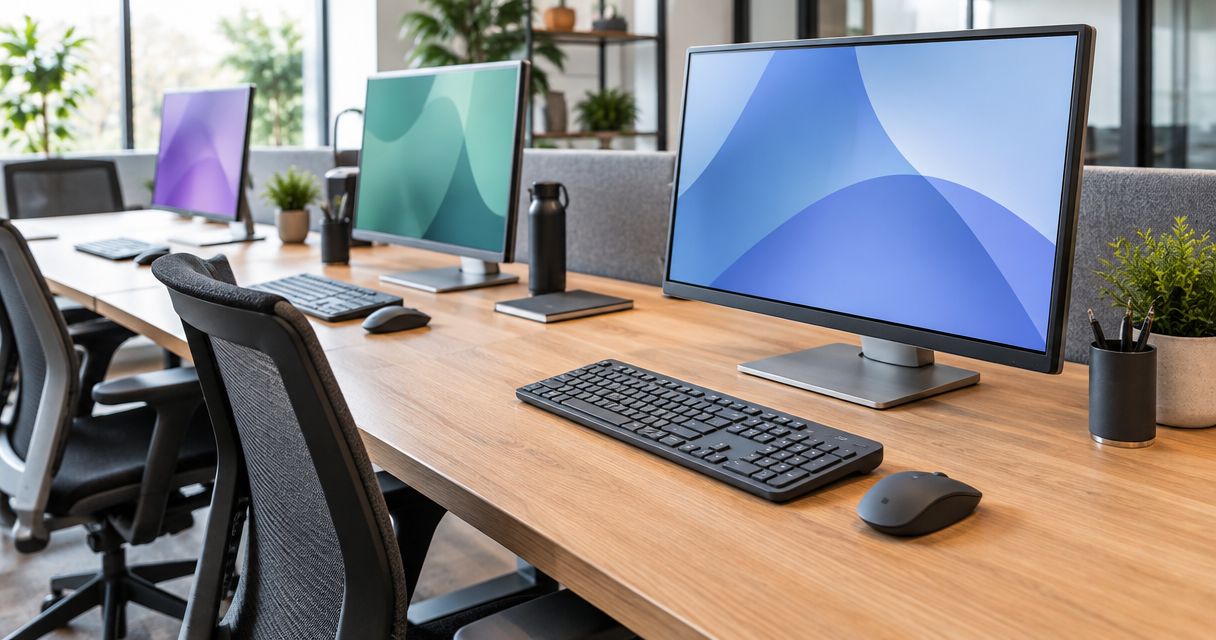
Best overall for shared office workstations in 2026: the Logitech MK540 Advanced Wireless Combo. Best for all-day ergonomics: the Logitech Signature K650 keyboard paired with a Lift mouse. Best for hot-desking between a laptop and a docked desktop: the Dell Premier Multi-Device Wireless Keyboard and Mouse (KM7321W).
- Logitech MK540 Advanced Wireless Combo wins overall for shared desks in 2026 — quiet keys, easy to wipe down.
- Logitech Signature K650 with a Lift mouse is the pick for staff who type all day and need wrist relief.
- Dell Premier KM7321W pairs with 3 devices over Bluetooth — the right keyboard and mouse set for office hot-desking.
- Microsoft Sculpt Ergonomic Desktop suits split-keyboard converts; HP 235 Combo covers bulk rollouts on a tight budget.
- Match the set to how the desk actually gets used in 2026, not to whichever combo shows up first in search.
Why this matters
A shared desk sees three or four different people a week, and the wrong keyboard and mouse set for office use turns into a support ticket queue: sticky keys, dead batteries, and staff who bring their own gear because the shared one is worn out. Voll's own shared office workstation peripherals guide covers the procurement side; this page ranks the actual models.
The stakes are different in a hot-desking office than at a single fixed desk. In 2026, offices running hybrid schedules cycle 2-3x more hands across the same keyboard than a desk assigned to one person, which changes what "best" means — durability and hygiene start to outrank looks.
What makes the best keyboard and mouse set for office use
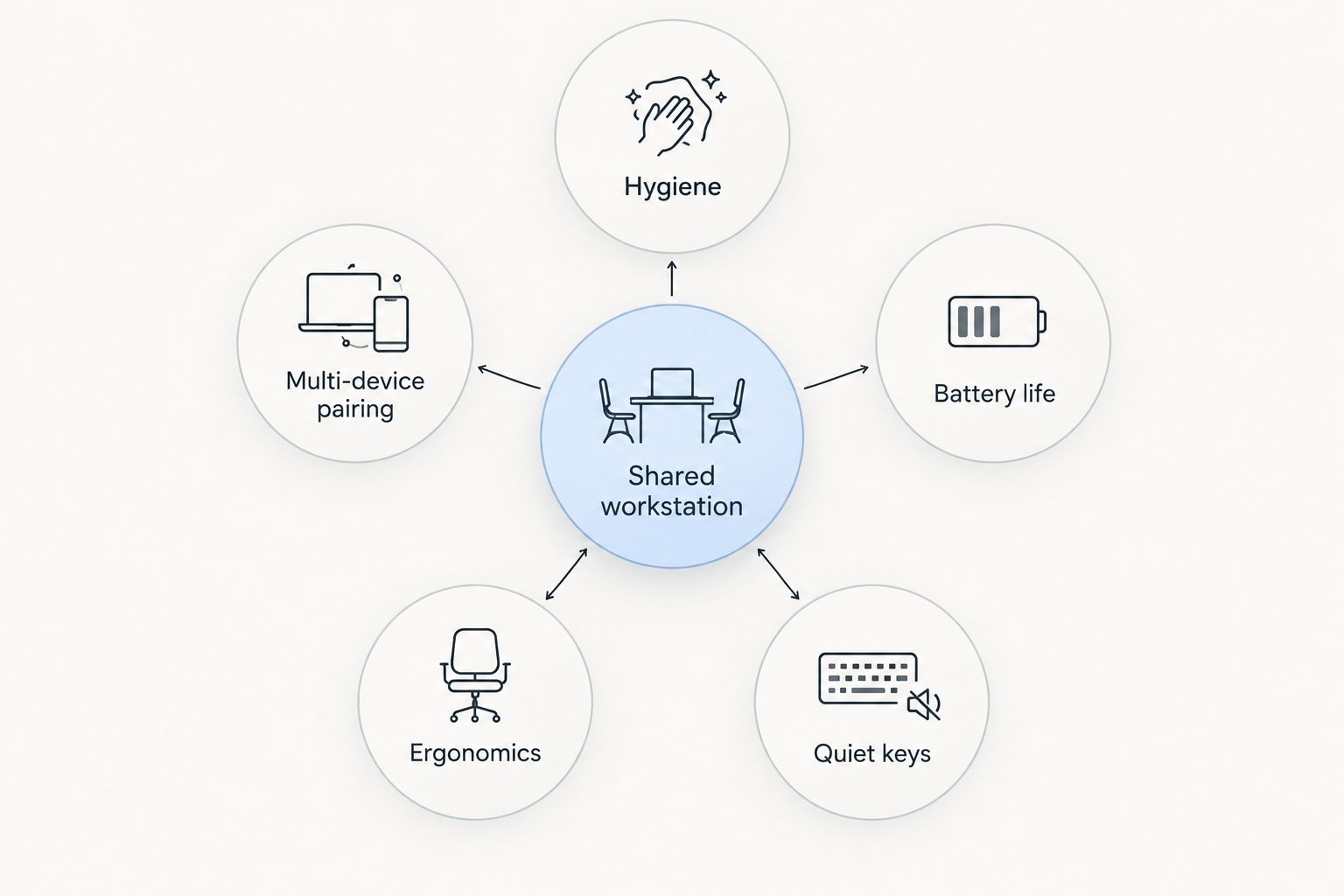
Before the ranking, here's what actually separates a good shared-desk combo from a bad one:
- Quiet, low-profile keys — open-plan floors amplify loud mechanical switches across ten desks
- Multi-device Bluetooth pairing — staff switch between a laptop and a docked desktop without swapping receivers
- Spill-resistant, wipeable surfaces — a shared keyboard gets cleaned far more often than a personal one
- Reliable wireless range — a 2.4GHz USB-A receiver has to survive being unplugged and moved between desks
- Battery life that survives a full week — nobody wants to hunt for AA batteries mid-shift
- Basic wrist support — 8-hour shifts on a flat membrane keyboard add up over a year
At a glance
| Item | Best for | Standout feature | Key limitation |
|---|---|---|---|
| Logitech MK540 Advanced Wireless Combo | High-turnover hot-desks | Spill-resistant, quiet keys | No Bluetooth, USB receiver only |
| Logitech Signature K650 + Lift mouse | All-day ergonomic comfort | Curved keyframe, vertical mouse grip | Bulkier footprint than a flat combo |
| Microsoft Sculpt Ergonomic Desktop | Wrist-strain prevention | Split, domed keyframe | Steeper learning curve for typing speed |
| Dell Premier Multi-Device Wireless (KM7321W) | Switching between laptop and dock | Pairs with up to 3 devices via Bluetooth | Premium build adds bulk to a shared drawer |
| HP 235 Wireless Mouse and Keyboard Combo | Bulk office rollouts | Simple, low-maintenance design | Fewer ergonomic features than the rest |
1. Logitech MK540 Advanced Wireless Combo: best keyboard and mouse set for office hot-desks
This is a full-size 104-key keyboard and a contoured mouse running off a single 2.4GHz USB-A receiver, built for desks that see a new person every shift. The keyboard is spill-resistant, which matters when the same keys are used by four different people a day, and the keys run quiet enough for a bullpen of ten desks.
Logitech MK540 pros:
- Spill-resistant keyboard body handles coffee-desk accidents
- Quiet keys suit open-plan floors
- Single receiver keeps setup to under a minute per desk
Logitech MK540 cons:
- No Bluetooth — tied to the one USB-A receiver
- Membrane keys, not mechanical, so feel is soft rather than tactile
Best for: shared desks with high daily turnover. Verdict: Buy.
2. Logitech Signature K650 with Lift mouse: best for all-day ergonomic comfort
The K650 uses a curved, cushioned keyframe designed to keep wrists in a more neutral position across a full shift, and the Lift mouse adds a vertical 57-degree grip that reduces forearm rotation. Together they suit staff who sit at the same seat for 7-8 hours rather than rotating desks every hour.
Logitech Signature K650 pros:
- Curved keyframe reduces wrist bend over long typing sessions
- Lift mouse's vertical grip cuts forearm strain
- Bluetooth pairing works across laptop and desktop
Logitech Signature K650 cons:
- Larger footprint eats more desk space than a flat combo
- Not built for fast hot-desk swaps between users
Best for: fixed desks with long single-user shifts. Verdict: Buy.
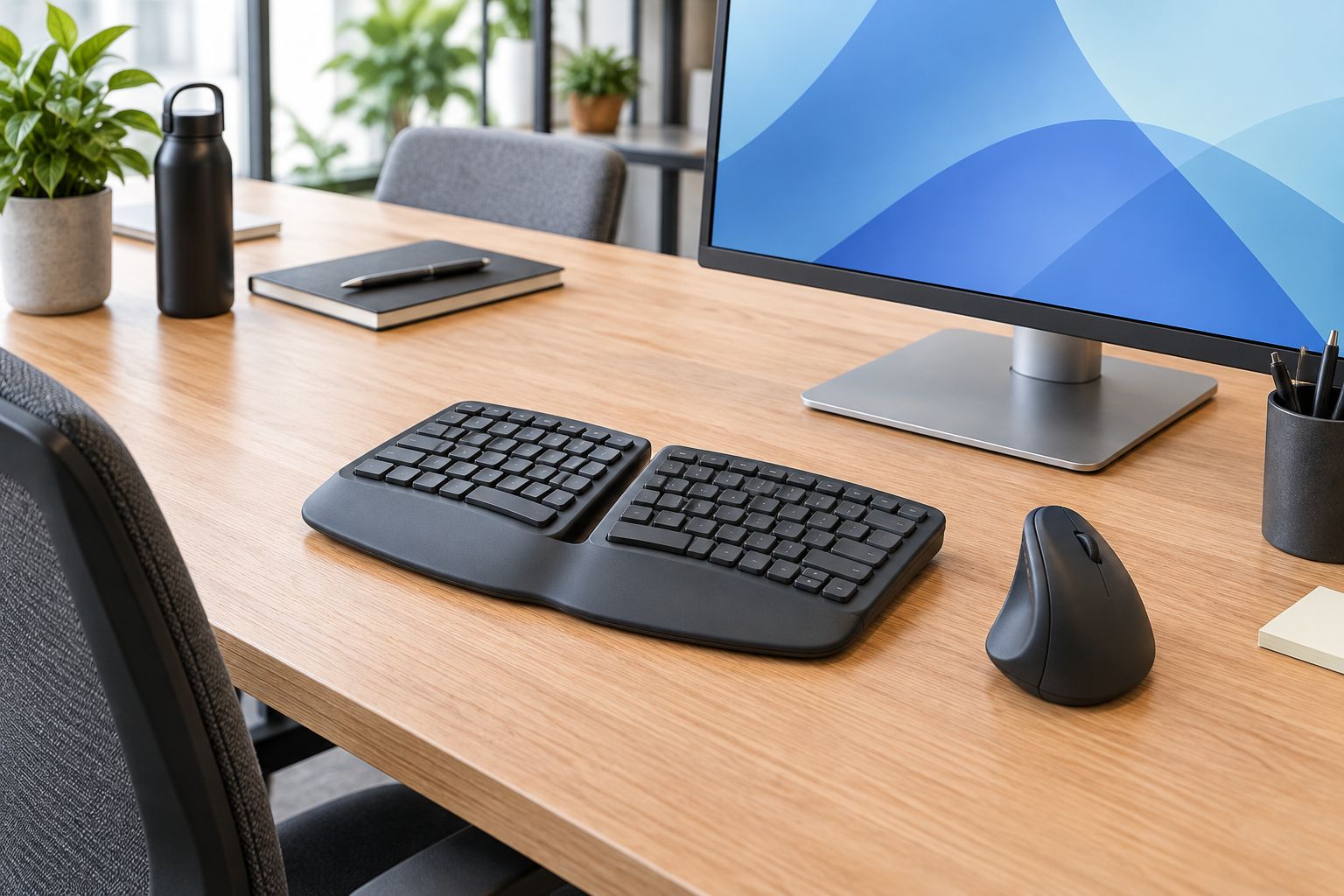
3. Microsoft Sculpt Ergonomic Desktop: best for wrist-strain prevention
The Sculpt splits the keyboard into two angled halves with a separate numeric keypad, forcing a wider, flatter wrist position than any standard flat keyboard. It's a bigger adjustment for typing speed in the first week or two, but staff who've had wrist complaints tend to stick with it once they adapt.
Microsoft Sculpt pros:
- Split, domed design cuts wrist bend more aggressively than curved-but-unified keyboards
- Separate numeric keypad frees up desk space for the mouse hand
- Cushioned palm rest built into the base
Microsoft Sculpt cons:
- Typing speed usually dips for the first 1-2 weeks of adjustment
- Takes noticeably more desk width than a standard combo
Best for: staff already reporting wrist or forearm strain. Verdict: Buy for anyone flagged by an ergonomic assessment; pair with ergonomic monitor arms to fix screen height at the same time.
4. Dell Premier Multi-Device Wireless Keyboard and Mouse (KM7321W): best for hot-desking a laptop and a dock
This set pairs with up to 3 devices over Bluetooth and switches between them with a single key press, which is the exact problem hybrid desks run into: one laptop, one docked monitor setup, and staff who don't want to re-pair a receiver every morning. It's the closest thing on this list to a true multi-device keyboard and mouse set for office use where nobody owns a fixed machine.
Dell KM7321W pros:
- Switches across 3 paired devices without unplugging anything
- Rechargeable battery avoids AA replacement runs
- Backlit keys help in dim breakout areas
Dell KM7321W cons:
- Bulkier than the MK540, less ideal for a drawer full of shared gear
- Overkill for a desk that only ever runs one machine
Check it against a docking stations for hybrid work laptops setup before buying — the two are usually bought together. Best for: desks alternating between a laptop and a docked workstation. Verdict: Buy.
5. HP 235 Wireless Mouse and Keyboard Combo: best for bulk office rollouts
The HP 235 strips the feature list down to a full-size keyboard and a basic optical mouse on one receiver — no Bluetooth, no backlighting, no ergonomic shaping. That's the point: it's the set to standardize across 40 identical desks when the budget owner wants one SKU and minimal support overhead.
HP 235 pros:
- Straightforward setup with almost nothing to configure
- Low-maintenance design suits basic administrative desks
- One consistent SKU simplifies bulk ordering
HP 235 cons:
- No ergonomic shaping, so it's a poor fit for 8-hour single-user desks
- No Bluetooth, so it can't multi-device switch
Best for: large offices standardizing on one low-maintenance set. Verdict: Buy for volume rollouts, Skip for desks with documented wrist complaints.
Standardizing peripherals across an office in 2026?
Set up a business account for bulk ordering and direct online purchase.
How we ranked
Each set was measured against the five criteria above: quiet keys, multi-device pairing, wipeable surfaces, wireless reliability, and battery life. No item scored well on all five — the Dell KM7321W wins on pairing but loses on drawer-friendliness, the HP 235 wins on simplicity but loses on ergonomics. That trade-off is the reason this list ranks by use case instead of by a single leaderboard. A bulk IT equipment order for 30+ desks should factor in support overhead as much as the feature sheet.
Which keyboard and mouse set for office use should you choose?
For a hot-desk floor where the same keyboard sees four different people a day, the Logitech MK540 Advanced Wireless Combo is the default buy in 2026 — quiet, wipeable, and cheap enough to replace without a budget review. For fixed desks with long single-user shifts, move to the Logitech Signature K650 with Lift mouse, and escalate to the Microsoft Sculpt Ergonomic Desktop for anyone already flagged with wrist strain. Offices running a laptop-plus-dock setup should standardize on the Dell Premier KM7321W for its 3-device Bluetooth switching, and large rollouts on a fixed budget should default to the HP 235 Combo.
FAQ
What's the best keyboard and mouse set for office use in 2026?
The Logitech MK540 Advanced Wireless Combo is the best overall pick for shared office desks in 2026 because of its spill-resistant build and quiet keys. Ergonomic-focused desks should move to the Logitech Signature K650 with a Lift mouse instead.
Is Bluetooth or a USB receiver better for a shared desk?
A USB-A receiver is more reliable for high-turnover hot-desks because there's nothing to re-pair between users. Bluetooth multi-device sets like the Dell KM7321W are better when the same person switches between a laptop and a dock all day.
How do I stop a shared keyboard from becoming a hygiene problem?
Pick a spill-resistant, wipeable keyboard like the Logitech MK540 and set a simple wipe-down routine between shifts. Membrane keyboards with sealed key wells are easier to clean than mechanical ones with exposed switches.
Do ergonomic keyboards actually reduce wrist strain in an office?
Split and curved keyboards like the Microsoft Sculpt Ergonomic Desktop and the Logitech Signature K650 keep wrists in a more neutral position across long shifts, which reduces strain for most typists. The adjustment period can slow typing speed for the first 1-2 weeks.
Can one mouse and keyboard pair with multiple computers?
Yes — the Dell Premier KM7321W pairs with up to 3 devices over Bluetooth and switches between them with one key press. This suits desks alternating between a personal laptop and a docked desktop.
What's the difference between membrane and mechanical keyboards for office use?
Membrane keyboards, like the ones on this list, are quieter and cheaper to replace, which suits open-plan and shared desks. Mechanical keyboards feel more tactile but run louder, which is a poor fit for a bullpen of shared desks.
Should every workstation in an office get the same keyboard and mouse model?
No — standardize by use case, not by desk count. Hot-desks, fixed ergonomic desks, and hybrid dock setups each need a different set, even inside the same office.
How much desk space does a split ergonomic keyboard need?
A split design like the Microsoft Sculpt Ergonomic Desktop needs noticeably more width than a standard full-size keyboard because of its separate numeric keypad. Measure the desk before rolling it out to a row of identical workstations.
One last thing
Buy 2-3 spare USB-A receivers per floor before rollout, not after the first one gets lost in a drawer — a lost receiver on a hot-desk set with no Bluetooth fallback means a dead workstation until IT finds a replacement. That single detail causes more support tickets in 2026 than any keyboard's key-feel or button layout.


