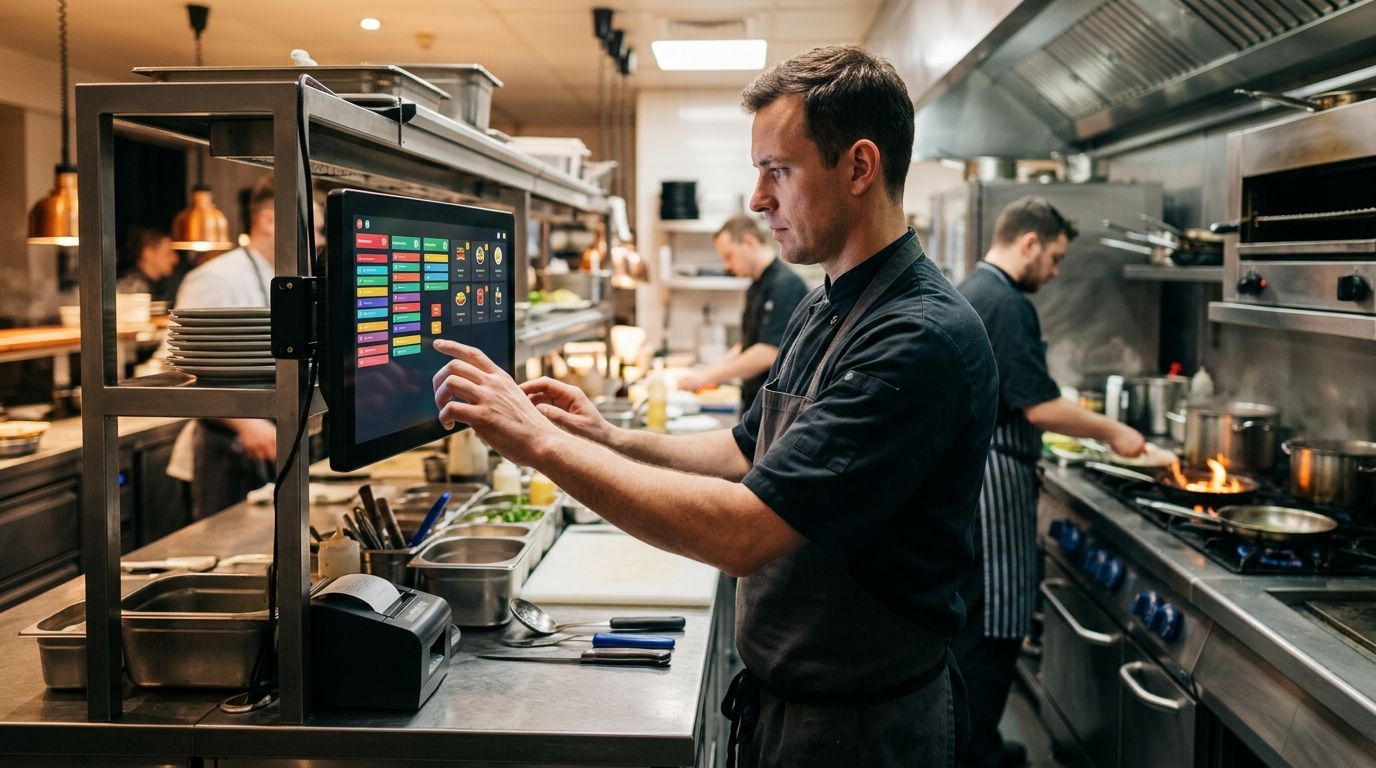
Choosing a kitchen display system in 2026 means deciding how tickets move from the till, the tablet, or the kiosk to the cooks on the line — and picking the wrong setup means a paper rail full of curling tickets during a Friday rush. This guide ranks five kitchen display system configurations against five distinct restaurant situations, so you match the setup to how your kitchen actually runs orders, not to a generic leaderboard.
- WINTOUCH POS Kitchen Display module wins overall for restaurants already running WINTOUCH POS in 2026.
- SUNMI hardware handles delivery and takeaway kitchens best when app order volume spikes.
- Business tablets fit small cafés without counter space for a fixed bump-bar screen.
- Self-service kiosks paired with a kitchen display system suit fast-food and quick-service throughput.
- Wintouch Cloud gives franchise groups one kitchen queue view across every location.
Why this matters
A kitchen display system replaces the paper ticket rail with a screen that shows every order the moment it fires, grouped by station, course, and time in queue. Portugal's restaurant sector increasingly runs three order channels at once — counter, delivery app, tableside tablet — and paper can't keep pace when all three hit the kitchen together in 2026. VOLL's kitchen display system for restaurant order management runs as a module inside WINTOUCH POS, so orders placed at the till, on a tablet, or through a kiosk land on the same kitchen screen without a separate integration project.
The difference between setups shows up during service, not on a spec sheet. A line cook glancing at a screen needs order age and station grouping at a glance from three meters away — not a dashboard built for a back-office manager.
Best overall: WINTOUCH POS Kitchen Display module for restaurants already running WINTOUCH POS. Best for delivery and takeaway: SUNMI kitchen display hardware. Best budget option: business tablets configured as a kitchen screen. Best for quick-service throughput: self-service kiosks paired with a kitchen display system. Best for multi-site groups: Wintouch Cloud kitchen display system.
What makes the best kitchen display system
- Routes orders by station and course, not a flat first-in queue
- Integrates with the POS or ERP already running the front of house (WINTOUCH, Primavera, Cegid)
- Uses hardware built for a kitchen: sealed screens, no keyboard, wipeable surface
- Shows order age and bump timing readable from across the line
- Covers every channel that hits the kitchen — counter, tableside tablet, delivery app, kiosk
- Gives multi-location groups one view across every site's kitchen queue
Kitchen display systems at a glance
| Setup | Best for | Standout feature | Key limitation |
|---|---|---|---|
| WINTOUCH POS Kitchen Display module | Restaurants running WINTOUCH POS | Native order routing from till to kitchen screen | Requires WINTOUCH POS as the front-of-house system |
| SUNMI kitchen display hardware | Delivery and takeaway kitchens | Sealed, wipeable screens built for a working line | Needs POS software behind it to route orders |
| Business tablets as kitchen screen | Small cafés and independent restaurants | Doubles as tableside ordering device | Screen size struggles past one station |
| Self-service kiosk + kitchen display system | Fast-food and quick-service restaurants | Orders skip the till and route straight to the line | Kiosk alone doesn't solve the kitchen side |
| Wintouch Cloud kitchen display system | Franchise and multi-location groups | One dashboard across every site's kitchen queue | Adds central management a single site doesn't need |
1. WINTOUCH POS Kitchen Display module: best kitchen display system for full POS integration
The module runs inside WINTOUCH POS itself, so an order confirmed at the till fires on the kitchen screen the same second, grouped by station and course automatically. It reads the same order data the till already holds, which means no second system to configure and no manual re-entry between front and back of house.
WINTOUCH POS Kitchen Display module pros:
- Orders route to the kitchen screen the instant they're confirmed at the till
- Groups tickets by station and course without extra setup
- Shares reporting with WINTOUCH's end-of-day sales data, so kitchen timing and sales sit in one place
WINTOUCH POS Kitchen Display module cons:
- Only makes sense if WINTOUCH POS already runs the front of house
- Screen hardware is bought separately from the software module
WINTOUCH POS Kitchen Display module verdict: Buy if WINTOUCH POS already runs your till — this is the one setup where the kitchen screen and the till are the same system, not two bolted together. Best for: independent restaurants and small chains already on WINTOUCH POS.
2. SUNMI kitchen display hardware: best kitchen display system for delivery and takeaway kitchens
SUNMI terminals built for delivery and takeaway businesses double as compact, sealed kitchen screens for a line where most tickets arrive from a delivery app rather than a dining room. The screens are wipeable and built to survive grease and steam near a fryer or grill station.
SUNMI kitchen display hardware pros:
- Sealed, wipeable screens built to sit near heat and steam
- Compact footprint fits a tight line-fire station
- Runs the same order feed as a SUNMI-based till, so app orders reach the kitchen without re-keying
SUNMI kitchen display hardware cons:
- The screen is a display, not a full kitchen display system on its own — it needs POS software driving it
- Multiple stations mean multiple screens, which adds up against one central display
SUNMI kitchen display hardware verdict: Buy for kitchens where delivery and takeaway make up most of the ticket volume.
3. Business tablets as a kitchen screen: best kitchen display system for small cafés
Business tablets for restaurant tableside ordering can double as a kitchen screen in a single-station kitchen — the same device that takes tableside orders during a quiet lunch service mounts near the pass during a busy dinner rush.
Business tablets as kitchen screen pros:
- Doubles as the tableside ordering device and the kitchen screen
- Mounts anywhere with a simple bracket, no build-out required
- Lower hardware footprint than a dedicated bump-bar display
Business tablets as kitchen screen cons:
- Screen size struggles once a kitchen runs more than one station
- Not sealed for grease and steam the way a dedicated commercial display is
Business tablets verdict: Hold for a genuinely small, single-station kitchen; Skip once order volume crosses more than one line.
4. Self-service kiosk + kitchen display system: best for fast-food and quick-service restaurants
Self-service kiosks for fast-food and quick-service restaurants take the order at the counter or drive-through, and a kitchen display system on the line shows it instantly — cutting the till out of the loop for high-throughput counters entirely.
Self-service kiosk + kitchen display system pros:
- Orders route from the kiosk straight to the kitchen without a cashier re-keying them
- Handles order surges around peak hours better than a single till and a paper rail
- Frees counter staff to handle food instead of taking orders
Self-service kiosk + kitchen display system cons:
- The kiosk alone doesn't solve the kitchen side — it still needs a real kitchen display system behind it
- Customers unfamiliar with self-order screens can slow the front line during rollout
Self-service kiosk + kitchen display system verdict: Buy for quick-service and fast-food counters running high order volume.
5. Wintouch Cloud kitchen display system: best for franchise and multi-location groups
Wintouch Cloud gives a franchise operator one dashboard across every site's kitchen queue, instead of checking each location's screen separately. New locations onboard onto the same setup without a separate install project per site.
Wintouch Cloud kitchen display system pros:
- One dashboard shows kitchen queue and ticket times across every location
- New sites onboard onto the same kitchen display system without a separate install
- Central reporting matches the same end-of-day sales data used group-wide
Wintouch Cloud kitchen display system cons:
- Adds central management overhead a single independent restaurant doesn't need
- Depends on a stable connection at every site, more than a local-only setup
Wintouch Cloud verdict: Buy for franchise groups and multi-location chains; Skip for a single dining room.
How we ranked these
Each setup was scored against the criteria above — order routing, POS integration, kitchen-grade hardware, channel coverage, and multi-site visibility — and matched to the restaurant type it solves for cleanly, rather than stacked into one leaderboard where only one option can win.
Which kitchen display system should you choose in 2026?
If you're running one restaurant with a counter, a kitchen, and a POS already in place, start with the WINTOUCH POS Kitchen Display module — it's the only setup here that doesn't require bolting a second system onto the till. If delivery apps drive most of your tickets, SUNMI hardware handles the grease and steam better than a tablet. Franchise groups should skip straight to Wintouch Cloud rather than running separate screens per site.
Get a kitchen display system quote
Match hardware and software to your kitchen layout before you order.
FAQ
What's the best kitchen display system for a restaurant in 2026?
For restaurants already running WINTOUCH POS, the WINTOUCH POS Kitchen Display module is the best kitchen display system in 2026 because it reads the same order data as the till with no separate integration. Delivery-heavy kitchens do better with sealed SUNMI hardware built for grease and steam.
Is a kitchen display system worth it for a small café?
Yes, but a small single-station café rarely needs a dedicated bump-bar screen — a business tablet doubling as tableside device and kitchen screen usually covers it. Move to a dedicated kitchen display system once the kitchen runs more than one station.
How does a kitchen display system connect to a POS?
A kitchen display system reads order data directly from the POS software, so an order confirmed at the till or a tablet appears on the kitchen screen automatically. WINTOUCH POS runs this as a built-in module rather than a separate connected system.
Can a kitchen display system work with delivery apps?
Yes — orders placed through delivery apps route to the same kitchen screen as counter and tableside orders when the POS behind the display consolidates all three channels. This is the main reason takeaway-heavy kitchens move off paper tickets first.
Do self-service kiosks need a separate kitchen display system?
Yes. A self-service kiosk only takes the order — it still needs a kitchen display system on the line to show that order to the cooks. Pairing the two removes the till from the order path entirely.
What hardware runs a kitchen display system?
Sealed commercial displays like SUNMI hardware, mounted monitors, or business tablets can all run a kitchen display system, depending on kitchen size and order volume. High-heat stations near a grill or fryer need sealed, wipeable screens rather than a consumer tablet.
Is a kitchen display system better than paper tickets?
Yes for any kitchen running more than one order channel, since a screen reorders the queue automatically when a ticket would otherwise be missed or fall off a paper rail. Paper still works for a single-channel, low-volume kitchen, but it doesn't scale past that.
Do multi-location restaurant groups need a different kitchen display system?
Yes — a cloud-based kitchen display system like Wintouch Cloud gives a franchise operator one view across every site's kitchen queue, which a single-site setup doesn't need. A single restaurant should skip the multi-site tooling entirely.
One last thing
The station grouping on a kitchen display system quietly kills a hidden failure mode: paper tickets that fall off the rail or get lost near the grill. A screen never drops a ticket — it just reorders the queue when one gets missed. That's also why most WINTOUCH POS Kitchen Display module installs in 2026 pair the screen with UPS backup power, since a kitchen running three order channels and no queue can't afford a screen going dark mid-service.


