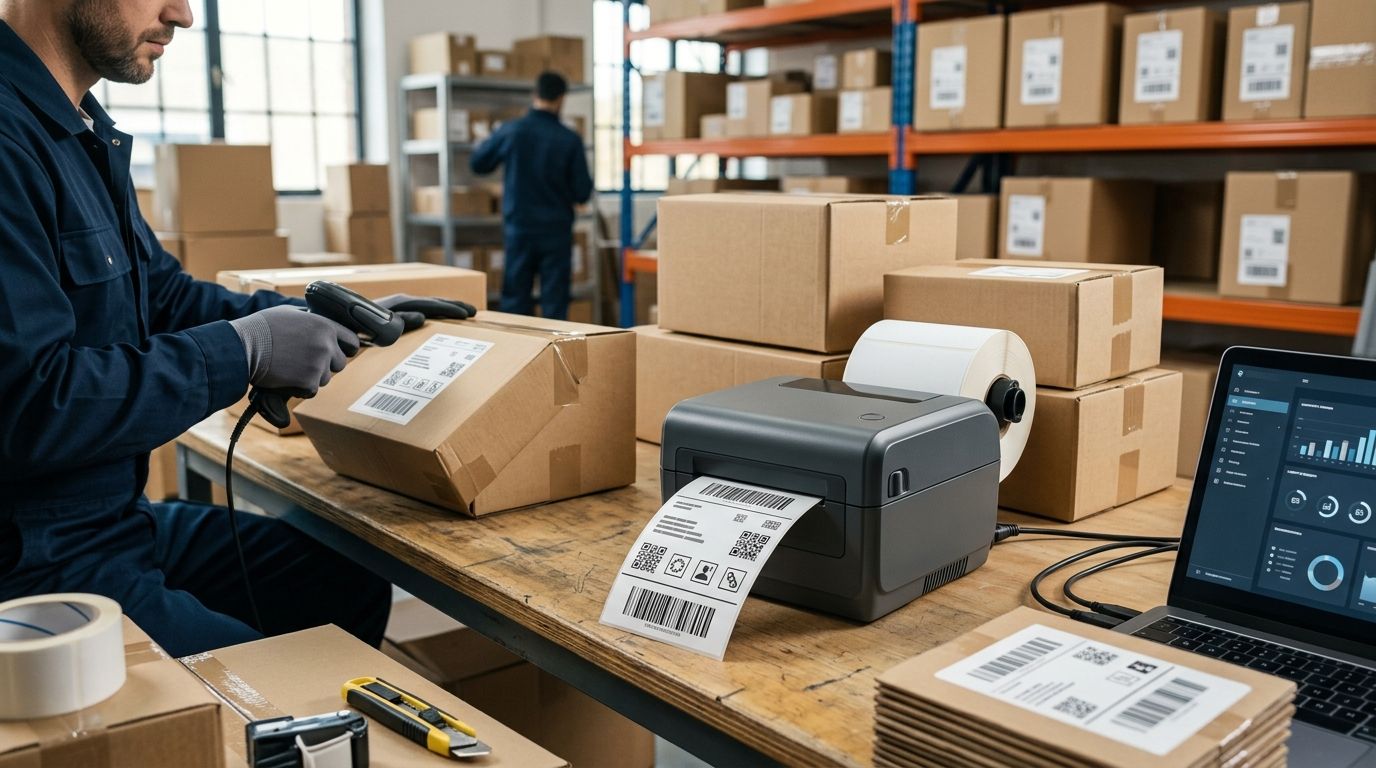
Choosing a shipping label printer in 2026 comes down to volume and connectivity, not brand hype: the desktop direct thermal printer wins for e-commerce shipping desks, an industrial thermal transfer model wins for high-volume warehouse and logistics floors, a retail-focused thermal printer wins for pricing and inventory tags, a mobile Bluetooth printer wins for route sales and last-mile delivery, and a network-connected printer tied into ERP wins for multi-branch transport and logistics operations.
- Desktop direct thermal printers are the default shipping label printer pick for e-commerce order volumes under a few hundred labels a day in 2026.
- Industrial thermal transfer models justify their footprint once print runs cross into thousands of labels or need ribbon durability for cold storage.
- Mobile Bluetooth printers pair with SUNMI handheld terminals for route sales and last-mile delivery where a fixed printer doesn't work.
- 203 dpi covers standard shipping labels; go to 300 dpi only when small barcodes or dense text need to stay scannable.
- VOLL delivers shipping label printers and supporting hardware across Portugal in 24-48h with pricing quoted ex-VAT for business buyers.
Why this matters
A shipping label printer that's wrong for the job either bottlenecks the packing bench or wastes money on capacity nobody needs. Direct thermal printers skip ink and ribbon entirely, which cuts consumables to a single roll of labels, but the print fades under heat and sunlight over months — fine for a parcel that ships in days, wrong for a label that needs to survive a warehouse shelf for a year.
Thermal transfer printers solve that with a ribbon that bonds pigment into the label, at the cost of one more consumable to manage. The right call depends on how many labels a business prints daily and where those labels end up after printing — a distinction that matters more than any spec sheet.
What makes the best shipping label printer
- Print method — direct thermal for short-lived shipping labels, thermal transfer for labels that need to last
- Resolution — 203 dpi handles standard 4x6 inch shipping labels; 300 dpi is needed for small barcodes or dense SKU text
- Connectivity — USB and Ethernet for fixed shipping stations, Bluetooth or Wi-Fi for mobile and route printing
- Media width support — most shipping labels run 4x6 inch (102x152mm), but retail tag printers need narrower rolls
- Print speed — matters once daily volume moves from dozens to hundreds of labels
- Integration — whether the printer talks cleanly to WINTOUCH POS or ERP Primavera without custom drivers
Shipping label printers at a glance
| Item | Best for | Standout feature | Key limitation |
|---|---|---|---|
| Desktop direct thermal | E-commerce shipping desks | No ink or ribbon to manage | Print fades under heat/sunlight over time |
| Industrial thermal transfer | High-volume warehouse/logistics | Ribbon-printed labels resist fading | Larger footprint, ribbon is a second consumable |
| Retail-focused thermal printer | Retail pricing and inventory tags | Narrow media widths for shelf tags | Not built for 4x6 shipping label volume |
| Mobile Bluetooth printer | Route sales and last-mile delivery | Battery-powered, pairs with handheld terminals | Slower throughput than desk-mounted units |
| Network-connected ERP printer | Multi-branch/logistics operations | Ties directly into ERP-driven label runs | Needs IT setup across each site |
1. Desktop direct thermal printer: best shipping label printer for e-commerce shipping desks
This is the standard shipping label printer for any business printing courier labels from an order management system or marketplace dashboard. It connects over USB or Ethernet, prints straight from the browser or shipping software, and needs nothing but a roll of direct thermal labels loaded and ready. Shipping label printers for logistics and e-commerce cover exactly this use case for Portuguese businesses shipping parcels daily.
Desktop direct thermal pros:
- Zero ink or toner to stock or replace
- Fast enough for order volumes into the hundreds per day
- Compact footprint fits any packing bench
Desktop direct thermal cons:
- Labels fade under prolonged heat or direct sunlight
- Not suited to labels that need to survive months in storage
Best for: e-commerce and marketplace sellers printing courier labels daily. Verdict: Buy.
2. Industrial thermal transfer printer: best for high-volume warehouse and logistics operations
Warehouses running thousands of labels a day — pallet tags, bin labels, compliance labels — need a printer built for continuous duty, not a desktop unit pushed past its rated cycle. Thermal transfer models pair with a ribbon to produce labels that hold up in cold storage and under repeated handling.
Industrial thermal transfer pros:
- Labels resist fading, scuffing, and cold-chain conditions
- Rated for continuous, high-volume print runs
- Pairs naturally with handheld barcode scanners for warehouse inventory for pick-and-pack accuracy
Industrial thermal transfer cons:
- Larger physical footprint than desktop units
- Ribbon adds a second consumable and cost line
Best for: warehouses and distribution centers running high daily label volumes. Verdict: Buy.
3. Retail-focused thermal printer: best for retail pricing and inventory tags
A shipping label printer isn't the right tool for shelf tags and price labels — those need narrower media widths and often smaller label runs tied to a POS system rather than a courier account. This category exists precisely for retail floors, not shipping docks.
Retail-focused thermal printer pros:
- Handles narrow, small-format label rolls efficiently
- Integrates with POS software for on-demand price tag printing
- Lower cost per unit than industrial models
Retail-focused thermal printer cons:
- Not built for 4x6 inch shipping label volume
- Limited print speed compared to dedicated shipping printers
Label printers for retail pricing and inventory tags is the category for stores tagging stock rather than shipping parcels.
Best for: retail stores printing shelf and price tags. Verdict: Buy for retail, Skip for shipping.
4. Mobile Bluetooth label printer: best for route sales and last-mile delivery
Delivery drivers and route sales teams can't wait to get back to a desk to print a label. A battery-powered, Bluetooth-connected printer paired with a SUNMI handheld terminal prints proof-of-delivery labels and receipts on the spot.
Mobile Bluetooth printer pros:
- Battery-powered for full-shift use away from a desk
- Pairs directly with handheld POS and route terminals
- Compact enough to mount in a delivery vehicle
Mobile Bluetooth printer cons:
- Slower throughput than a desk-mounted shipping printer
- Smaller label rolls mean more frequent reloads
Best for: delivery fleets and route sales teams printing on the move. Verdict: Buy for mobile use, Hold for desk-based shipping.
5. Network-connected ERP-integrated printer: best for multi-branch and transport & logistics companies
Businesses running multiple branches or a transport and logistics operation on ERP Primavera need label printing that ties directly into stock movements and shipment records, not a printer driven by manual entry at each location.
Network-connected ERP printer pros:
- Prints trigger automatically from ERP-driven shipment or stock events
- Centralized management across multiple sites
- Reduces manual re-keying of shipment data
Network-connected ERP printer cons:
- Setup requires IT coordination across each location
- Overkill for a single shipping desk with low volume
Best for: multi-branch retail chains and transport and logistics companies running ERP-driven operations. Verdict: Buy if already on ERP Primavera; Hold otherwise.
How we ranked
Each entry maps to one criterion from the list above — print method, resolution, connectivity, media width, speed, and integration — matched against a single distinct use case, so no two items compete for the same job. The desktop direct thermal printer and the industrial thermal transfer printer both handle shipping, but at opposite ends of daily volume; the retail, mobile, and ERP-integrated categories solve problems a shipping label printer was never built to solve.
Get the right label printer for your volume
Request a quote for shipping, warehouse, or retail label printers with ex-VAT pricing.
Which shipping label printer should you choose?
For most e-commerce and courier-shipping businesses in 2026, the desktop direct thermal printer is the default buy — it needs no ribbon, handles daily order volumes comfortably, and connects to any shipping platform over USB or Ethernet. Move up to thermal transfer only once daily volume or storage durability demands it, and treat retail, mobile, and ERP-integrated printers as separate purchases for separate jobs, not substitutes for a shipping label printer.
FAQ
What's the best shipping label printer for a small e-commerce business in 2026?
A desktop direct thermal printer is the best shipping label printer for most small e-commerce operations in 2026. It needs no ink or ribbon and handles the standard 4x6 inch label size used by couriers.
Is thermal transfer better than direct thermal for shipping labels?
Thermal transfer is better only when labels need to survive months in storage or cold-chain conditions. For labels that ship and get scanned within days, direct thermal is cheaper to run and simpler to maintain.
What resolution do I need for a shipping label printer?
203 dpi covers standard shipping labels and most barcodes without issue. Move to 300 dpi only if small barcodes or dense text on the label are failing to scan.
Can one printer handle both shipping labels and retail price tags?
Not efficiently. Shipping label printers are built for 4x6 inch media at volume, while retail tag printers use narrower rolls sized for shelf tags — running both jobs on one unit means constant media swaps.
Do mobile label printers work for delivery drivers?
Yes. Battery-powered Bluetooth label printers pair with handheld terminals used by route sales and delivery teams, printing proof-of-delivery labels on the spot rather than back at a desk.
How fast does delivery take when ordering a shipping label printer in Portugal?
VOLL delivers shipping label printers and related hardware nationwide in 24-48h, with pricing quoted ex-VAT for business buyers.
Does a shipping label printer need to integrate with ERP software?
Only if label printing is tied to shipment or stock events across multiple branches. A single shipping desk with low volume works fine without ERP integration; a multi-branch logistics operation benefits from it.
One last thing
The most common mistake in 2026 isn't picking the wrong printer — it's buying thermal transfer capacity for labels that will be scanned once and thrown away within a week. Match the printer to how long the label needs to survive, not to the biggest spec sheet on the page.


