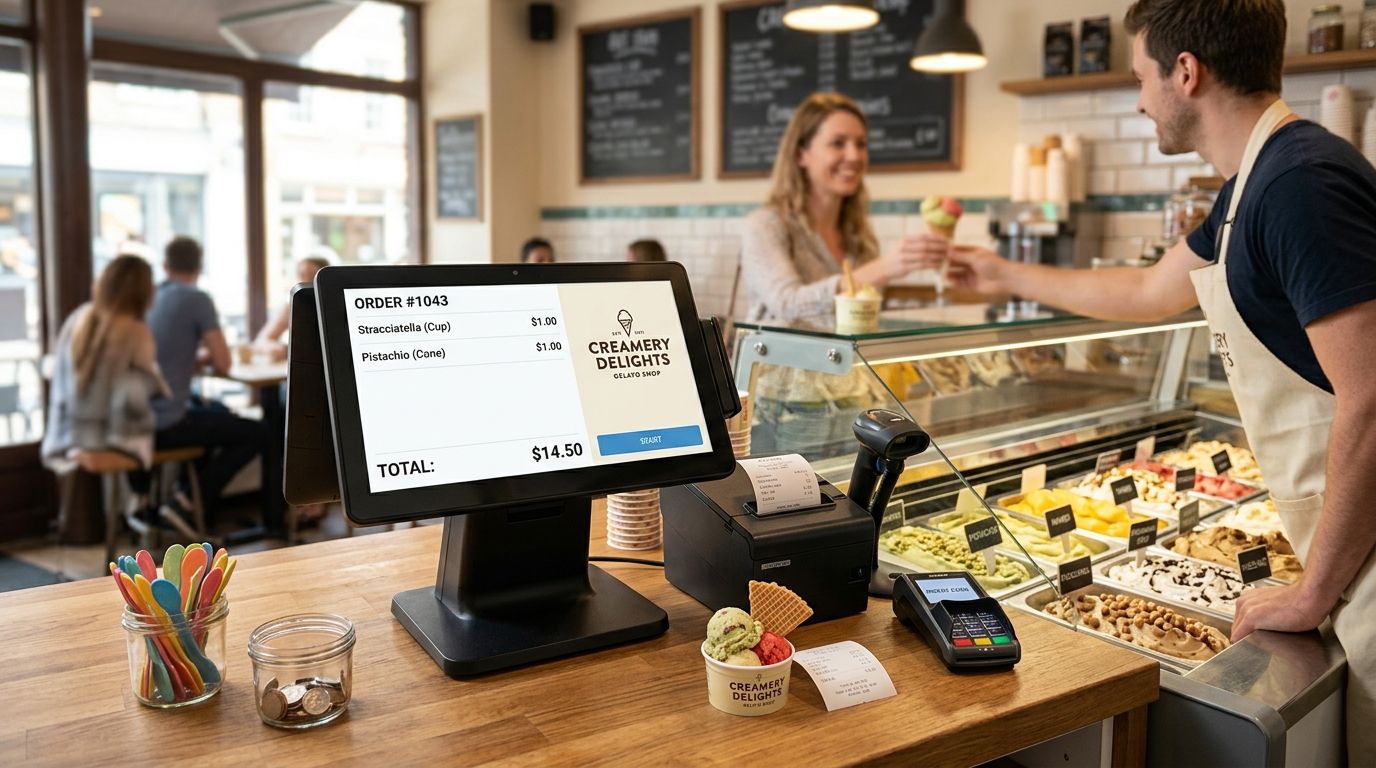
A complete POS terminal for ice cream and gelato shops is a checkout system built around weight-based pricing, fast multi-scoop transactions, and staff who often only work a single summer season, with the aim of moving long queues without losing money to slow checkout or scale-price mistakes. Unlike a restaurant till, it has to handle a tub sold by weight and a two-scoop cone sold as a fixed item, on the same screen, in the same three seconds.
- WINTOUCH POS handles weight-based gelato pricing and fixed-scoop combos on one till - the right base for a complete pos terminal for ice cream shops.
- Weighing-scale integration at checkout removes the manual price lookup that slows down tub and takeaway sales.
- A heat-tolerant screen, a fast thermal printer, and offline order queuing matter more here than in most retail counters.
- Seasonal staff need a checkout flow they can learn in one shift, not a system built for full-service dining.
Why this matters for ice cream and gelato shops
Gelato and ice cream shops run on compressed peaks: most of the year's revenue lands in a handful of hot weeks, and every extra second at checkout during that window costs sales. A till that was fine in April becomes the bottleneck in July.
The pricing model is also unusual. Some items sell by weight (tubs, takeaway cups), some sell as fixed combos (single scoop, double scoop, cone vs. cup), and toppings often get added on top. A complete pos terminal for ice cream shops has to switch between these pricing logics without the cashier stopping to think.
Staffing compounds this. Many gelaterias hire students or seasonal workers for three to four months and can't afford a two-week onboarding curve. In 2026 the checkout software either works after one shift of training or it doesn't work at all during peak season.
Update your pricing structure first
Before touching hardware, decide how each product category prices at the register — this drives every other choice.
- Set weight-based pricing per kilogram for tubs and takeaway cups
- Set fixed pricing for scoop counts (single, double, triple) independent of weight
- Build a topping and cone-upgrade list as quick-add buttons, not a manual entry field
- Flag seasonal items (limited-edition flavors) so they can be added or removed from the screen in seconds
- Confirm the software calculates VAT correctly on a mixed transaction (weight item + fixed item + topping) in a single ticket
Pick hardware that survives a counter in summer
Counter equipment near open freezers and direct sun takes more abuse than a typical shop till.
- Choose a screen rated for glare and frequent wipe-downs, not a consumer tablet
- Use a compact terminal that doesn't need a full desk — most gelato counters have 30-40 cm of free space at best
- Keep cabling short and sealed against spills, syrup, and condensation
- Avoid battery-only tablets for the main register; constant charging cycles in heat shorten their life
- If the counter doubles as a takeaway window, pick a terminal readable in direct sunlight
Build a checkout flow for multi-item, fast transactions
The register screen should mirror how customers actually order: size first, then flavors, then extras.
- Put size and format buttons (cone, cup, tub) at the top of the screen, always visible
- Group flavors visually the way they sit in the display case, not alphabetically
- Cap the steps to checkout at three taps for a standard order
- Enable split payment and quick cash rounding for high-volume cash days
- Set up a repeat-last-order shortcut for bulk combos (birthday parties, group orders)
A cloud-based system like WINTOUCH POS covers this pricing logic without custom development, handling weight-based and fixed-item pricing on the same screen — worth checking before building price lists from scratch.
Connect a scale directly to the register
For tub and takeaway sales priced by weight, a scale that talks to the POS removes the manual step that slows the line and causes pricing errors.
- Integrate the scale so weight reads straight into the ticket, no manual entry
- Set tare weights for standard tub sizes so staff don't recalculate each time
- Print the weight and unit price on the receipt for transparency
- Calibrate the scale on a fixed schedule, not only when a customer complains
A weighing scale integrated with POS cuts the two most common sources of checkout error in weight-based sales: wrong tare and manual price lookup.
Add a receipt printer and cash drawer built for volume
A slow printer is invisible in January and a visible bottleneck in August.
- Choose a thermal printer rated for continuous daily print runs, not light office use
- Keep a spare paper roll behind the counter at all times during peak season
- Use a cash drawer that opens automatically on cash sales, not a manual trigger
- Position the drawer where two staff can reach it during double-shift peaks
- Check the printer supports a second copy format if you also make waffle cones or hot items to order
A thermal receipt printer for retail and restaurants avoids the jam-and-restart cycle that costs minutes during a rush.
Protect the system against power and connectivity drops
Summer afternoons bring air-conditioning load, storms, and grid stress in exactly the weeks you can't afford downtime.
- Put the till and card terminal on a UPS so a brief outage doesn't kill an open transaction
- Confirm the POS queues sales locally and syncs when connectivity returns
- Keep a backup 4G connection if the shop relies on a single fixed line
- Back up sales data automatically at close of day, not manually by a staff member who might forget
Train seasonal staff in one shift
Most gelateria staff are seasonal, so the training curve has to be short by design.
- Write a one-page cheat sheet for the three most common transaction types
- Set default screen layouts so new hires never navigate a menu tree to find a flavor
- Restrict discount and void permissions to shift leads only
- Run a live practice shift with test transactions before opening day
Comparison: POS setups for ice cream and gelato shops
| Setup | Best for | Key limitation |
|---|---|---|
| Cloud POS with weight + fixed pricing (WINTOUCH) | Shops selling both scoops and weighed tubs | Needs a stable connection for full cloud sync |
| Compact touch terminal, fixed pricing only | Small counters selling only scoop and cone formats | No native weight-based pricing without add-ons |
| Tablet-based lightweight till | Seasonal pop-up stands and kiosks | Screen glare and battery life struggle in direct sun |
| Scale-integrated checkout station | High-volume tub and takeaway sales | Larger counter footprint than a simple touch terminal |
Verdict: a cloud POS with weight-based pricing built in, paired with a scale that feeds the register directly, is the setup that holds up through a full 2026 summer season without manual price lookups slowing the line.
Common mistakes ice cream and gelato shops make
- Pricing tubs manually at the register instead of connecting a scale — every manual entry adds seconds and a chance of error during the busiest hour of the day.
- Buying consumer tablets for the main till because they cost less upfront, then replacing them within one season once glare and heat degrade touch response.
- Skipping backup power and losing an open sale mid-transaction during a summer storm outage.
- Training staff on a full restaurant-style menu tree when the shop sells five product formats — friction with no benefit.
- Not printing weight on the receipt, which turns every price question at the counter into a longer conversation than it needs to be.
Get a POS setup built for your counter
Compare terminal, scale, and printer options in one request.
FAQ
What's the best complete pos terminal for ice cream shops?
A cloud-based POS such as WINTOUCH, configured with both weight-based and fixed-scoop pricing and connected to an integrated scale, covers the two pricing models most gelaterias need on one screen. Pick a terminal rated for glare and heat if the counter sits near a window or an open freezer.
Do I need a scale connected to my POS if I sell tubs by weight?
Yes. Connecting a scale directly to the register removes manual price lookup and prints the weight on the receipt, which cuts pricing errors and speeds up the line. Without it, staff calculate price per kilo by hand on every tub sale.
Is a tablet-based POS good enough for a gelato counter?
A tablet works for a small seasonal stand but struggles with screen glare and battery drain in direct sun across a full summer. A compact touch terminal or a full cloud POS terminal holds up better through peak months.
How fast should checkout be at an ice cream shop?
The screen flow should complete a standard order - size, flavor, extras - in three taps or less. Anything longer compounds fast in the queues that form every afternoon through summer 2026.
Can the same POS handle scoops and takeaway tubs together?
Yes. A POS with both weight-based and fixed-item pricing on one screen rings up a single cone and a half-kilo tub in the same transaction without switching modes. That capability is what separates a generic retail till from one built for this segment.
What happens if the internet goes down during a rush?
A POS that queues sales locally and syncs once connectivity returns keeps the register working through a short outage. Pair it with a backup 4G connection if the shop has only one fixed line.
How long does it take to train seasonal staff on a gelato POS?
With default screen layouts and a one-page cheat sheet for the three most common order types, most seasonal hires are ready after one practice shift. Restricting discount and void access to shift leads keeps the main screen simple for everyone else.
Does the POS need to connect to accounting or ERP software?
If the shop already runs Primavera or another ERP for accounting, a POS that syncs sales data automatically removes manual entry at month-end. This matters more for multi-location gelaterias than for a single seasonal stand.
One last thing
The change that pays off fastest in a gelato shop isn't a faster screen — it's printing weight and unit price on every tub receipt. It ends the "why did this cost more than last time" conversation before it starts, and it's a setting, not a hardware purchase.


