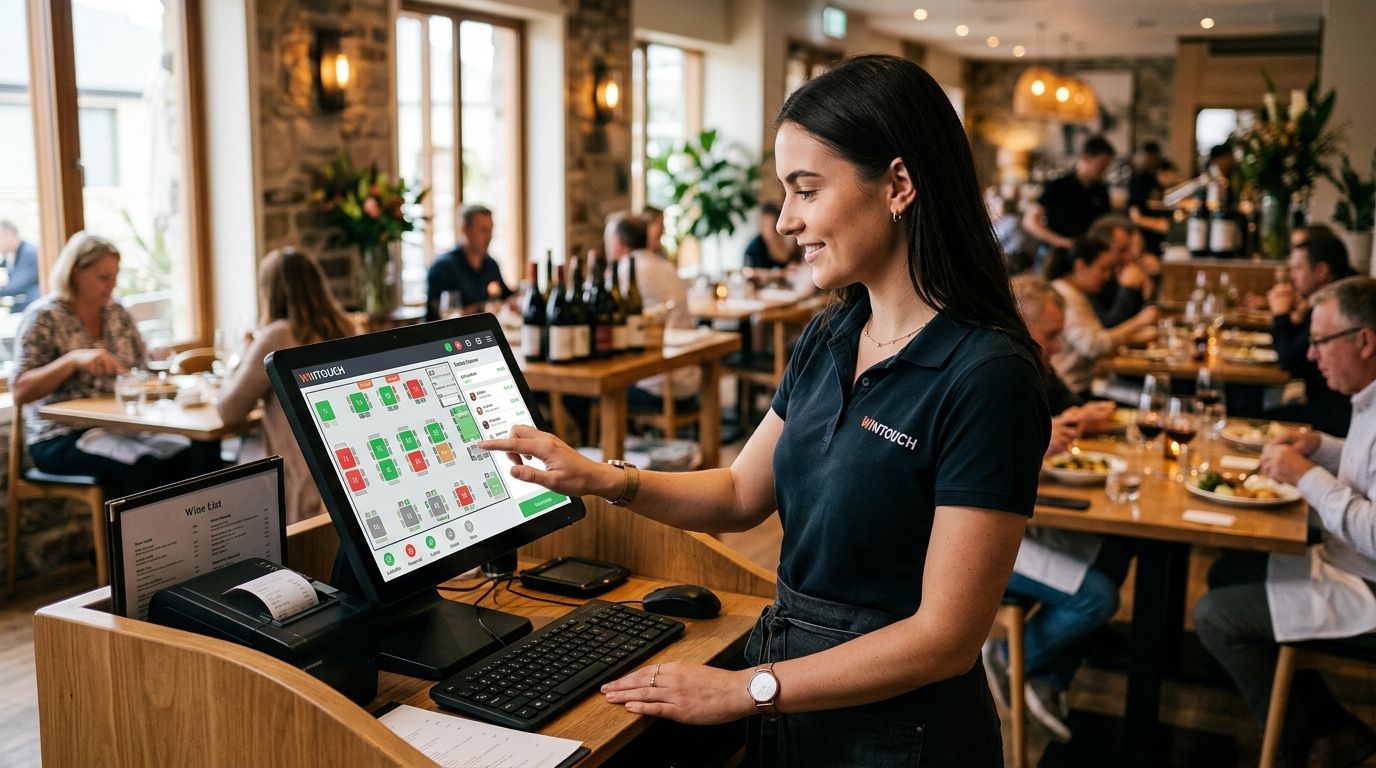
WINTOUCH POS manages table layouts through a visual floor plan editor and handles reservations through a built-in booking calendar, so front-of-house staff work from one screen instead of switching between a paper seating chart and a reservation book. Tables show color-coded status — free, occupied, reserved, bill pending — updating in real time as covers turn over, and the hidden cost most venues underestimate is staff training time when the floor plan changes for a new dining room layout or a seasonal terrace.
- WINTOUCH POS handles gestão de mesas software restauração through a drag-and-drop floor plan editor linked to a reservation calendar.
- Table status colors (free, occupied, reserved, bill pending) update live across every terminal in the venue.
- Reservations auto-block the assigned table for its time slot, cutting double-booking risk during peak service.
- Table-level sales sync to Primavera or Cegid ERP for accounting without manual re-entry.
- Merging and splitting tables mid-service keeps large groups and walk-ins on the same floor plan view.
Why this matters
A restaurant losing 5 minutes per table to manual seating decisions during a full Friday service adds up fast across 20-30 tables. In 2026, guests expect table-side ordering and fast turnover, and a POS that shows table status at a glance is the difference between a host seating a walk-in in seconds and a queue forming at the door.
The bigger issue for multi-location groups is consistency: a franchise running the same floor plan logic across five venues needs table management that behaves identically at every terminal, not five different workarounds. That's where WINTOUCH POS software earns its place as core infrastructure rather than an add-on — table layouts, reservations and order flow all sit in the same license.
How to manage table layouts and reservations in WINTOUCH POS
Setting up table management follows a fixed sequence whether you're opening a new dining room in 2026 or restructuring an existing one:
- Map the floor plan — place tables, bar seating and outdoor zones on the digital layout, matching the physical room.
- Assign table numbers and seating capacity — each table gets a number and a cover count used for reservation matching.
- Set table status colors — free, occupied, reserved and bill-pending states update automatically as staff open and close checks.
- Open the reservation calendar — block time slots against specific tables or zones so bookings don't overlap with walk-in seating.
- Merge or split tables during service — combine adjacent tables for large parties or split a long table for two smaller bookings.
- Sync to ERP at close — table-level sales push into Primavera or Cegid for reconciliation without manual export.
Missing step 2 is the most common setup error: without accurate cover counts, the reservation calendar can't warn staff when a party of eight is booked into a four-top.
Table layout setup: floor plan and zones
The floor plan editor separates a venue into zones — indoor, terrace, bar, private room — so a manager can filter the view during service instead of scanning every table in the building. Zones also matter for reporting: a restaurant comparing terrace revenue against indoor covers in 2026 needs that split built into the layout from day one, not retrofitted later.
Capacity planning happens here too. Tables carry a minimum and maximum cover count, and the system flags a mismatch when a reservation for six people lands on a table rated for four. Venues running business tablets for tableside ordering get the same floor plan view on the handheld device staff carry, so a server checking table status doesn't need to walk back to a fixed terminal.
Reservations: booking calendar and waitlist
The reservation calendar blocks a table for a fixed time window and releases it automatically once the window closes, unless a check is still open. That prevents the classic double-booking scenario where a 7pm reservation arrives and the 6pm party is still finishing dessert.
A waitlist function handles walk-ins when no table matches the party size immediately — staff add the guest, the system estimates availability based on open checks, and the host gets a live count instead of guessing. For groups running loyalty programs alongside table service, the loyalty and gift card setup sits in the same back office as the reservation calendar, so a repeat guest's booking history and loyalty balance appear on one screen.
Why table management setup varies
No two venues configure table layouts the same way. The factors that actually change the setup:
- Venue size — a 12-table café needs a simpler zone structure than a 40-table restaurant with a separate bar area.
- Indoor vs. outdoor seating — seasonal terraces mean the floor plan changes twice a year, not once.
- Franchise vs. single site — a franchise group standardizes table numbering across locations so head office reporting stays consistent.
- Peak service volume — high-turnover venues lean harder on the waitlist and merge/split functions than reservation-only restaurants.
- ERP integration depth — venues pushing table-level data into Primavera or Cegid need the mapping between table zones and cost centers set up correctly from the start.
- Kitchen workflow — table numbers feeding directly into a kitchen display system need to match exactly, or tickets misroute during service.
Can WINTOUCH POS handle reservations for multiple locations?
WINTOUCH POS handles reservations per location by default, with each venue running its own floor plan and booking calendar. Franchise groups running WINTOUCH Cloud for multi-location operations get centralized reporting across sites while each restaurant keeps its own table layout and reservation flow independent of the others.
Does WINTOUCH POS integrate with kitchen display systems?
WINTOUCH POS integrates with kitchen display systems by passing table numbers directly onto kitchen tickets, so a chef sees which table an order belongs to without a printed slip. This matters most during service peaks in 2026, when a mismatch between the floor plan and the kitchen queue costs minutes on every ticket.
How does table management connect to end-of-day reports?
Table management connects to end-of-day reports by attaching every transaction to a table number and zone, which then rolls up into the closing report. A manager reviewing 2026 performance by zone — terrace versus indoor, for example — pulls that split directly from the same data the floor plan generated during service.
Set up table management the right way
Get WINTOUCH Cloud configured for your dining room and reservation flow.
FAQ
What is gestão de mesas software restauração in WINTOUCH POS?
It's the table management module inside WINTOUCH POS — a visual floor plan plus a reservation calendar that shows table status in real time. Staff use it to seat guests, track occupancy and manage bookings from the same screen used for orders.
How much does table management cost in WINTOUCH POS?
Table management is part of the WINTOUCH POS/ERP license range rather than a separate purchase, and license configuration depends on venue size and modules selected. Pricing is confirmed at quote request, not published as a flat figure.
Is WINTOUCH POS better than a paper reservation book?
WINTOUCH POS beats a paper book on double-booking prevention because reserved tables auto-block for their time slot across every terminal. A paper book relies on one physical copy staying accurate through a full shift, which breaks down past a handful of tables.
Can I merge tables mid-service in WINTOUCH POS?
Yes, tables merge and split mid-service directly on the floor plan view, letting staff combine adjacent tables for a large party without closing and reopening separate checks. The merged table keeps a single running total until the group is seated separately again.
Does WINTOUCH POS sync table sales to accounting software?
WINTOUCH POS syncs table-level sales to Primavera and Cegid ERP so closing figures reach accounting without manual re-entry. This is one of the main reasons restaurant groups pair the POS with an existing ERP license rather than running the two systems separately.
How do I set up a waitlist in WINTOUCH POS?
The waitlist function activates when no table on the floor plan matches an incoming party size, letting the host log the guest and an estimated wait based on tables with open checks nearing completion. It sits inside the same reservation calendar used for advance bookings.
Does table management work across multiple restaurant locations?
Each location runs its own floor plan and reservation calendar by default, with WINTOUCH Cloud giving franchise groups centralized reporting across sites in 2026 without merging the actual table layouts.
One last thing
The setup step venues skip most often is zone-based reporting — splitting terrace covers from indoor covers on the floor plan before the season starts, not after. Get that structure right in 2026 and the end-of-day report answers the zone-performance question automatically instead of requiring a manual export and spreadsheet split every week.


