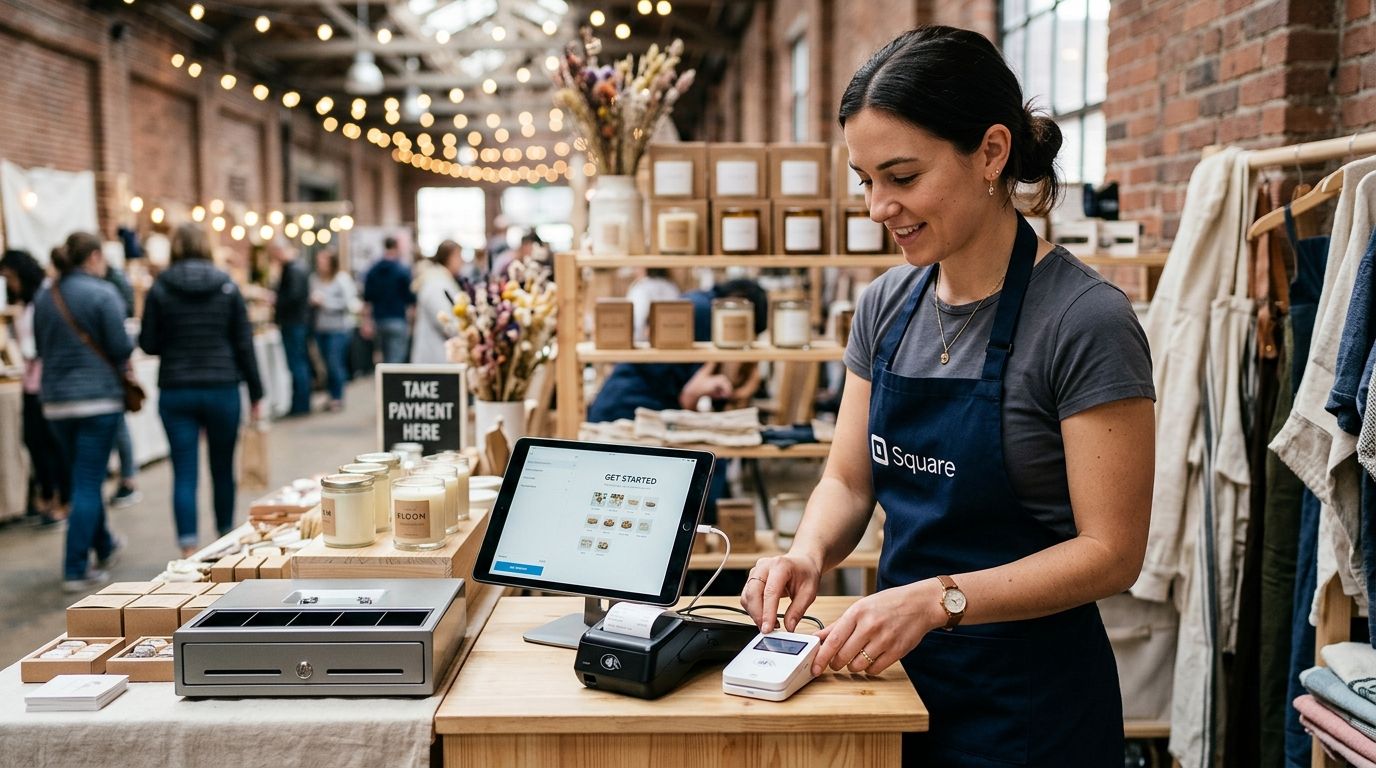
A pop-up retail event needs a POS terminal that runs without a fixed internet line, a mains socket, or a technician on standby — a SUNMI handheld terminal with SIM data and a charged battery pack, paired with a printed catalog loaded in advance, covers most one- to three-day setups in 2026. The part sellers forget is backup connectivity: venue Wi-Fi drops at more outdoor markets and fairs than most vendors expect, and a terminal with no fallback SIM stops taking cards the moment the signal does.
- A SUNMI handheld terminal with SIM data is the most reliable pos terminal for pop up retail events in 2026.
- Battery life and a 4G backup connection matter more than card reader speed at outdoor events.
- Load your catalog and pricing before event day — never build it on-site.
- Sync sales to your main ERP after the event closes, not mid-rush, to avoid data conflicts.
- Voll's catalog runs over 200 WINTOUCH POS and ERP configurations, so pop-up hardware can match what the main store already runs.
Why this matters
A pop-up sale lives or dies on the first ten transactions. If the terminal takes five minutes to figure out at 9am on market day, the queue backs up and customers walk. Businesses running a SUNMI handheld terminal built for market stalls and street vendors skip that problem because the hardware is designed for exactly this — no counter, no fixed power, no dependence on the venue's router.
The other reason this matters in 2026: card-only customers are the norm, not the exception. A pop-up stand with no reliable card acceptance loses sales it never even sees, because the buyer just doesn't ask if you take cash.
How to set up a POS terminal for pop-up retail events
Follow these 7 steps in order, ideally the day before the event, not the morning of.
- Pick portable hardware, not a repurposed counter setup. A handheld or tablet terminal with a built-in card reader beats a laptop-plus-separate-reader combo every time at a market stall.
- Confirm SIM or hotspot connectivity before you leave the office. Test a transaction on the SIM data plan you'll actually use at the venue — not the office Wi-Fi.
- Charge the terminal and pack a spare battery or power bank. Outdoor events rarely have an accessible outlet near the stand.
- Load your product catalog and pricing onto the terminal in advance. Adding items on the spot during a rush is where errors happen.
- Set up a cash drawer and receipt printer only if the event genuinely needs them. Many pop-ups run card-only and skip both.
- Run a full test transaction and a test refund before doors open. This catches connectivity or printer issues while there's still time to fix them.
- Pack a manual backup — a paper pad and a second SIM or hotspot device. If the primary connection fails mid-event, you still take the sale and reconcile later.
Connectivity is the step that fails most often
Venue Wi-Fi at markets, fairs, and expo halls is shared, unmanaged, and frequently overloaded by dozens of other vendors doing the same thing. A dedicated 4G LTE backup router built for business internet failover keeps the terminal online even when the venue's network chokes — it's the single upgrade that prevents the most pop-up sales losses.
Sunmi handheld terminals: best for market stalls and street vendors
Handheld SUNMI terminals combine the card reader, printer, and screen into one unit with a battery, which is why they dominate market stalls, craft fairs, and street vending setups. Best for: single-vendor stands where one person runs the whole checkout. The tradeoff is screen size — catalog browsing on a small handheld is slower than on a tablet, so keep the item list short and organized by category.
Tablet and printer kits: best for food trucks and multi-day pop-ups
A tablet running WINTOUCH POS paired with a separate receipt printer suits setups that run longer than a single afternoon — food trucks, weekend markets, or a brand activation booth staffed by two or three people. The complete POS terminal built for food trucks and mobile vendors bundles this exact combination so the connectivity, power, and printer questions are already answered before the truck rolls out. Best for: multi-day events with higher transaction volume than a single handheld comfortably manages. The tradeoff is more to carry, set up, and pack down each night.
| Setup | Best for | Main tradeoff |
|---|---|---|
| SUNMI handheld terminal | Single-person market stalls | Small screen for large catalogs |
| Tablet + printer kit | Food trucks, multi-day events | More gear to transport |
| Tablet only, no printer | Card-only, digital-receipt sales | No paper backup if the app crashes |
Why the right setup varies by event
- Event length — a two-hour flash sale doesn't need the same battery buffer as a three-day fair.
- Power access — some markets provide power at each stall, others don't, which decides whether battery backup is mandatory or optional.
- Transaction volume — a busy holiday market moves faster than a niche craft fair, and volume decides whether one handheld terminal is enough or you need two stations.
- Catalog size — a stall selling 15 items needs a fraction of the setup time of one selling 150 SKUs.
- Connectivity at the venue — indoor expo halls with managed Wi-Fi behave very differently than outdoor markets relying on cell signal.
- Whether sales need to sync back to a main store system — a one-off pop-up doesn't need ERP integration; a brand running weekly markets probably does.
A pop-up POS setup with no backup power and no backup connection is a setup designed to fail during its busiest hour, not its quietest one.
Do you need a receipt printer for a pop-up sale?
A receipt printer is optional at most pop-up events in 2026 — digital receipts sent by email or SMS cover the same legal and customer-service need without added hardware. Events with high foot traffic and impulse buys still benefit from a physical receipt, since it speeds up returns and disputes. The thermal receipt printers built for retail and restaurants pair directly with SUNMI and tablet setups when a physical printout is the better call.
What happens if the venue has no Wi-Fi?
A terminal with SIM data or a dedicated 4G backup router keeps taking card payments even when the venue has no usable Wi-Fi at all. Most markets and fairs run shared networks that slow to a crawl once dozens of vendors connect at once, which is why relying on the venue's connection alone is the most common cause of pop-up POS downtime.
Can a pop-up terminal connect to your main ERP afterward?
Yes — WINTOUCH POS terminals used at a pop-up event can sync sales data back to a Primavera or Cegid ERP system once the event closes, so inventory and financials stay accurate without manual re-entry. Businesses running recurring pop-ups, market stalls, or seasonal stands typically set this connection up once and reuse it for every event afterward, rather than syncing live during the rush.
Set up your pop-up POS order
Business accounts get direct pricing without VAT and 24-48h nationwide delivery.
FAQ
What is the best pos terminal for pop-up retail events in 2026?
A SUNMI handheld terminal with SIM data and battery power is the most reliable pos terminal for pop up retail events in 2026, since it doesn't depend on venue Wi-Fi or mains power. Tablet and printer kits work better for multi-day events with higher transaction volume.
Do I need a cash drawer for a pop-up stand?
Only if you expect meaningful cash volume — most pop-up events in 2026 run card-heavy or card-only. A compact cash drawer still makes sense for markets where change is common, like farmers markets or craft fairs.
How does a pop-up POS terminal connect to the internet?
Through SIM data built into the terminal or a separate 4G LTE backup router, not the venue's shared Wi-Fi. Venue networks slow down or drop entirely once multiple vendors connect at once.
Can I use the same POS software at a pop-up and my main store?
Yes, WINTOUCH POS runs on both fixed and portable terminals and can sync sales back to a Primavera or Cegid ERP system after the event. This keeps inventory counts accurate without manual reconciliation.
Is a tablet or a handheld terminal better for a market stall?
A handheld SUNMI terminal is better for a single-person stall because it combines the card reader, screen, and printer in one unit. A tablet setup suits stands with a larger catalog or two people working the checkout.
What happens if the pop-up POS terminal loses power mid-event?
A charged spare battery or power bank should be part of every pop-up kit, since most outdoor venues don't offer accessible outlets. Without a backup, a dead battery stops sales until it's recharged.
How long does it take to set up a POS terminal at a pop-up event?
Setup takes far less time when the catalog, pricing, and connectivity are configured the day before, not on event morning. Testing a transaction and a refund before doors open is what catches problems while there's still time to fix them.
One last thing
The most common pop-up POS failure isn't the terminal — it's the vendor who trusts the venue's Wi-Fi and finds out at 10am on a Saturday that thirty other stands are on the same network. A backup connection costs less time to set up than it costs to lose an hour of sales at a busy market.


