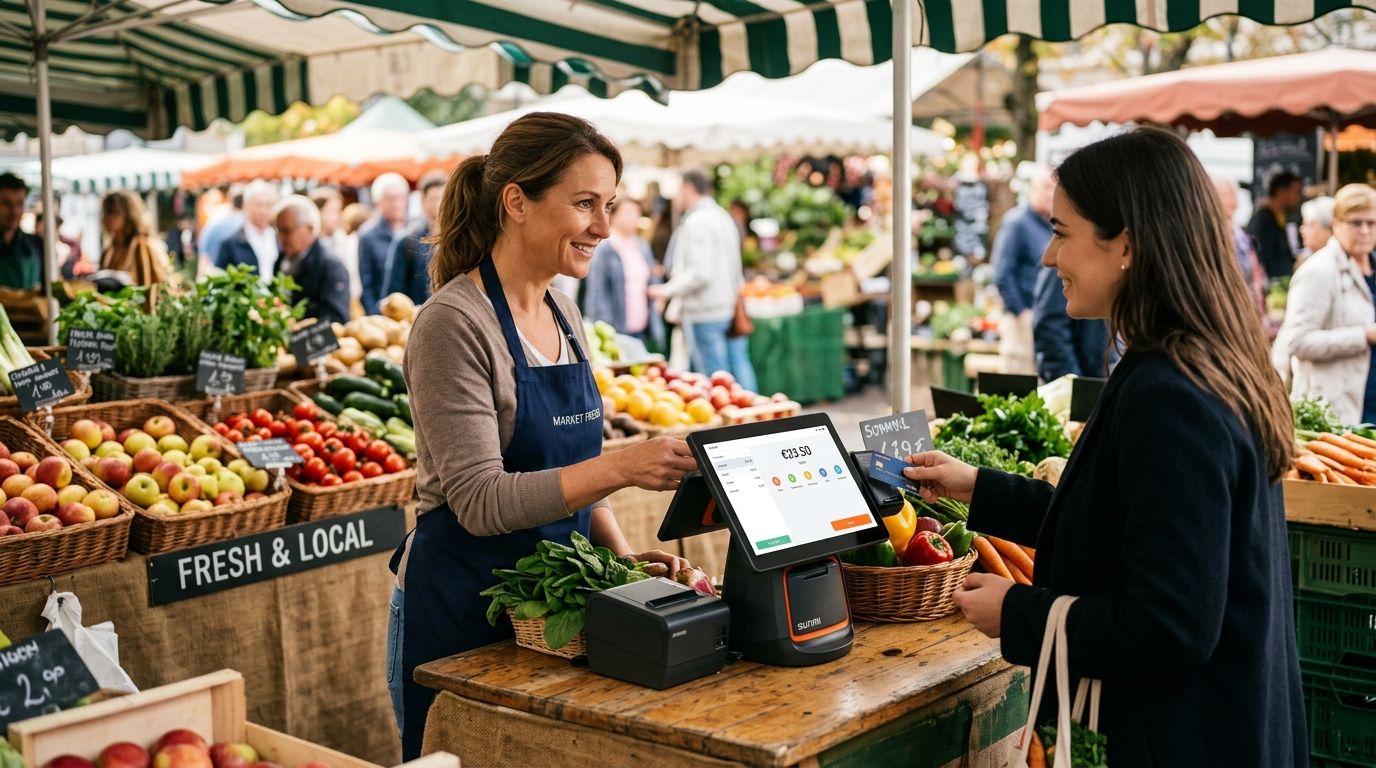
SUNMI terminals for market stalls and street vendors are Android-based handheld or countertop POS devices that scan barcodes, take card and mobile payments, and print receipts without a fixed power line or broadband connection — built to keep a mobile business compliant and moving as fast as its customers. A stall that changes location weekly needs different hardware priorities than a fixed shop counter: battery life, 4G resilience and drop protection matter more than screen size or peripheral ports.
- SUNMI handheld terminals with built-in 4G and battery are the practical pick for a stall that moves daily; countertop units suit a fixed daily pitch with power access.
- Portugal's SAF-T invoicing rules apply to a market stall the same way they apply to a shop — non-compliant hardware gets flagged at an AT inspection.
- Route sales and delivery vendors already run SUNMI handhelds; the same hardware line covers market stalls.
- A spare battery or backup power source matters more than terminal specs when there is no outlet at your pitch.
- Buying through a business account with WINTOUCH POS means Primavera or Cegid ERP sync gets set up once, not per device.
Why this matters for market stalls and street vendors
A fixed shop can absorb a dead card terminal for an hour while someone drives to a supplier. A market stall selling for four hours on a Saturday morning cannot — every minute of downtime is lost revenue that does not come back. That is the core difference this segment forces: the terminal has to work standalone, on battery, on cellular data, in daylight glare, and it has to survive being packed into a crate at the end of the day.
The same SUNMI handheld terminals for route sales and delivery that couriers and door-to-door reps use cover this segment well, because the requirements overlap almost completely: mobile connectivity, built-in printing, and no dependency on a counter or a power socket. Vendors who buy fixed countertop POS gear built for a shop end up fighting the hardware instead of selling.
Update your connectivity plan before you buy
Connectivity failure is the single biggest reason a market stall terminal goes dark mid-sale, and it is almost always a planning gap, not a hardware fault.
- Test 4G/LTE signal strength at your actual pitch locations, not just at home
- Run a full market day on a personal hotspot before committing to a data plan
- Flag dead zones near covered markets, underground pitches or dense stalls with metal roofing
- Budget for a dedicated business data SIM instead of relying on tethering
- If the stall runs more than one connected device, a portable Teltonika router for delivery fleets and mobile teams keeps everything on one stable connection
Choose the right SUNMI form factor for your pitch
Handheld and countertop SUNMI models solve different problems, and picking the wrong one is the most common first mistake in this segment.
- Handheld units suit vendors who relocate daily, sell door-to-door within a market, or run a route between pitches
- Countertop units suit vendors with one fixed daily spot and reliable table space
- Handheld models run longer on battery relative to their smaller screens, which matters when there is no outlet
- Countertop models handle higher transaction volume per hour when a queue forms
- Neither form factor needs a full checkout counter — both work with a small cash drawer or none at all
Set up mobile payment acceptance correctly
A street vendor loses more sales to declined or slow card transactions than to any pricing issue. Getting payment acceptance right on day one avoids a second trip to reconfigure.
- Enable contactless and NFC for tap payments — this is now the default expectation, not an upgrade
- Confirm the terminal supports MB WAY, the dominant mobile payment method among Portuguese shoppers
- Test offline transaction queuing so a signal drop does not block a sale — the transaction completes when the connection returns
- Set a manual card-entry fallback for the rare total signal outage
- Keep a small cash float regardless, since some customers still expect it at a market stall
Configure receipts and SAF-T tax compliance
Portuguese tax rules do not make an exception for temporary or mobile sales points, and this is where informal vendors get caught out in 2026.
- Use certified invoicing software that exports SAF-T (PT) files — a paper ledger alone does not satisfy Autoridade Tributária requirements
- Keep sequential, unique invoice numbering even on cash-only transactions
- Retain digital copies of every receipt for audit purposes, not just the printed slip
- Offer SMS or email receipts as an option to cut paper and printer maintenance
- Confirm your software vendor updates SAF-T formatting when AT rules change, so you are not patching compliance mid-season
Measure your power and battery needs
Most stall vendors underestimate how fast a terminal drains on a busy Saturday with the screen constantly active and card reads running back to back.
- Carry at least one charged spare battery per full market day
- A compact UPS backup power for POS systems covers stalls with intermittent access to a generator or shared outlet
- Lower screen brightness and shorter auto-sleep settings extend runtime without hurting checkout speed
- A solar power bank is a reasonable backup for all-day outdoor markets with no power infrastructure at all
- Test battery life under real outdoor temperature, not indoor conditions — heat drains batteries faster
Integrate the terminal with your back-office system
A terminal that is not feeding sales data back to a central system creates a manual reconciliation job every night, which does not scale past one or two stalls.
- Sync daily sales totals automatically instead of re-entering numbers from a printed Z-report
- If the business already runs Primavera or Cegid, integrate SUNMI terminals with Primavera ERP so stock and invoicing stay in one place
- Match stall inventory counts against warehouse stock at the end of each market day
- Flag discrepancies immediately rather than at month-end, when the cause is impossible to trace
- Keep one login structure across all terminals if multiple stalls operate under the same business account
Train staff and plan for outdoor durability
A spec sheet does not account for direct sun, rain, or a stall packed into a crate every evening — training and case choices do.
- Test screen visibility in direct sunlight before market day, not after a complaint
- Use a rugged case or wrist strap on handheld units to reduce drop damage
- Simplify the product menu on the terminal for faster checkout during rush periods
- Train staff on the offline queue behavior so they do not re-run a card during a signal drop
- Cover the terminal during transport, since thermal printers fail more often than screens
Comparing options for market stalls and street vendors
| Option | Best for | Key limitation |
|---|---|---|
| SUNMI handheld terminal | Vendors who relocate daily or sell door-to-door | Smaller screen limits browsing a large catalog |
| SUNMI countertop terminal | Vendors with one fixed daily pitch and power access | Less practical without a table or stall counter |
| Tablet plus card reader | Vendors testing the market before committing to dedicated hardware | No built-in printer; needs a rugged case outdoors |
| Paper ledger plus manual card machine | Vendors not yet handling digital invoicing at all | Fails SAF-T compliance once volume grows |
Verdict: a handheld SUNMI terminal is the right call for anyone who moves location week to week — buy. A countertop model only makes sense with a genuinely fixed pitch — hold until the location is confirmed. Paper and manual card machines are a skip the moment sales volume justifies a proper invoice trail.
Equip your stall with a SUNMI terminal
Business pricing without IVA and nationwide delivery in 24-48h.
Common mistakes market stalls and street vendors make
- Relying on a personal phone hotspot as the only connection, which drops at the exact moment a queue forms
- Skipping SAF-T setup because it is "just a stall", then getting flagged at an AT inspection later in 2026
- Running on a single battery with no backup, leaving the terminal dead for the second half of the day
- Buying a countertop unit for a route that changes location weekly, fighting the hardware instead of the market
- Never syncing sales data back to a central system, turning every market day into a manual reconciliation task
FAQ
What is the best SUNMI terminal for a market stall?
A handheld SUNMI terminal with built-in 4G and a printer is the best fit for a market stall that changes location or lacks a fixed power source. Countertop models only make sense when the pitch is genuinely fixed with reliable power.
Is a SUNMI handheld better than a tablet POS for street vendors?
Yes, for outdoor and mobile use, because a SUNMI handheld includes a built-in thermal printer and a battery designed for standalone operation. A tablet needs a separate card reader, printer and case to match the same setup.
Do street vendors need SAF-T compliant invoicing software in Portugal?
Yes, Portuguese tax rules require certified invoicing and SAF-T (PT) exports whether the sales point is fixed or temporary. A paper ledger alone does not satisfy an AT audit in 2026.
Can SUNMI terminals work without Wi-Fi?
Yes, SUNMI terminals connect over 4G/LTE using a data SIM, which is the standard setup for market stalls with no fixed broadband. Offline transaction queuing covers brief signal drops.
How do I integrate a SUNMI terminal with Primavera ERP?
SUNMI terminals sync sales and stock data to Primavera through an API connection set up once at installation. That keeps inventory and invoicing consistent between the stall and the main business system.
What connectivity backup should a market stall use?
A dedicated business data SIM paired with offline transaction queuing on the terminal covers most signal drops. Stalls running several connected devices are better served by a portable router than by one device's hotspot.
Do I need a fixed power source for a SUNMI terminal at a market stall?
No, SUNMI terminals run on battery through a market day when charged and managed properly. A spare battery or portable power bank covers pitches with no outlet access at all.
How much does SAF-T non-compliance risk a market vendor?
Non-compliant invoicing exposes a vendor to penalties during an AT inspection, regardless of stall size. Certified POS software with SAF-T export removes that risk from day one.
One last thing
The feature vendors chase — screen resolution, processor speed — matters far less than one they overlook: offline transaction queuing. A SUNMI terminal that holds a card payment during a signal drop and completes it the moment the connection returns saves more sales on a busy market day in 2026 than any spec upgrade will.


