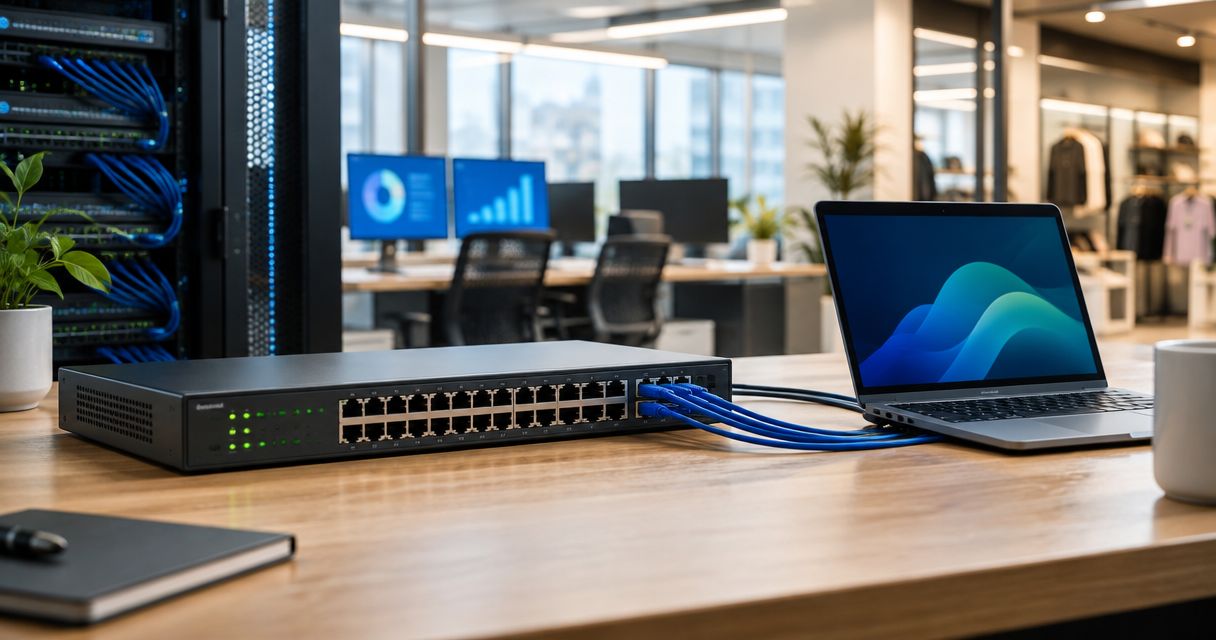
A 24-port PoE switch is the backbone hardware decision for any office or retail site running more than a dozen access points, IP cameras, POS terminals or VoIP phones off one network closet. The right pick for 2026 comes down to three things: total PoE power budget, management level, and whether the switch shares an ecosystem with the Wi-Fi or routing gear already on the network.
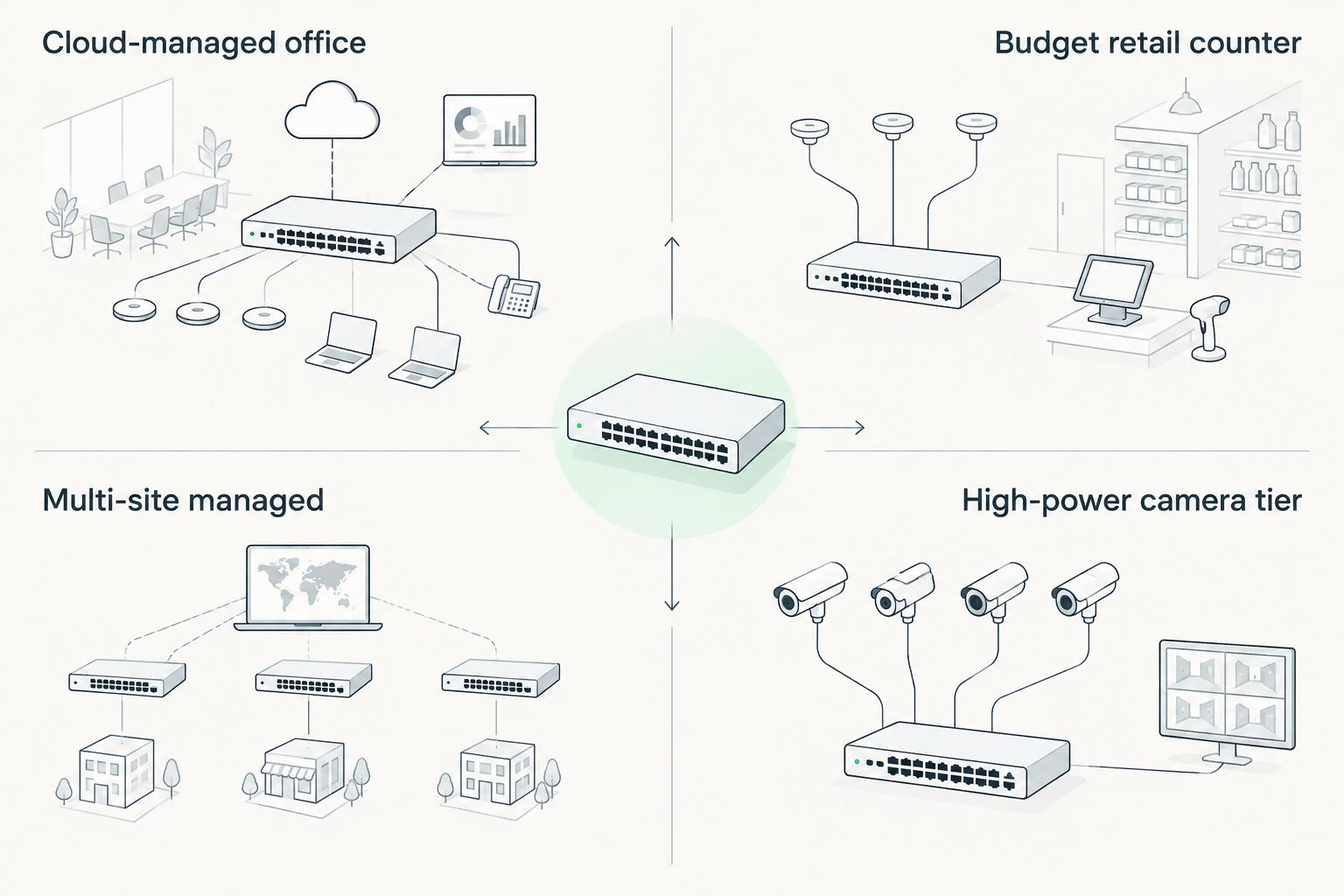
- Reyee 24-port PoE switches win for offices standardizing on Reyee Wi-Fi and cloud management in 2026.
- Equip 24-port PoE switches are the budget pick for straightforward single-counter retail installs.
- Teltonika managed 24-port PoE switches fit multi-site retail chains that need centralized VPN control.
- A high PoE budget (802.3bt) 24-port switch becomes mandatory once PTZ cameras or WiFi 6E APs join the network.
- Searching poe switch 24 portas in Portugal? Match the PoE power budget to your device count before comparing price.
Why this matters
Larger offices and retail floors outgrow 8-port and 16-port switches fast. A single checkout counter can host a POS terminal, a receipt printer, a cash drawer and an access point; the back office adds cameras, a NAS box and a VoIP phone. A 24-port PoE switch buys headroom for that convergence without opening a second network closet in 2026. Voll's B2B catalog carries all three main 24-port PoE switch lines used across Portuguese offices and retail chains: Reyee, Equip and Teltonika.
Picking on port count alone is the fastest way to end up mid-install with a fully powered switch and three cameras still unplugged. Work out the PoE wattage first — choose the right switch for your office size before comparing brands.
How much PoE power your devices actually need
- VoIP desk phones — typically 802.3af class, drawing far less than the 15.4W ceiling in practice
- Standard access points — usually 802.3at, especially WiFi 6 and WiFi 6E models that need the full 30W
- Fixed IP cameras — 802.3af to 802.3at depending on the sensor and IR illuminators
- PTZ and heated outdoor cameras — often need 802.3bt's 60-100W range to run motors and heaters
What makes the best 24-port PoE switch
- Total PoE power budget — whether the switch can push full 802.3at (30W) wattage on every port at once, not just a subset.
- Managed vs unmanaged — VLANs, per-port PoE scheduling and remote reboot matter once a site runs more than one switch.
- Uplink capacity — SFP+ or 2.5G uplinks keep the switch from bottlenecking traffic back to the core switch or firewall.
- Noise and mounting — fanless models suit an open retail floor; fan-cooled rack units belong in a closed server room.
- Ecosystem fit — a switch sharing cloud management with the access points already installed cuts setup time.
- Rack or wall mount — the physical format has to match the cabinet already on site.
24-port PoE switches at a glance
| Switch category | Best for | Standout feature | Key limitation |
|---|---|---|---|
| Reyee 24-port PoE switch | Offices standardizing on Reyee Wi-Fi | One cloud dashboard for switch and access points | Cloud features tied to the Reyee ecosystem |
| Equip 24-port PoE switch | Budget single-counter retail installs | Plug-and-power setup, no VLAN complexity | Limited or no remote management |
| Teltonika 24-port managed PoE switch | Multi-site retail chains | Centralized VPN and remote site control | Steeper setup than a plug-and-play switch |
| High PoE budget (802.3bt) 24-port switch | Camera-heavy surveillance and PTZ installs | Up to 90-100W available on multiple ports | Higher total power draw on the rack UPS |
1. Reyee 24-port PoE switch: best for offices standardizing on one Wi-Fi ecosystem
Reyee 24-port PoE switches run under the same cloud dashboard as Reyee access points, so an IT lead managing both from one login sees every port, every AP and every VLAN on one screen. That single-pane view is the main reason to pick this line over a cheaper unmanaged switch once an office passes 20-30 connected devices.
Reyee pros:
- One cloud login covers the switch and any Reyee access points already on site
- VLAN segmentation and per-port PoE scheduling with no separate license
- Firmware and configuration backups handled from the same dashboard
Reyee cons:
- Less value if the network already runs a different Wi-Fi brand
- Advanced Layer 3 routing features are limited compared with enterprise-only switch lines
Reyee 24-port PoE switch is best for: offices that already run Reyee access points and want one dashboard for switch and Wi-Fi in 2026. Verdict: Buy if Reyee already sits on the network; Hold if you're on a mixed-brand Wi-Fi setup.
2. Equip 24-port PoE switch: best budget option for single-counter retail
Equip covers the commodity end of the 24-port PoE switch category — a switch built to power a POS terminal, a printer, a cash drawer and one access point without VLANs, cloud dashboards or a support contract to manage. It's the switch to rack when a store has one counter and no plan to scale to a second location.
Equip pros:
- Lower entry cost than a managed switch line
- Nothing to configure for a single-site store — rack it and plug in
- Fast to swap if a port fails, since there's no configuration to restore
Equip cons:
- No centralized management if the business opens a second store
- Entry models often can't push full 802.3at wattage on every port simultaneously — check the total PoE budget on the datasheet, not just the port count
- Skip it if cameras or extra access points are on the roadmap for 2026
If the counter runs Sunmi hardware specifically, the wiring and PoE budget questions are the same either way — see PoE switches for Sunmi POS terminal installations for the port math. Every 24-port PoE switch in Voll's catalog is quoted ex-VAT for business buyers, with configuration changing by PoE class.
Equip 24-port PoE switch is best for: a single retail counter running a POS terminal, a printer and one access point, nothing more. Verdict: Buy for a single-site, single-counter setup; Skip if a second location is already planned.
3. Teltonika 24-port managed PoE switch: best for multi-site retail chains
Teltonika's networking line pairs naturally with the routers many retail chains already run for branch connectivity and delivery fleets. A Teltonika 24-port managed PoE switch adds the same centralized console at the switch layer, so a network admin can push VLAN changes or reboot a port at a store three towns away without a site visit.
Teltonika pros:
- Fits chains already standardized on Teltonika routers for branch or fleet connectivity
- Remote VLAN, port scheduling and reboot control from one console across every site
- Built for the kind of centralized IT management a growing retail chain needs by 2026
Teltonika cons:
- Overkill for a single-location shop with no remote management need
- Setup takes more networking know-how than an unmanaged switch — budget IT time for the rollout
Teltonika 24-port managed PoE switch is best for: a retail chain with three or more locations managing network gear from one office. Verdict: Buy for multi-site operators; Skip for a single counter.
4. High PoE budget (802.3bt) 24-port switch: best for camera-heavy surveillance
Any 24-port switch line above becomes the wrong pick the moment PTZ cameras, WiFi 6E access points or other high-draw devices join the plan. Those devices pull past the 30W ceiling of 802.3at and need the 90-100W headroom of 802.3bt (PoE++) on the ports that carry them.
High PoE budget pros:
- Keeps every camera or high-draw access point powered at full wattage without a mid-rack injector
- Supports mixed loads — a few PTZ cameras and a dozen standard APs on the same switch
- Future-proofs the closet for higher-draw devices arriving after 2026
High PoE budget cons:
- Draws more total power from the rack UPS, so size the UPS accordingly
- Not every 24-port model in a brand's range ships with this budget — check the datasheet's total PoE wattage, not the per-port class alone
For a surveillance-heavy retail floor, cross-check camera count against port PoE class before ordering — see PoE switches for IP camera installations.
High PoE budget 24-port switch is best for: retail stores or offices installing IP camera coverage or WiFi 6E access points across the floor in 2026. Verdict: Buy the moment cameras or high-draw APs are on the network; Wait if the network is phones and laptops only.
“If the total PoE budget can't power every port at full 802.3at wattage at once, order headroom before you run out of watts, not ports.”
How we ranked
The ranking above weighs total PoE power budget first, since an underpowered switch is the one mistake that shows up months after install when a camera or AP randomly drops. Management level, uplink capacity and ecosystem fit come next — those decide setup time and how much the switch costs an IT team in labor over 2026, not just on the invoice.
Which 24-port PoE switch should you choose?
Default to a Reyee 24-port PoE switch if the office already runs Reyee access points — one dashboard beats managing two brands. Pick Teltonika the moment a second or third store location enters the picture and someone needs to manage all of them remotely. Equip covers the single-counter store that just needs ports and power. And regardless of brand, move to the 802.3bt (high PoE budget) tier as soon as PTZ cameras or WiFi 6E access points show up on the network in 2026 — a switch that can't feed them at full wattage is the wrong switch, no matter how good the price looks. Voll ships nationwide in 24-48h with pricing shown ex-VAT for business buyers, whichever 24-port PoE switch tier fits.
Get the right 24-port PoE switch quote
Business pricing shown ex-VAT, matched to your exact port and PoE budget.
FAQ
What's the best 24-port PoE switch for a growing office in 2026?
For most offices already running Reyee access points, a Reyee 24-port PoE switch is the best pick in 2026 because it shares the same cloud dashboard as the Wi-Fi gear. Offices on a different Wi-Fi brand should weigh Teltonika or Equip based on how many sites they manage.
Is a managed or unmanaged 24-port PoE switch better for retail?
A managed switch, such as Reyee or Teltonika, is better once a retail business runs more than one store or needs VLANs and remote control. A single-counter shop with no expansion plans is fine on an unmanaged Equip switch.
How much PoE power budget does a 24-port switch need?
It depends on the devices connected — a switch powering 24 VoIP phones needs far less total wattage than one powering 24 WiFi 6E access points at the 802.3at 30W ceiling. Add up real device wattage rather than relying on port count alone.
Can a 24-port PoE switch power IP cameras and Wi-Fi access points at the same time?
Yes, as long as the switch's total PoE budget covers both loads. Mixing a few PTZ cameras with a dozen access points usually means choosing a high PoE budget (802.3bt) tier over a standard 802.3at switch.
What's the difference between 802.3af, 802.3at and 802.3bt PoE?
802.3af delivers up to 15.4W per port, 802.3at (PoE+) delivers up to 30W, and 802.3bt (PoE++) delivers up to 90-100W depending on the class. Most office devices need 802.3af or 802.3at; PTZ cameras and heated outdoor units need 802.3bt.
Do I need SFP+ uplinks on a 24-port PoE switch?
Yes if the switch feeds a busy core switch, NVR or firewall. A single Gigabit copper uplink becomes the bottleneck once 15-20 ports are active at once, and SFP+ uplinks remove that ceiling.
How fast can a 24-port PoE switch ship in Portugal?
Voll ships 24-port PoE switches to business addresses across Portugal in 24-48h in 2026, with pricing shown ex-VAT for registered business buyers.
Should a multi-site retail chain use the same switch brand at every location?
Standardizing on one brand, such as Teltonika for chains already using its routers, cuts support time because every site's configuration, firmware and VLANs look the same from one console.
One last thing
Datasheets list "24 PoE ports" as if every port behaves the same, but the number that actually matters is the switch's total PoE wattage budget. A switch with 24 ports rated for 802.3at (30W each) would need 720W to power every port at once, and most 24-port switches ship with a fraction of that — fine until every port is actually loaded. Check the datasheet Voll lists for the switch's total PoE wattage before ordering, and add up your real device wattage rather than trusting the port count alone.


