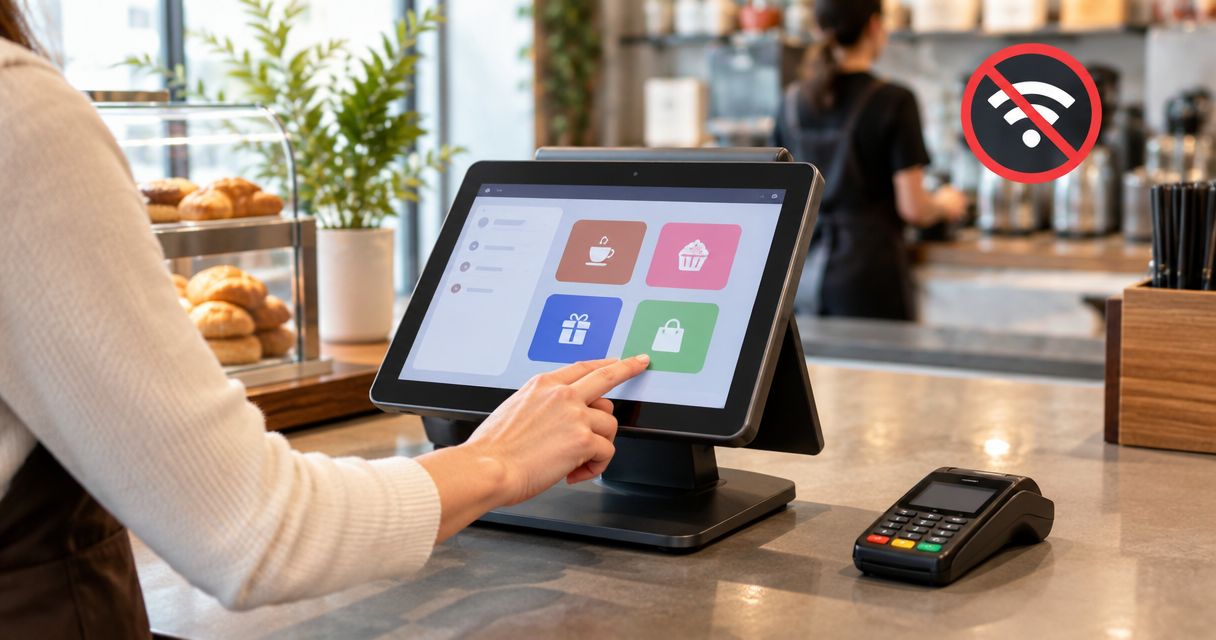
Do not rely on WINTOUCH POS offline operation until your supplier confirms the exact version, installation and functions that remain available without internet access. Treat sales recording, receipt printing, card payments and ERP integration as separate checks: a working checkout screen does not prove that the entire transaction can finish. This 2026 guide explains what to confirm and how to test your checkout before an outage affects customers.
- WINTOUCH POS offline operation needs confirmation for your exact installation, not a blanket promise about the product name.
- Test sales recording, receipt printing, payment approval and ERP integration separately before accepting an offline workflow.
- Voll supplies WINTOUCH POS licences with installation, ERP integration and local support for Portuguese business buyers.
- Approve an outage procedure only after checking saved transactions and recovery when connectivity returns.
Can WINTOUCH POS work offline without an internet connection?
Require a version-specific answer before treating WINTOUCH POS as an offline checkout system. Ask your supplier to identify which functions work without external internet access, which need a local server, and which depend on external services. Keep that answer with your installation records.
For a business purchasing through Voll, the useful request is an installation assessment covering WINTOUCH POS, connected equipment and any ERP integration. A general product recommendation is not a substitute for an outage test.
Use this comparison to define what you are testing. These are different failure conditions, not statements about supported WINTOUCH features.
| Failure condition | What the test isolates | What a successful result must show |
|---|---|---|
| Internet unavailable, local network running | Dependence on external services | Approved checkout tasks finish without external connectivity |
| Local network unavailable | Dependence on shared devices or servers | The agreed standalone functions still work, or staff receive a clear stop instruction |
| Power unavailable | Dependence on powered equipment | The documented power-continuity procedure protects the checkout and its data |
A successful internet-disconnection test does not establish resilience against the other conditions. Record the scope beside every result so staff know exactly what has been approved.
Why this matters
Your customer needs a completed transaction, not merely an application that opens. A sale involves several separate outcomes: the items are recorded, the required document is issued, the payment status is known, and downstream records remain consistent.
For your 2026 checkout acceptance plan, define continuity around those outcomes. The question is not whether the screen stays on; it is whether staff can complete an authorised sale and account for it afterwards.
Avoid using a live outage as the first demonstration. Agree a controlled test with your supplier, protect existing data, and document what staff must stop doing when a dependency becomes unavailable.
What should an offline confirmation actually cover?
Ask for a written description tied to the installed software version and configuration. The answer should identify the transaction types covered, the equipment involved and any restrictions during a connection failure.
An answer such as “the POS works offline” leaves too much undefined. Replace it with a checklist that names the actions your business needs.
Sales recording and documents
Ask whether your installation can create and save the required sales documents without external connectivity. Include the actual operations your staff perform, such as adding items, applying authorised adjustments and completing a transaction.
Request confirmation of where those records are stored during the interruption. Also ask which operations staff must avoid until connectivity returns; do not infer permission from a button remaining visible.
Receipt printing and connected equipment
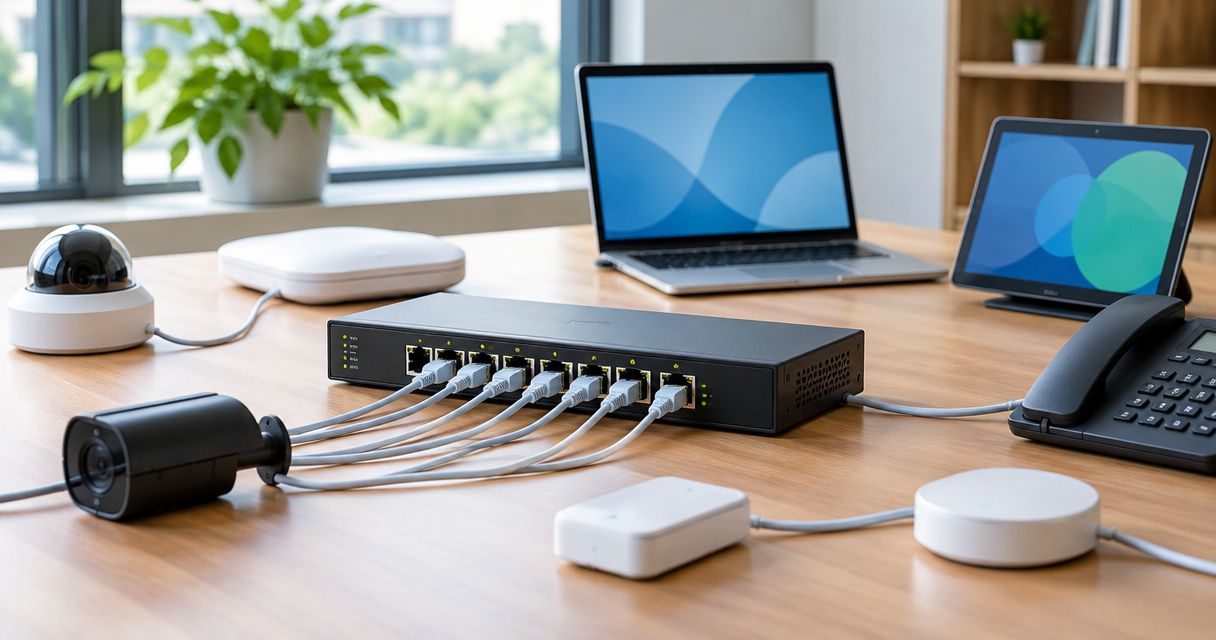
Identify how each checkout device connects. A printer connected directly to a terminal and a printer reached through a local network have different dependencies, even before software compatibility enters the discussion.
Check the actual printer, scanner and cash-drawer workflow in the proposed installation. A successful document save is not evidence that the physical receipt printed correctly.
Payments and external services
Treat card-payment acceptance as a separate approval question for the payment provider. POS software saving a sale does not, by itself, demonstrate that a card transaction has been authorised.
The same discipline applies to any external service your checkout uses. Ask what becomes unavailable, what staff should tell customers, and how the business prevents an uncertain payment from being treated as a completed one.
ERP integration and recovery
If your checkout connects to Primavera/Cegid, ask what happens to the integration during a connection failure. Require an explanation of how you identify transactions awaiting transfer and how you verify the final result.
Use the guide to connecting WINTOUCH POS to Primavera ERP when preparing the integration discussion. Offline checkout approval and ERP reconciliation approval are separate decisions.
Why offline continuity varies between installations
The relevant factors are the dependencies in your own checkout. Include these in the supplier assessment rather than accepting a product-wide answer:
- Software configuration: identify the installed version and enabled functions before asking what survives an outage.
- Data location: establish where checkout records live and what must remain reachable to save them.
- Local connectivity: map the links between terminals, shared equipment and any local server.
- External dependencies: identify payment processing and connected services that require their own continuity assessment.
- ERP integration: document how checkout records reach Primavera/Cegid and how staff verify completion after recovery.
- Power: treat loss of electricity separately from loss of internet, because software approval does not keep equipment powered.
Do not turn this list into assumptions about WINTOUCH architecture. Its purpose is to obtain an explicit answer for each dependency in your installation.
How do I test WINTOUCH POS offline safely?
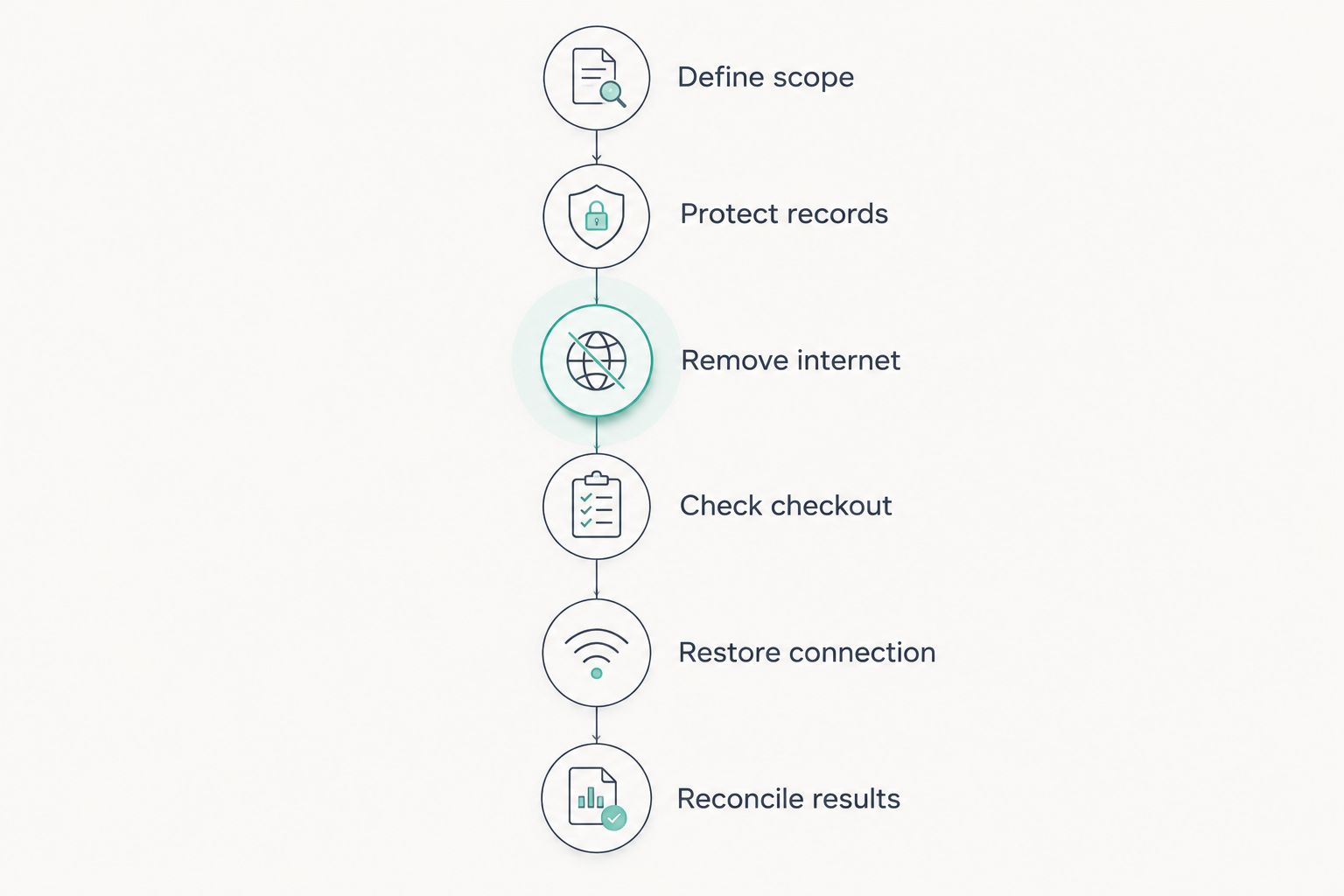
Use the following 6 steps as an acceptance procedure, not as instructions to alter a live system without approval. Your supplier should agree the test environment, permitted transactions and recovery process before you disconnect anything.
1. Define scope
Write down the exact failure you intend to simulate. For an internet-outage test, preserve the local network unless your supplier specifies otherwise; changing several conditions together makes the result harder to interpret.
List the checkout operations that must continue and the operations staff must stop. In your 2026 acceptance record, include the installation details and who approved the procedure.
2. Protect records
Agree how existing business records will be protected before the test begins. Ask the supplier to confirm the appropriate backup and recovery procedure for your installation.
Use an approved demonstration or test environment where available. Do not create fictitious fiscal documents in production simply to see what happens, and do not disconnect an active payment transaction.
3. Remove internet
Have the responsible technician interrupt only the intended external connection. Record what remains available, including the terminal, local network and connected equipment.
Observe the messages shown to the operator. A useful result includes clear evidence of the failure condition, not just a claim that someone unplugged a cable.
4. Check checkout
Perform the agreed transaction workflow and inspect each required outcome separately. Confirm whether the record was saved, the document was produced and the payment status is unambiguous.
Record failures as well as successes. If a step needs an unsupported workaround, mark that workflow as unapproved rather than teaching staff to improvise around it.
5. Restore connection
Restore connectivity using the agreed procedure. Watch for unresolved errors and establish whether any records need an authorised recovery action.
Do not repeatedly submit the same operation just because the result is unclear. First establish its status; repeated attempts complicate the task of identifying what actually completed.
6. Reconcile results
Compare the approved test records with the final checkout and ERP records, where applicable. Check for omissions, duplicates and mismatched payment status before signing off the procedure.
Finish with a staff instruction that states what works, what stops and who handles exceptions. A recovery test is complete only when the transaction records agree, not when the internet connection returns.
What should I ask before buying or changing my installation?
Voll is best for Portuguese business buyers seeking WINTOUCH POS licences with installation, ERP integration and local support. That service-led scope fits a continuity discussion because the answer needs to cover the installation, not just the licence.
The limitation is specific: that service offering does not establish offline capability for any particular configuration. Ask for the required behaviour to be included in the proposed installation scope and demonstrated before acceptance.
Send a short requirement statement describing your checkout, connected equipment, payment workflow and ERP connection. Specify the failure you need to withstand and the transaction outcomes you require; avoid asking only whether the product is “offline”.
Discuss your checkout continuity requirements
Ask about WINTOUCH POS installation, ERP integration and local support for your business.
Does offline POS operation mean card payments still work?
Offline POS operation does not establish card-payment authorisation. Obtain the answer from the payment provider for the exact terminal and arrangement used by your business.
Include failed and uncertain payment states in the staff procedure. Employees need to know when to stop and seek help, rather than deciding that a saved sales document proves money was collected.
Will my ERP update while the internet is unavailable?
Do not promise live ERP updates without checking the integration's connection requirements. Ask your installer to show what happens during the agreed outage and how you identify outstanding records afterwards.
Your 2026 test record should distinguish checkout completion from ERP completion. Each needs its own evidence and acceptance decision.
Is backup internet the same as offline operation?
Backup internet maintains an alternative connection; offline operation addresses working without that connection. They solve different problems and require separate tests.
If you assess backup connectivity, test the switch to the alternative connection and the services your checkout needs. Do not treat that result as proof of operation with every external connection removed.
FAQ
Can I assume WINTOUCH POS works offline in every installation?
No. Obtain confirmation for your installed version, configuration and required transaction types, then verify the approved workflow in a controlled test.
How do I check whether my WINTOUCH POS needs internet?
Ask your supplier to identify the external dependencies of your installation and agree an internet-disconnection test. Check saved sales, documents, connected equipment and recovery separately.
Will my receipt printer work when the internet goes down?
Printer continuity needs its own test using your actual connection and checkout configuration. Confirm that the required receipt is produced during the approved outage scenario.
Can I still accept card payments if the POS screen works?
A working POS screen does not prove that card payments are authorised. Confirm the payment provider's requirements and the procedure for failed or uncertain transactions.
Does an internet outage mean my local network has failed?
No. External internet access and communication within your local network are different dependencies, so test them as separate failure conditions.
What should I check after reconnecting WINTOUCH POS?
Check that the approved transactions are present, payment statuses are clear and any ERP transfer is accounted for. Investigate omissions or duplicates before closing the recovery task.
Can Voll help assess a WINTOUCH POS installation?
Voll supplies WINTOUCH POS licences and offers installation, ERP integration and local support. Ask for an assessment tied to your checkout requirements rather than assuming a particular offline feature.
One last thing
For your 2026 sign-off, require 4 recorded outcomes: transaction saved, required document produced, payment status confirmed and downstream records reconciled. These are acceptance criteria, not a claim that every installation provides them without internet.
Keep the approved outage procedure at the checkout, where staff can use it. If the procedure only explains how to keep selling and says nothing about checking the records afterwards, it is unfinished.