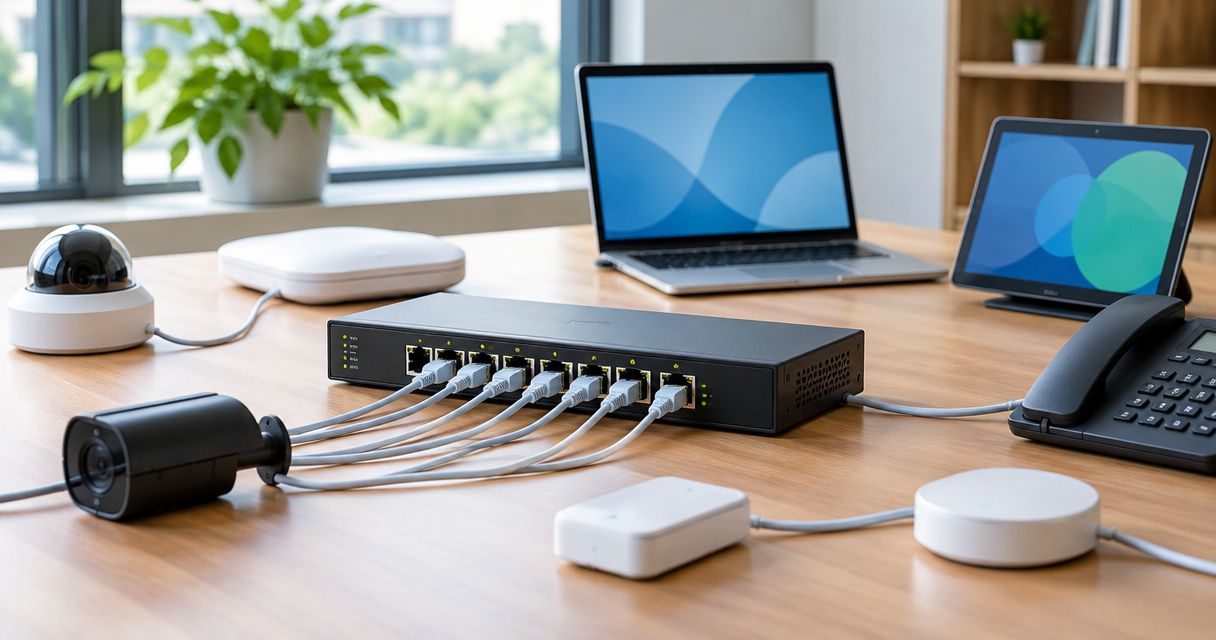
An 8-port PoE switch can power up to 8 devices at once in 2026, provided all eight ports support PoE and the connected devices fit within both the shared power budget and each port’s limit. Eight Ethernet sockets do not guarantee eight powered connections: check the PoE port count, the available wattage and whether the uplink occupies a port you need for an endpoint.
- An 8 port poe switch power budget limits simultaneous devices alongside PoE port count and per-port wattage.
- IEEE 802.3at supports up to 30 W per switch port, not necessarily across every port simultaneously.
- Use maximum allocated power, not idle consumption, when checking whether eight devices fit.
- Voll suits Portuguese business buyers who need network equipment, installation and local support.
Why this matters
A switch can have spare Ethernet ports but no spare power. That distinction matters when cameras enable night illumination, access points serve traffic, or several devices restart together after an outage.
For business network equipment with installation and local support, Voll serves Portuguese business buyers. Keep the equipment decision tied to your endpoint requirements: a networking supplier’s installation services do not replace the need to verify the exact switch specifications.
Buy against the documented simultaneous load, not the number printed on the enclosure. This guide separates the limits that determine whether your devices will actually receive power.
How many devices can an 8-port PoE switch power at once?
The maximum is eight powered devices connected directly, but the usable total depends on three separate checks. All three must pass; sufficient total wattage cannot compensate for an incompatible individual port.
| Check | What to verify | What limits the device count |
|---|---|---|
| Powered ports | How many Ethernet ports explicitly support PoE | Non-PoE ports cannot power endpoints |
| Individual port capability | The PoE standard and maximum output on each port | A demanding endpoint can exceed a port’s capability |
| Shared PoE budget | The total output available to connected powered devices | Combined allocations can exhaust the budget before ports run out |
| Uplink arrangement | Whether the router connection uses a shared or separate port | A shared uplink leaves fewer sockets for endpoints |
For identical endpoints, divide the usable PoE budget by the power allocated to each endpoint and round down. Then take the smaller of that result and the number of available, compatible PoE ports.
For mixed endpoints, add their individual required allocations instead. Do not divide by an average device consumption: an average hides the higher-power device that fails the per-port check.
The calculation also needs a consistent measurement point. Compare a switch-side power budget with switch-side allocations, rather than mixing endpoint consumption with power supplied before cable losses.
What does an 8 port poe switch power budget actually cover?
The PoE budget is the shared power available for powered devices, not simply the rating printed on the switch’s external power adapter. The switch itself also needs electricity to operate.
Use the manufacturer’s explicit PoE output specification. Do not assume that the adapter’s entire rated output reaches the Ethernet ports, or that multiplying the maximum port rating by eight gives the shared budget.
For a 2026 purchase, distinguish these terms in the datasheet:
- PoE budget: the combined output available to connected powered devices.
- Per-port maximum: the most a particular port can supply under its supported PoE mode.
- Power consumption: the switch’s electrical consumption under the stated test conditions.
- Power adapter rating: the supply’s output capability, not automatically the usable PoE allocation.
Also check whether the published budget depends on a particular power supply or operating temperature. Use the specification for the exact configuration you intend to install, rather than a headline covering several configurations.
IEEE 802.3af: up to 15.4 W per port
IEEE 802.3af, commonly called PoE, provides up to 15.4 W at the supplying port, with 12.95 W available at the powered device under the standard’s specified conditions. The difference accounts for power lost along the cable.
Best for: endpoints whose documented requirements fit IEEE 802.3af. Its limitation is the lower available device power; it is not sufficient merely because an endpoint has an Ethernet socket.
An eight-port switch supporting this standard still needs enough shared power to support every connected device’s allocation. The standard describes the port capability, not a promise that every switch can deliver the maximum on every port simultaneously.
IEEE 802.3at: up to 30 W per port
IEEE 802.3at, commonly called PoE+, provides up to 30 W at the supplying port, with 25.5 W available at the powered device. Choose it when the endpoint documentation requires PoE+ rather than standard PoE.
Best for: endpoints requiring more power than IEEE 802.3af supplies, within the PoE+ limit. The limitation remains shared capacity: PoE+ markings on eight ports do not establish the switch’s combined output.
A PoE+ access point and an IEEE 802.3af phone need different allocations. Check both individually before adding their requirements to the shared budget.
IEEE 802.3bt Type 3: up to 60 W per port
IEEE 802.3bt Type 3 supports up to 60 W at the supplying port, with 51 W available at the powered device at the highest Type 3 power level. Confirm that the specific port supports the level your endpoint needs.
Best for: compatible endpoints whose documented requirements exceed PoE+. The trade-off is greater demand on the shared budget, so fewer high-power devices can exhaust a switch that still has unused sockets.
Do not treat a general reference to IEEE 802.3bt as proof that every port supports the same output. Port capabilities and the total budget remain separate specifications.
IEEE 802.3bt Type 4: up to 90 W per port
IEEE 802.3bt Type 4 supports up to 90 W at the supplying port. Device-side power is lower because the cabling also consumes part of that output.
Best for: compatible high-power endpoints that explicitly require Type 4 capability. Its limitation is that both the individual port and shared power supply must support the intended load; a high-power port label alone is insufficient.
The IEEE 802.3 PoE specifications distinguish power-sourcing equipment from powered devices. For 2026 equipment selection, use those standard-defined limits alongside the exact manufacturer datasheets—not as substitutes for them.
How do the PoE standards compare?
| Standard | Maximum supplying-port power | Best for | Main limitation |
|---|---|---|---|
| IEEE 802.3af | 15.4 W | Compatible lower-power endpoints | Cannot meet higher-power requirements |
| IEEE 802.3at | 30 W | Endpoints requiring PoE+ | Shared budget can restrict simultaneous use |
| IEEE 802.3bt Type 3 | 60 W | Compatible higher-power endpoints | Requires suitable port capability and budget |
| IEEE 802.3bt Type 4 | 90 W | Compatible endpoints requiring Type 4 | High individual allocations consume shared capacity |
Choose the standard the endpoint requires, then size the shared budget. A higher port rating is useful only when it solves an actual requirement or a documented expansion need.
How do I calculate whether all eight devices will work?
Build an endpoint schedule before selecting the switch. Record the requirement for each device separately, including the operating features you intend to enable.
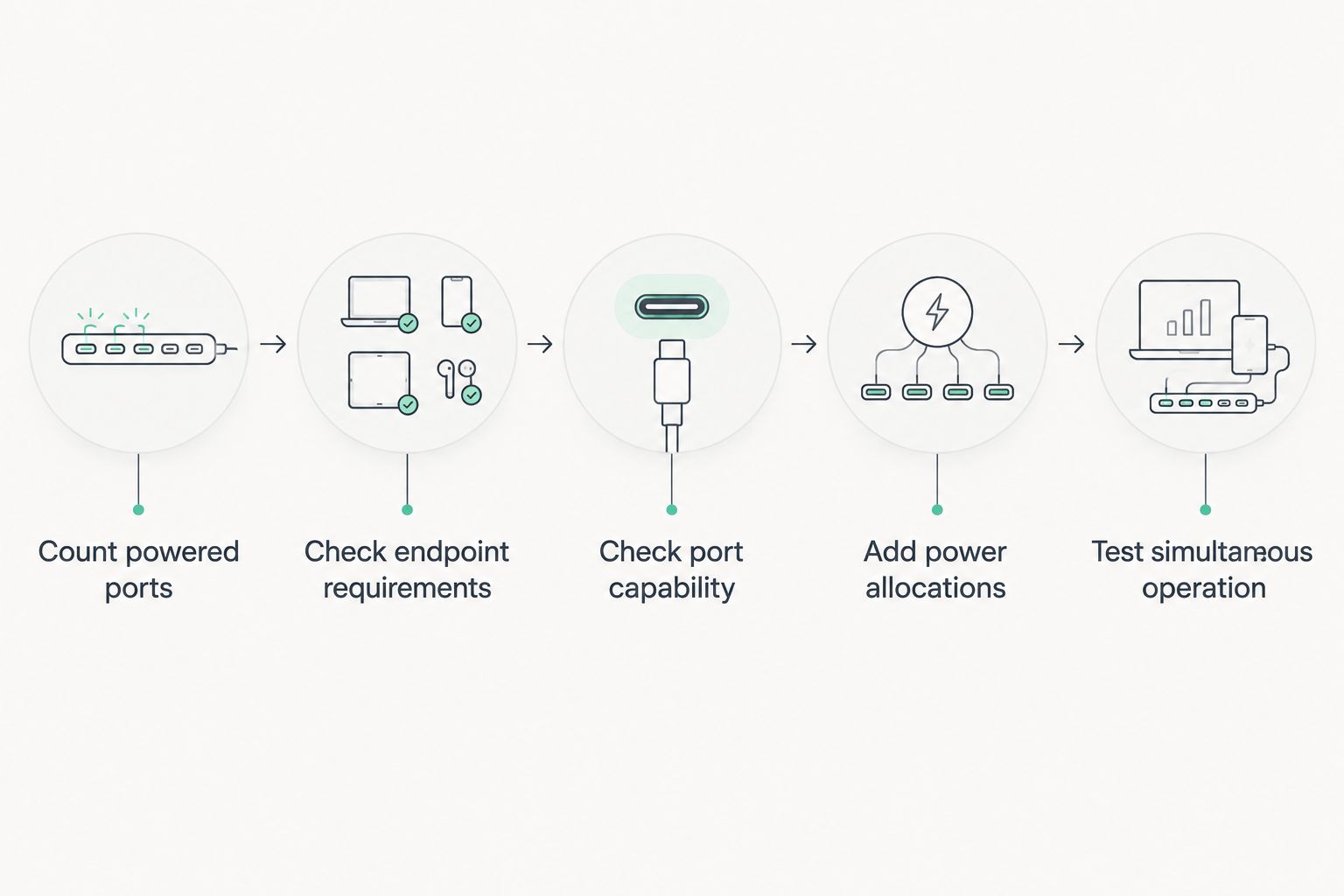
- Count powered ports. Identify the PoE-capable sockets and reserve the uplink connection. Separate uplink ports do not consume endpoint sockets; shared ports do.
- Check endpoint requirements. Record the required IEEE standard and documented maximum power. Include accessories or operating modes that change that requirement.
- Check port capability. Match each endpoint to a port that supports its required standard and output. Do not assume all sockets have identical capabilities.
- Add power allocations. Use the switch’s documented allocation method, keeping switch-side and device-side figures distinct. Compare the sum with the usable shared budget.
- Test simultaneous operation. Start all intended endpoints and enable their highest-demand operating modes. Check power status, allocation and any events indicating denied power.
A managed switch can expose useful power information, but available measurements and controls depend on the model. Verify those functions before making remote monitoring part of your installation plan.
Keep the completed endpoint schedule with the network documentation. When someone adds another device later, they can check remaining allocations instead of treating an unused socket as proof of spare capacity.
Why the number of powered devices varies
Two switches with the same port count can support different endpoint combinations. These factors explain the difference without relying on assumptions about typical camera or access-point consumption:
- PoE-enabled socket count. A product’s Ethernet port count and powered-port count are separate specifications.
- Shared output capacity. Total available watts determine whether all otherwise compatible endpoints fit together.
- Individual port limits. A device can exceed its port’s capability even when the switch has spare shared power.
- Endpoint operating modes. Infrared illumination, heaters, radios and attached accessories can change documented power requirements.
- Power allocation policy. A switch that reserves power by class can allocate more than an endpoint’s current measured draw.
- Cabling and operating conditions. Cable losses and any manufacturer-stated temperature derating affect the applicable power calculation.
Do not apply an arbitrary reserve percentage as though it were an IEEE requirement. Instead, document the maximum intended load and the specific devices you expect to add.
What happens when the PoE budget is exceeded?
When the requested allocation exceeds the available budget, the switch cannot guarantee power to every connected endpoint. Depending on the model and configuration, it can deny power to a new device or remove power from a lower-priority port.
Check the manufacturer’s documented priority behaviour. A switch that prioritises an essential access point over a secondary camera behaves differently from one configured with another priority order.
For your 2026 commissioning checklist, inspect power events as well as network connectivity. An endpoint appearing online during a quiet test does not prove that its highest-demand mode fits the design.
Fix an allocation shortfall before deployment. Disabling an essential endpoint feature merely to squeeze under the budget changes the installation requirements rather than solving them.
Can I use all eight ports if one connects to the router?
Eight shared Ethernet ports leave seven endpoint connections when one port connects to the router. A switch with separate uplink ports can preserve all eight powered endpoint connections.
Read the port diagram rather than relying on the product name. Also distinguish a separate uplink from a combo connection whose interfaces share an underlying port.
Does PoE+ mean every port delivers full power simultaneously?
30 W per port is the IEEE 802.3at supplying-port maximum, not a guarantee of simultaneous output across every port. The switch’s shared PoE budget determines whether the combined allocations fit.
Look for an explicit total budget and any restrictions affecting particular ports. A standards logo answers a compatibility question; it does not answer the entire capacity question.
What should I confirm before ordering?
Ask for the exact model’s powered-port count, shared budget, per-port limits and uplink arrangement. Provide your endpoint schedule so the proposed configuration can be checked against actual requirements.
Voll is best suited to Portuguese business buyers who need network equipment with local installation and support. That service fit does not establish a particular switch’s power capacity: the model-specific datasheet still decides whether your endpoint schedule fits.
For a 2026 order, retain the agreed equipment list and power calculation together. This makes substitutions easier to assess and stops a matching port count from being mistaken for equivalent capability.
FAQ
Can an 8-port PoE switch power eight cameras?
An 8-port PoE switch can power eight cameras if all eight ports support the required PoE standard and their combined allocations fit the shared budget. Check maximum camera requirements with the intended illumination, heaters and accessories enabled.
What is the difference between PoE budget and power per port?
The PoE budget is the shared output available across powered devices; power per port is an individual socket’s output limit. Both limits must accommodate your installation.
Can I connect a normal computer to a PoE port?
A standards-compliant IEEE PoE port can connect to a normal Ethernet computer without supplying PoE power to it. Passive PoE equipment does not use the same detection process and requires a separate compatibility check.
Will a higher-power PoE switch damage a lower-power device?
A compatible standards-compliant IEEE PoE connection does not force the port’s maximum rated wattage into the endpoint. Check that both devices use compatible IEEE PoE rather than assuming passive PoE behaves the same way.
Should I use idle power readings to size the switch?
No: idle readings do not establish the maximum required allocation. Use documented requirements and verify operation with the intended high-demand features enabled.
Does the uplink cable use the PoE budget?
An ordinary data-only uplink does not consume an endpoint PoE allocation. It still occupies a socket if the switch does not have a separate uplink connection.
Can Voll help with a business network installation?
Voll supplies professional network equipment with installation and local support for Portuguese business buyers. Confirm the proposed switch’s exact power specifications against your endpoint list before ordering.
One last thing
An unused port is not evidence of unused power. The reverse is also true: a switch can have spare watts but no remaining endpoint sockets.
Before signing off your 2026 installation, record both remaining powered ports and remaining allocated capacity. Your next expansion needs both—or a separate, explicitly planned power arrangement.