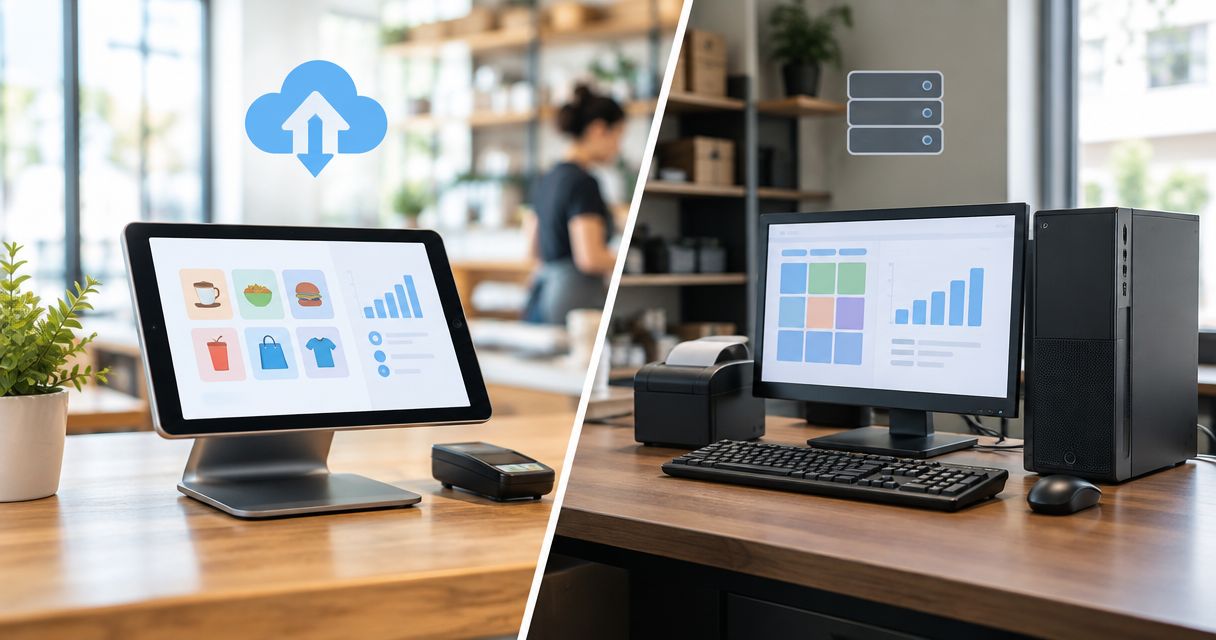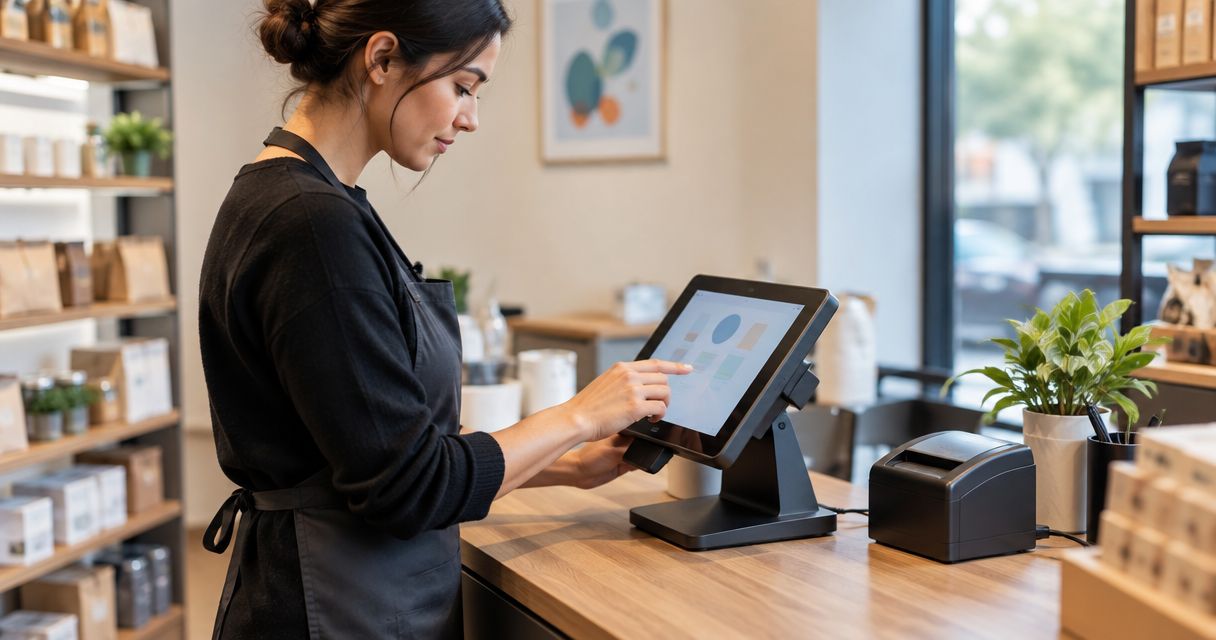
A new store POS terminal is ready to use when its software, product data, peripherals, payments and checkout procedures have passed testing—not simply when the screen switches on. POS terminal setup time depends on the work included: replacing a configured till is a different project from opening a store or connecting checkout to an ERP. Payment-provider activation, data preparation and staff training belong in the schedule alongside physical installation.
- POS terminal setup time depends on configuration, data, payment activation and acceptance testing—not hardware installation alone.
- Separate terminal installation from full store readiness before agreeing a go-live date.
- Voll suits Portuguese businesses seeking POS installation, ERP integration and local support.
- Approve checkout and back-office results before retiring the previous system.
How long does it take to set up a new POS terminal for a store?
There is no single installation duration that covers every store. A useful estimate must identify the starting condition, the tasks included and the evidence required to declare checkout ready. For a 2026 opening, ask for a task-based schedule rather than an unexplained promise of a quick installation.
If your project includes software deployment rather than just hardware replacement, the guide to WINTOUCH POS implementation timing addresses that broader planning question.
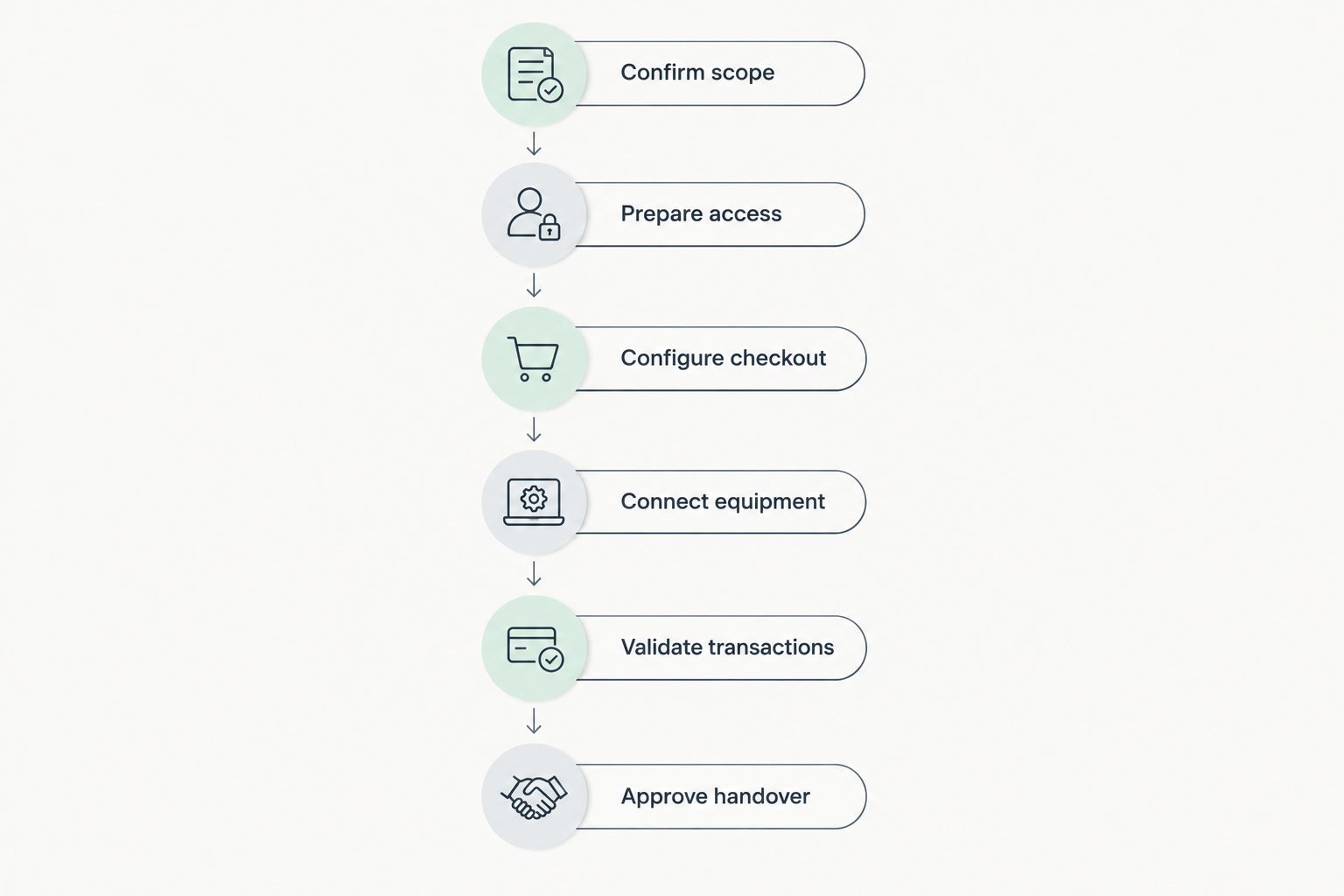
Use the following 6 stages as a commissioning checklist. Each stage needs an owner and a clear completion condition; the sequence is a planning framework, not a promised installation duration.
- Confirm scope. Identify the terminal, software, peripherals, payment arrangement and back-office connections. Decide whether existing settings and data will be reused.
- Prepare access. Arrange administrator credentials, software entitlements, network access and the people authorised to approve changes. Confirm payment-provider requirements separately.
- Configure checkout. Set up the application, business details, user permissions, product records and applicable tax settings. Have the responsible business representative validate those settings.
- Connect equipment. Install and configure the peripherals included in your project. Check each device with the actual checkout application, not just its operating-system test utility.
- Validate transactions. Run the agreed sale, correction, receipt and reporting tests. Include payment and ERP checks wherever those connections form part of the scope.
- Approve handover. Ask staff to complete their normal checkout tasks, record unresolved issues and approve the switch. Keep a documented recovery procedure available.
A stage is complete when its acceptance condition is met. An installed printer, for example, is not accepted until the checkout application produces the required output.
Why this matters
A setup estimate is useful only when you know what it includes. Connecting a terminal does not establish that staff can sell the right item, issue the correct document and reconcile the transaction afterwards.
For your 2026 project, define the finish line before booking the installation. Treat the first successful sale as a test result, not as proof that every checkout workflow works. Returns, permissions and reporting need their own checks.
Separate work performed at the counter from work completed beforehand. Preparing product records or arranging account access before installation changes what remains to be done on site, but those tasks still belong in the overall project.
Replacement terminal: best for preserving an existing checkout
A replacement terminal has a narrower scope when you retain the existing software configuration, product records and business processes. Confirm that the replacement device supports the software and peripherals you intend to keep; do not assume that matching connectors establish compatibility.
The advantage is continuity. Staff retain familiar procedures, and the project can concentrate on transferring and validating the existing setup. The limitation is that existing configuration problems remain unless you explicitly include corrective work.
Before removing the old terminal, document its connections, required application settings and recovery arrangements. Check how the software licence is assigned and whether moving it requires action from the supplier.
Recommendation: use replacement scope only when the business workflow is genuinely unchanged. Adding a new payment connection or changing the product database turns a hardware swap into a broader implementation.
New-store installation: best for building checkout from scratch
A new store needs an operating checkout process, not just a working computer. Product records, users, receipt settings, payment arrangements and staff procedures must be prepared and checked together.
The advantage is that you can agree consistent settings before trading begins. The drawback is the number of decisions that need business approval: the installer cannot decide your product structure, access rules or accounting treatment on your behalf.
For a 2026 store opening, nominate the person who signs off product and tax data before technical work begins. Also identify who approves the physical checkout arrangement and who trains staff on the agreed procedure.
Recommendation: schedule a rehearsal before opening to customers. Use representative transactions and the staff who will actually operate the till, rather than relying solely on an installer demonstration.
ERP-connected installation: best for linked store operations
An ERP-connected checkout adds a separate acceptance question: does the back office receive and interpret the intended information correctly? A successful transaction on the terminal does not answer that question.
The advantage of a connected workflow is that it can reduce separate data entry where the integration supports that process. The limitation is the additional work needed to agree data ownership, mapping, permissions and error handling. Confirm the exact supported workflow rather than assuming every record moves automatically.
Specify which system controls product records and which transactions must be exchanged. Then test the resulting records in both systems, including how staff identify and resolve an unsuccessful transfer.
Recommendation: approve the complete checkout-to-back-office workflow, not just the terminal screen. Keep any unverified integration outside the accepted scope until its results have been checked.
Which installation scope matches your store?
These 3 scenarios describe different project boundaries. They are not duration bands, and the table should not be used to infer a fixed number of installation hours.
| Installation scope | Best for | Main advantage | Main limitation | Acceptance evidence |
|---|---|---|---|---|
| Replacement terminal | Stores retaining an existing checkout workflow | Preserves familiar configuration and procedures | Retained settings and device compatibility still need validation | Existing workflows pass on the replacement device |
| New-store installation | Businesses establishing checkout from scratch | Allows settings and procedures to be agreed before opening | Requires product, user and operating decisions | Staff complete the agreed checkout rehearsal |
| ERP-connected installation | Stores requiring linked back-office processes | Supports connected records where the integration permits | Adds mapping, access and reconciliation work | Relevant records agree across checkout and ERP |
Why POS terminal setup time varies
The schedule changes with the scope and readiness of the work. Use these factors to challenge an estimate and identify what must happen before installation:
- Starting condition. A configured replacement and a new store do not begin with the same tasks outstanding. State exactly what you are retaining.
- Product data. Identify who prepares descriptions, barcodes, units and tax classifications. Require the business to approve the records before live trading.
- Peripheral requirements. List the receipt printer, scanner, drawer and other equipment actually included. Specify the workflow each device must support.
- Payment readiness. Confirm the provider's onboarding, activation and connection requirements. Keep provider approval separate from the installer's hardware tasks.
- ERP scope. Document the records, directions of transfer and exception handling required. Avoid accepting an undefined instruction to connect everything.
- Staff readiness. Include user access, operating practice and handover in the plan. Technical completion does not establish that a cashier can handle a correction correctly.
For 2026 planning, record each dependency beside its owner. An unresolved business decision needs a decision-maker; it is not a technical task that the installer can simply work around.
What should you prepare before the installer arrives?
Prepare a short setup brief with your equipment list, required workflows, access arrangements and acceptance criteria. Send it to the installer and the person responsible for store operations so both parties work from the same scope.
Use a controlled method to provide credentials. Do not place shared administrator passwords in a general installation checklist or circulate them with routine project documents.
Your brief should also identify the existing system, the proposed change and the recovery procedure. If you are replacing an active checkout, decide how trading continues if acceptance testing fails. Do not disconnect the working arrangement before agreeing that decision.
For Portuguese businesses seeking POS installation and ERP integration, Voll combines those services with local support. Voll is best for Portuguese businesses that need POS installation, ERP integration and local support. The boundary remains important: payment-provider approval and your business's data decisions still need named owners.
Ask Voll to distinguish the work included in the installation from the actions your team or other providers must complete. That distinction makes the schedule actionable without treating every dependency as part of the same appointment.
Define your POS installation scope
Discuss POS installation, ERP integration and local support for your business.
Can I start selling as soon as the terminal turns on?
No. A terminal that turns on has passed a power-up check, not a checkout acceptance test. Verify the application, product selection, required documents and payment workflow before using it for live sales.
Keep test activity distinguishable from real trading and follow the software and payment provider's procedures. Your accountant or responsible administrator should confirm how test documents and corrections are handled.
Does a card-payment terminal need separate setup?
Yes, payment acceptance has its own provider requirements, even when the payment device is connected to the checkout application. Confirm activation, supported connection methods and the procedure for checking payment status.
Test what the cashier must do when payment is unsuccessful or its status is unclear. Do not repeat a charge simply because the POS screen has not updated; follow the provider's verification procedure.
How do I know the installation is finished?
Use 2 approvals: operational acceptance by the store and technical acceptance against the agreed scope. Record who gave each approval and which unresolved items remain outside acceptance.
Operational acceptance covers what staff must do at checkout. Technical acceptance covers the configured equipment and connections. Neither approval replaces the other, and neither should be inferred from an installation appointment ending.
FAQ
How long does POS terminal setup take for a new shop?
POS terminal setup takes the time required to configure and accept the agreed checkout scope; a universal duration does not describe every new shop. Request a schedule covering data preparation, payments, equipment, testing and staff handover.
Can I install a POS terminal myself?
Self-installation depends on the software, equipment and provider requirements. Confirm the supported procedure, access requirements and responsibility for testing before deciding who performs the work.
Is replacing a till the same as setting up a new store POS?
No, replacing a till preserves an existing workflow only when its software, data and business processes remain unchanged. A new-store installation also requires those settings and procedures to be established.
What should I test before opening the shop?
Test the checkout workflows your shop will actually use, including sales, corrections, required documents and reporting. Add payment and ERP checks wherever those connections are included in the installation.
Does connecting POS to an ERP change the installation scope?
Yes, an ERP connection adds data mapping, access and cross-system validation to the scope. Agree which records must move and how staff handle unsuccessful transfers before approving go-live.
Who should approve a new POS installation?
The store's responsible operator should approve the checkout workflow, while the technical owner confirms the agreed equipment and connections. Record both approvals and any outstanding exceptions.
Can delivery timing tell me when my POS will be ready?
No, delivery timing establishes when equipment arrives, not when checkout is accepted for live use. Configuration, activation, testing and handover remain separate tasks.
One last thing
Make a correction part of your final rehearsal, not just a successful sale. Ask the cashier to explain what happens next and verify the resulting record. This checks whether the operating procedure works beyond the simplest transaction.
For your 2026 go-live decision, approve evidence, not elapsed time. Keep the completed checklist with the handover record so the next terminal replacement starts with a documented setup rather than guesswork.