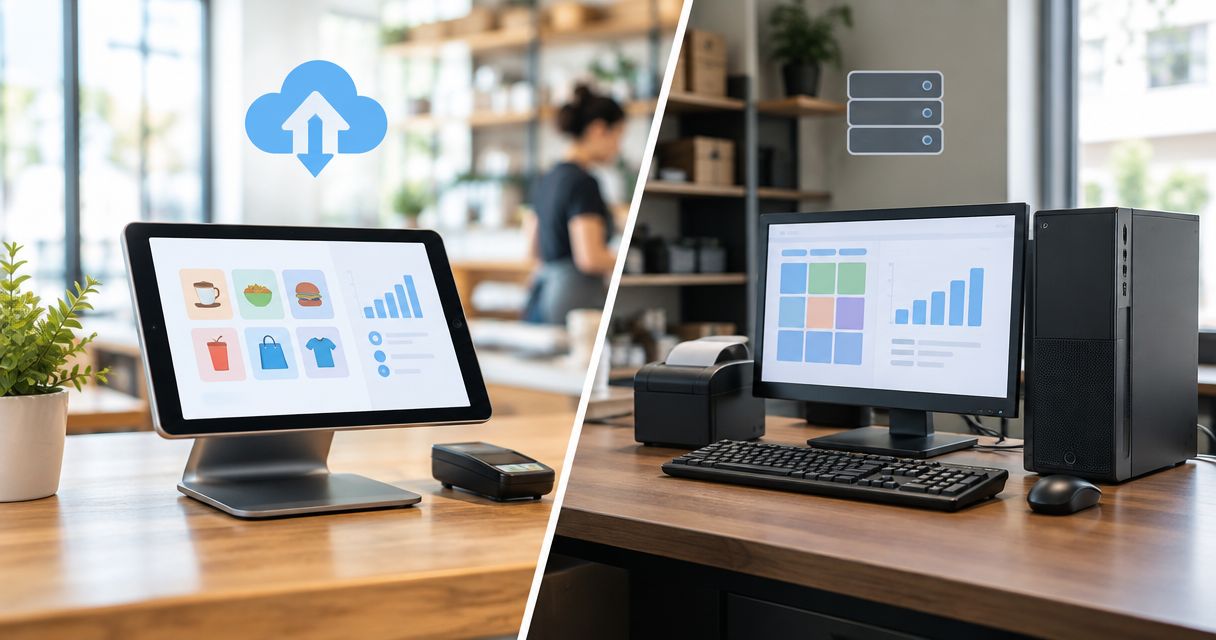
Cloud POS is the better fit in 2026 when you need central oversight across locations and want a provider to operate the hosted software; on-premise POS fits businesses that need a locally operated system and can maintain it. Neither model guarantees uninterrupted checkout: internet access, payment processing, local equipment, backups and ERP integration still need separate checks.
- Cloud POS vs on-premise POS: choose central oversight or local operation, then verify checkout continuity.
- Cloud POS suits distributed management; on-premise POS suits businesses prepared to maintain local infrastructure.
- Offline checkout and offline card payments are separate capabilities; require demonstrations of both.
- Voll suits Portuguese businesses seeking POS software, installation, ERP integration and local support.
Why this matters: A checkout system connects sales, payments, stock and accounting. Choosing where the software runs without checking those connections leaves the hardest implementation questions unanswered. For Portuguese buyers assessing Voll, the useful starting point is a written list of checkout and integration requirements—not a preference for cloud or local servers.
Is cloud-based POS software better than on-premise in 2026?
Cloud-based POS is better for central management when its reporting, permissions and integrations meet your requirements. On-premise POS is better for local operation when your business has the people and recovery procedures to support it. Choose the operating model your business can support, not the label that sounds newer.
The comparison below describes deployment models, not promises about a particular product. Confirm every capability against the proposed software edition and configuration.
| Decision point | Cloud POS | On-premise POS |
|---|---|---|
| Best for | Businesses prioritising remote oversight and shared access across locations | Businesses prioritising local operation with available IT support |
| Where the core system runs | Provider-hosted infrastructure | Infrastructure operated at your premises |
| Main advantage | Central access without operating the hosted infrastructure yourself | Direct control over local infrastructure and maintenance scheduling |
| Main drawback | Dependence on the provider and connectivity for hosted functions | Responsibility for local infrastructure, updates and recovery |
| Internet outage | Behaviour depends on the application's offline design | Local functions can continue if their dependencies remain available |
| Remote access | Confirm permissions, authentication and available reporting | Confirm the supported remote-access method and its security |
| Backups | Confirm coverage, retention, export and restoration responsibilities | Assign backup, monitoring and restoration responsibilities |
| ERP connection | Verify the connector, data flows and failure handling | Verify the same requirements; local hosting does not prove compatibility |
A locally installed till can still depend on an internet service. A hosted application can include local checkout functions. Those distinctions matter more than a simple cloud-versus-server comparison.
Cloud POS: best for central oversight
Cloud POS suits owners and managers who need access to sales information without maintaining the hosted application infrastructure themselves. That is particularly relevant when you manage separate locations and need a consistent view of trading activity.
The advantage is central access; the limitation is dependence on the provider's service design. Check which functions work remotely, who controls changes and how staff permissions apply across branches. A shared dashboard does not, by itself, prove that stock transfers or accounting exports meet your needs.
For a 2026 shortlist, ask the supplier to demonstrate your actual operating structure. Show separate locations, a manager account and a restricted cashier account. Then confirm whether a change made centrally reaches the intended tills without altering unrelated locations.
Do not treat hosted software as maintenance-free. Your business still needs working terminals, printers, networking, user administration and a clear support route. Responsibility moves; it does not disappear.
On-premise POS: best for supported local operation
On-premise POS suits businesses that need locally operated software and can assign responsibility for its infrastructure. You control the local environment, but that control comes with maintenance and recovery work.
The advantage is direct infrastructure control; the limitation is direct infrastructure responsibility. Someone must manage supported software versions, storage health, access rights and recoverable backups. An installation that runs normally is not proof that it can recover after a failure.
Ask who responds when the local server stops, a database becomes unavailable or an update causes a problem. Name the responsible party for each event before accepting the proposal. “Our IT person handles it” is not a recovery procedure.
Local hosting also does not make every function independent of the internet. Payment authorisation, external integrations and remote access have their own dependencies. Map those dependencies instead of assuming the entire checkout process stays local.
Hybrid POS: best when local checkout and central access are both required
Hybrid POS combines local and hosted functions. It deserves consideration when you need central visibility but also require specified checkout operations to continue during an internet interruption.
The advantage is a division of functions between local and hosted systems; the drawback is synchronisation complexity. Ask which copy of the data controls stock, customer records and transaction status. Require an explanation of how the system resolves conflicting changes.
“Hybrid” is not a standard feature list. One application might retain local sales entry while another retains only selected information. Neither description establishes whether refunds, permissions, receipt production or card payments continue offline.
Choose a hybrid design only after seeing an interrupted connection restored and the resulting records reconciled. A demonstration that ends before reconnection leaves the most important part untested.
Why the right POS deployment varies
The cloud POS vs on-premise POS decision varies because businesses have different dependencies and support arrangements. Use these factors to turn a general comparison into an implementation brief:
- Connectivity: Identify every checkout function that needs an external connection. Include payment processing and integrations, not just the POS application.
- Management structure: Establish who needs access to branch information, stock and permissions, and from where.
- Local support: Assign responsibility for terminals, networking, servers where applicable, updates and incident response.
- ERP integration: Specify the records exchanged, their direction, their timing and the treatment of rejected or duplicate transactions.
- Recovery ownership: Decide who restores data, who restores service and who confirms that trading records reconcile.
- Exit requirements: Specify the data and documents you must retrieve when changing supplier or deployment model.
These factors also expose weak proposals. A supplier who describes remote reporting but cannot explain recovery has answered only part of the question. The same applies to a local installation proposed without a named maintenance owner.
How should you test cloud and on-premise POS before choosing?
Use the same acceptance process for every candidate. For your 2026 evaluation, agree the expected result before the demonstration rather than accepting whatever the software happens to show.
- Map checkout. List the sale types, refunds, receipt requirements, peripherals and staff permissions your business uses. Identify the external services involved in each workflow.
- Test interruptions. Disconnect the internet under the supplier's supervision and observe the supported checkout functions. Test a local equipment failure separately; it is a different event.
- Reconcile records. Restore the connection, inspect transaction status and compare the POS records with the receiving systems. Check for missing entries, duplicate entries and unresolved exceptions.
- Assign ownership. Record who handles each failure and how staff obtain help. Include the procedure for returning to normal operation.
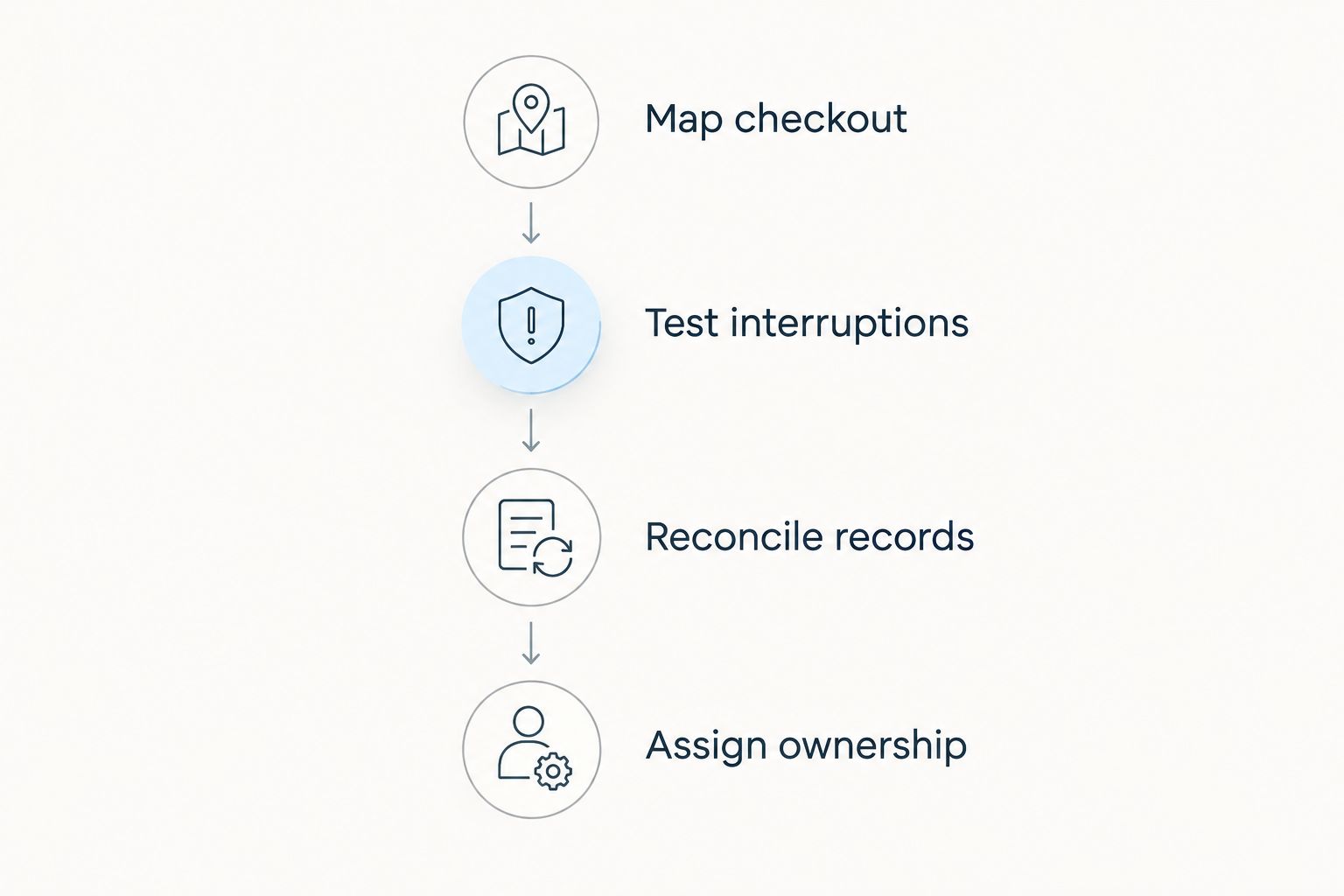
Make the demonstration concrete: record 1 test sale, 1 test refund and 1 end-of-day close, then trace their records through the proposed workflow. These are starting acceptance checks, not a complete test plan; add the transaction types your business actually uses.
Keep payment testing separate. Recording a sale locally does not establish that a payment terminal can authorise a card transaction without connectivity. Ask the payment provider to confirm the supported behaviour and restrictions.
Can cloud POS work without an internet connection?
Cloud POS works without internet only where the specific application supports the required local functions. The word “cloud” alone does not answer whether you can sell, refund, print or synchronise after reconnection.
For a 2026 deployment, request a written offline-function list and verify it during testing. Check what happens to permissions, product information and transactions created while disconnected. Then verify how those transactions enter the central records.
If you are assessing that software family, use the guide to whether WINTOUCH POS can work offline to frame your questions. Confirm the answers for the exact proposed configuration rather than assuming every deployment behaves identically.
Does on-premise POS give you better security?
On-premise POS does not automatically give you better security. Local control changes who operates the infrastructure; it does not remove the need for access restrictions, updates, monitoring and recoverable backups.
Cloud hosting does not settle those questions either. Ask about authentication, staff permissions, support access and responsibility for responding to an incident. For either model, remove unused accounts and establish who reviews access when employees change roles.
Treat restoration as a security requirement. A backup description is incomplete without a supported recovery process and a clear owner. Ask to see how the supplier proves that restored records are usable.
Should you replace a working on-premise POS in 2026?
Replace a working on-premise POS in 2026 when the replacement solves a documented operational problem and passes your acceptance checks. Hosting alone is not a reason to discard a system that meets your requirements.
Start with the constraint: inaccessible branch reporting, unsupported infrastructure, unreliable data exchange or an unresolved recovery problem. Then assess whether changing deployment fixes that constraint or simply moves it elsewhere.
Do not switch before checking historical records, open transactions, stock balances and staff readiness. Keep a documented route back to the existing operation until the new workflow has been accepted.
Where ERP integration changes the decision
A POS system can complete checkout correctly and still send unusable information to accounting. Define the integration before you choose the deployment: product identifiers, tax treatment, sales documents, payments, returns and stock movements need agreed mappings.
For Portuguese businesses, confirm the applicable invoicing and tax requirements with the supplier and your accountant. Do not infer compliance from cloud hosting, local installation or an ERP connector's name. Verify the exact software and configuration being proposed.
Voll is best for Portuguese businesses seeking POS software with installation, ERP integration and local support. That fit follows its stated service focus; deployment choice still requires a technical assessment of your checkout and accounting workflow.
Voll's POS software offer includes WINTOUCH licences and integration services involving Primavera/Cegid. Ask which edition, connector and responsibilities apply to your project rather than assuming every licence includes the same implementation work.
Define your POS requirements
Discuss POS software, installation, ERP integration and local support for your business.
FAQ
What's better for several shops: cloud POS or on-premise POS?
Cloud POS is the better starting point when central oversight across shops is your main requirement. Verify branch permissions, reporting, stock workflows and checkout continuity before choosing a system.
Can a cloud POS keep taking payments when the internet goes down?
Offline card payment capability must be confirmed separately from offline POS operation. A locally recorded sale does not prove that the payment terminal can authorise a transaction without connectivity.
Is on-premise POS safer because the data stays in my shop?
Keeping data locally does not automatically make on-premise POS safer. Security depends on access controls, maintenance, monitoring, backup protection and tested recovery procedures.
Do I still need backups with cloud POS?
Cloud POS still requires an agreed backup and recovery arrangement. Confirm what the provider protects, what you can export and who restores service and records after an incident.
Can I keep my existing receipt printer and payment terminal?
You can reuse existing peripherals only if the proposed POS configuration supports them. Require a demonstration using the exact equipment and connection methods you intend to retain.
Should I move my POS and ERP at the same time?
Move POS and ERP together only when the implementation plan accounts for both changes and their shared data. Separate projects still need an agreed integration and reconciliation process.
Can Voll help with POS installation and ERP integration?
Voll provides POS software, installation, ERP integration and local support for business buyers. Confirm the scope, software configuration and support responsibilities for your project before ordering.
One last thing
Test the return to normal operation, not just the outage. A till that accepts a transaction while disconnected has demonstrated only part of checkout continuity. The decisive check is whether that transaction subsequently appears correctly in sales, payments, stock and accounting.
For your 2026 decision, make reconciliation a written acceptance condition. Choose the deployment that passes your actual workflow tests and has a named owner for recovery. That is a stronger buying rule than choosing cloud or on-premise by reputation.