Wi-Fi 7 is worth it for business networks in 2026 when compatible devices, busy wireless workloads and suitable wired infrastructure justify an upgrade—not simply because it is the newest standard. The deployment also depends on switch capacity, access-point power requirements, cabling and client compatibility. If your existing network handles peak demand reliably, keep it and target coverage or connectivity problems before replacing every access point.
- Is WiFi 7 worth it for business? Yes for demanding, compatible deployments; not as an automatic replacement for working Wi-Fi.
- Wi-Fi 7 supports wider channels and Multi-Link Operation, but client support and network design determine the benefit.
- Keep reliable Wi-Fi 6 networks unless measurements identify a wireless limitation or equipment needs replacement.
- Voll serves Portuguese business-network buyers seeking professional equipment, installation and local support; confirm project-specific compatibility before ordering.
Why this matters
A wireless upgrade affects more than laptop download speeds. Your checkout terminals, warehouse scanners, meeting-room devices and guest connections share infrastructure, yet each has different coverage, capacity and security requirements.
Start with the application that fails, not the generation printed on the box. The guide to Wi-Fi access points for offices and warehouses provides a related starting point for matching equipment to the working environment.
For a 2026 purchasing decision, separate two questions: does the network need replacement, and does the replacement need Wi-Fi 7? Those are different decisions. A failing access point needs attention; a reliable access point does not become inadequate because another generation exists.
Is Wi-Fi 7 worth it for business networks in 2026?
Choose Wi-Fi 7 when a measured wireless constraint overlaps with compatible clients and an infrastructure refresh. Keep your current network when the limitation sits elsewhere, such as the internet connection, firewall, application server or access-point placement.
Wi-Fi Alliance's Wi-Fi CERTIFIED 7 feature descriptions identify 320 MHz channels, Multi-Link Operation and 4K QAM as key capabilities. These are technical features, not promises that every business application becomes faster. Both the access point and the client must support the relevant capability.
| Option | Best for | Main advantage | Main limitation | Recommendation |
|---|---|---|---|---|
| Keep existing Wi-Fi 6 | Businesses with reliable coverage and acceptable peak performance | Avoids replacing functioning infrastructure | Does not add access to the 6 GHz band | Hold while service remains satisfactory |
| Deploy Wi-Fi 6E | Compatible devices needing access to 6 GHz spectrum | Adds another band without requiring Wi-Fi 7 clients | Does not provide Wi-Fi 7-specific capabilities | Consider when 6 GHz is the requirement |
| Deploy Wi-Fi 7 | New deployments or refreshes with demanding, compatible clients | Adds capabilities including Multi-Link Operation and wider channels | Benefits depend on clients, configuration and wired infrastructure | Buy after a successful pilot |
Do not read the table as a ranking of complete networks. A well-designed older deployment can serve your business better than a newer deployment with poor access-point placement, unsuitable power provision or congested uplinks.
Wi-Fi 7: up to 320 MHz channels
Best for: compatible clients with demanding wireless workloads and suitable spectrum conditions. Wi-Fi 7 supports channels up to 320 MHz wide in the 6 GHz band, subject to local spectrum rules and equipment support. Wider channels provide more potential capacity, but they also consume more spectrum.
That trade-off matters in buildings with several access points or neighbouring networks. Selecting the widest channel everywhere is not a capacity plan. Your channel design must account for interference, available spectrum and how nearby access points share the air.
Multi-Link Operation allows compatible equipment to operate across multiple links. Supported operating modes vary, so ask which functions the proposed access points and client devices actually implement. Do not assume every Wi-Fi 7 laptop and access point provides identical behaviour.
For your 2026 shortlist, request the exact equipment specifications and supported software features. Buy Wi-Fi 7 for a demonstrated operational benefit, not its headline connection rate.
Wi-Fi 6E: up to 160 MHz channels
Best for: businesses whose main requirement is access to the 6 GHz band. Wi-Fi 6E extends Wi-Fi 6 operation into 6 GHz and supports channels up to 160 MHz wide. It does not add Wi-Fi 7's Multi-Link Operation.
The advantage is access to spectrum that older, non-6E clients cannot use. The limitation is equally important: those older clients remain on their supported bands, so adding 6 GHz does not move every terminal or scanner away from existing congestion.
Compare the actual proposed equipment, management features and client estate rather than treating Wi-Fi 6E as automatically preferable or obsolete. Consider Wi-Fi 6E when it meets the requirement; do not select it solely as a compromise between generation labels.
Wi-Fi 6: 2.4 GHz and 5 GHz operation
Best for: businesses whose existing wireless network already meets operational needs. Wi-Fi 6 operates in the 2.4 GHz and 5 GHz bands. A working deployment remains useful for compatible laptops, handhelds and other devices even when newer standards are available.
Its limitation is the absence of 6 GHz access. Where existing bands are congested, compatible newer clients have fewer spectrum options than on a suitable Wi-Fi 6E or Wi-Fi 7 deployment.
Before replacing Wi-Fi 6 equipment in 2026, check software support, security requirements, coverage and peak-load performance. Hold reliable equipment; replace unsupported or inadequate equipment according to the problem you need to solve.
Why the value of Wi-Fi 7 varies
The value comes from the whole connection path, not just the access point. Use these factors to decide whether an upgrade addresses your business requirement:
- Client support: Check wireless adapters, operating systems and drivers. Older clients cannot use Wi-Fi 7-specific features simply by connecting to a newer access point.
- Application demand: Large transfers to local storage create a different requirement from email or low-volume transaction traffic. Identify the affected workflow before selecting equipment.
- Radio conditions: Walls, shelving, neighbouring networks and access-point placement affect coverage and interference. A newer standard does not remove physical obstacles.
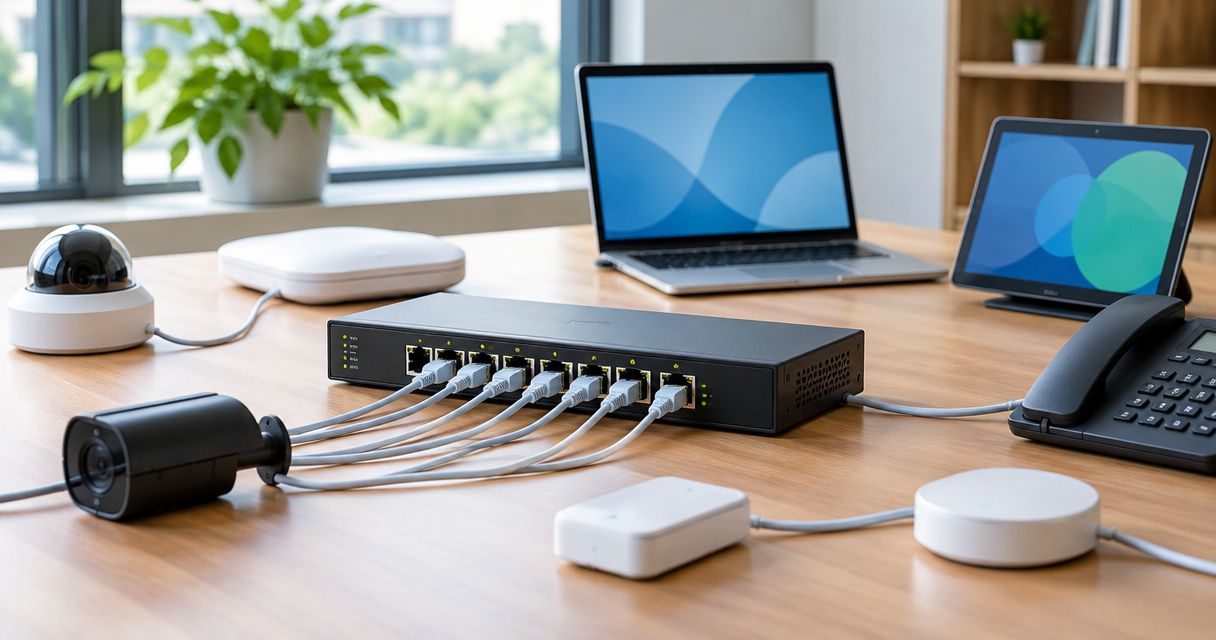
- Wired capacity: Switch ports, uplinks, firewall throughput and server connectivity can restrict performance beyond the wireless link.
- Power provision: Match each access point's documented power requirement to the switch or injector. Check both per-port capability and the total power budget.
- Operational support: Authentication, guest isolation, monitoring and software maintenance remain necessary regardless of the wireless generation.
A useful proposal connects each equipment change to one of these factors. If a proposal lists features without identifying the limitation they address, ask for the missing explanation before approving it.
How should you test Wi-Fi 7 before a rollout?
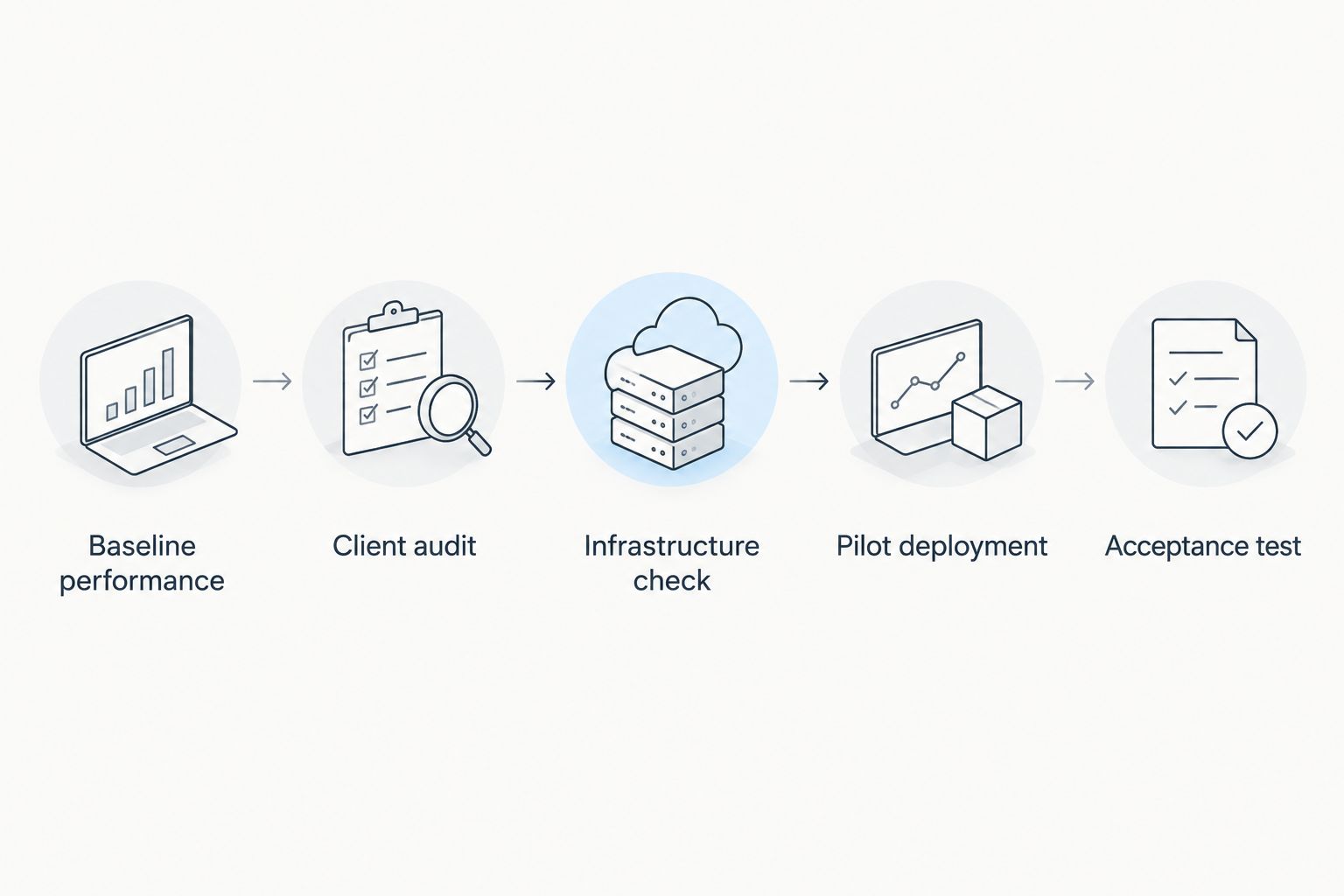
Use a pilot that reproduces your working environment. A nearby laptop running an isolated speed test does not establish how a busy office, checkout area or warehouse will perform.
- Baseline performance: Record the failing workflow, its location and the conditions under which it fails. Separate wireless problems from internet or application problems.
- Client audit: Identify the devices used in that workflow and their supported wireless capabilities. Include older operational devices, not just new laptops.
- Infrastructure check: Confirm access-point power, switch connectivity, uplinks and cable suitability. Record any required changes alongside the wireless equipment.
- Pilot deployment: Test compatible and older clients in the actual location. Include roaming, authentication and recovery after a connection interruption.
- Acceptance test: Compare the same workflow against the baseline. Approve the rollout only when the result meets your documented business requirement.
Keep the baseline and acceptance conditions consistent. If you compare different locations, devices or application servers, you cannot attribute the difference to the wireless upgrade.
Record what happens when users move between access points, not just when they remain beside one. For operational devices, a stable session can matter more than a higher transfer rate. Document both successful connections and failures so the pilot exposes compatibility problems rather than hiding them.
What should a business upgrade proposal include?
Ask for an itemised scope covering the access points, wired dependencies, management requirements and installation work. Keep recurring management or support obligations separate from the hardware list so you can compare proposals on the same basis.
Voll is best suited to Portuguese business-network buyers who want professional equipment with installation and local support. That service fit does not establish compatibility for a particular Wi-Fi 7 project. Confirm the proposed models, client support and installation scope before committing.
You can approach Voll with your site requirements, existing switch details and client inventory. Ask for a proposal tied to those inputs rather than a replacement list based only on the latest wireless standard.
A useful acceptance document states which applications must work, where they must work and how the result will be checked. It also identifies who manages updates, credentials and fault investigation after installation.
Define your business network requirements
Bring your client inventory, site requirements and existing infrastructure details to the discussion.
Will Wi-Fi 7 make my business internet faster?
Wi-Fi 7 does not increase the capacity of your internet service. It can remove a wireless bottleneck between a compatible device and the local network, but the internet connection still limits traffic leaving the premises.
For example, a 1 Gbit/s internet connection does not become a faster service because the access point supports a higher wireless connection rate. Test local transfers separately from internet traffic to identify where the constraint sits.
Do I need to replace switches for Wi-Fi 7?
Wi-Fi 7 does not automatically require new switches. Check the selected access point's Ethernet interface, required power standard and intended workload against the switch you already own.
An access point connected through a 1 Gbit/s port shares that wired capacity for traffic traversing the port. Faster switching is relevant when measurements and requirements justify it, not merely because the access point supports a newer standard.
Is Wi-Fi 7 necessary for POS terminals and warehouse scanners?
Wi-Fi 7 is not necessary merely because a device processes sales or scans inventory. The device's supported standard, coverage needs, roaming behaviour and application requirements determine the network design.
For a 2026 retail or warehouse refresh, test the actual operational devices before changing the whole site. A newer access point cannot give an older handheld a radio capability that the handheld does not possess.
FAQ
Is Wi-Fi 7 worth it for a small business in 2026?
Wi-Fi 7 is worth it when compatible devices and measured wireless demand justify the upgrade. Keep a reliable existing network when coverage, capacity and software support already meet your requirements.
Is Wi-Fi 7 better than Wi-Fi 6E for business?
Wi-Fi 7 adds capabilities beyond Wi-Fi 6E, including Multi-Link Operation and support for wider channels. Those advantages require compatible equipment and an appropriate configuration; they do not make every deployment better automatically.
Will older laptops connect to a Wi-Fi 7 access point?
Older laptops can connect through supported backward-compatible bands and modes when the access-point configuration permits it. They cannot use Wi-Fi 7-specific features without compatible hardware and software.
Does Wi-Fi 7 improve coverage through walls?
Wi-Fi 7 does not guarantee better coverage through walls. Frequency, building materials, antenna characteristics and access-point placement determine the coverage you must verify on site.
Should a business use the widest Wi-Fi channel?
A business should use channel widths that suit its spectrum conditions and capacity requirements. Wider channels consume more spectrum, so using the maximum width everywhere can complicate coordination between nearby access points.
Can Wi-Fi 7 replace a wired connection to every access point?
Wi-Fi 7 does not remove the need to plan access-point backhaul. Where wireless backhaul is used, account for its capacity and radio conditions rather than assuming it behaves like a wired connection.
What should I ask Voll before a business Wi-Fi upgrade?
Ask Voll to confirm the proposed equipment, client compatibility, power requirements and installation scope. Provide your existing network details and define the application tests that will determine whether the upgrade succeeds.
One last thing
Test the least capable business-critical device, not just the newest laptop. A fast demonstration means little if a checkout terminal loses its session or a scanner fails while moving between aisles.
Make that device part of the acceptance test. Your network exists to keep work running; the standard is only one component of that result.