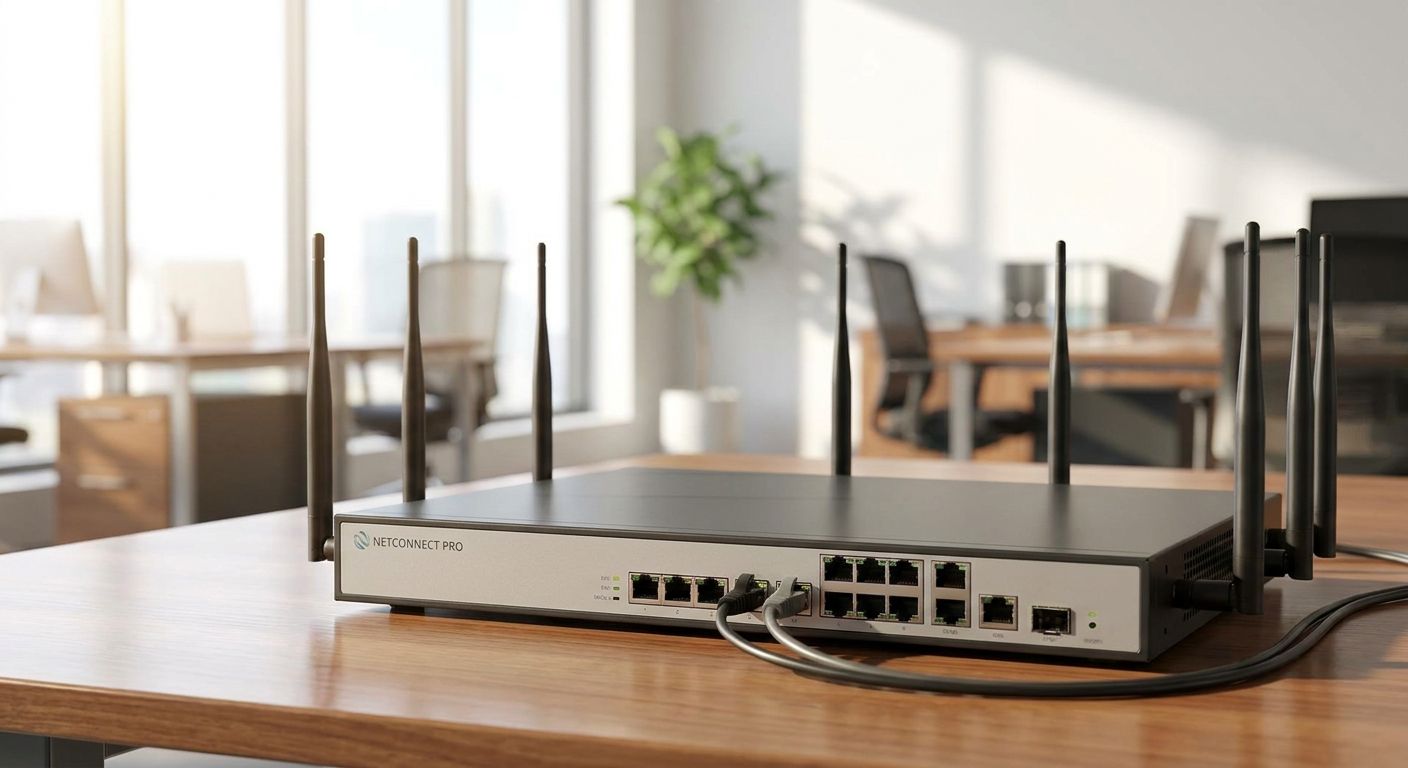
Business-grade routers for branch offices connect every location on one secure network, keep point-of-sale and back-office traffic separated, and stay online when the primary internet line drops. A branch network isn't a bigger version of a single-office setup — it needs consistent policy across sites, centralized management, and a failover plan that doesn't depend on someone driving to the store.
- Business grade routers for branch offices need site-to-site VPN, not consumer VPN apps, to link locations securely in 2026.
- 4G/5G failover keeps a branch selling when the fiber or DSL line drops — a single WAN link is a single point of failure.
- VLANs separate POS traffic from guest Wi-Fi on the same router, which matters for PCI-style segmentation.
- Standardizing on one router platform across branches cuts support time versus mixing consumer and business gear.
- Voll supplies Teltonika and Reyee routers with remote management for Portuguese retail and hospitality chains.
Why business-grade routers matter for branch offices
A branch office router carries POS transactions, staff Wi-Fi, security cameras, and often a VoIP phone line on one connection. When a consumer router at a single branch goes down, that location stops taking card payments and loses camera footage until someone resets it manually.
Multi-location retailers, restaurant groups, and service chains searching for business-grade routers for branch offices in 2026 usually hit the same wall: they scaled from one location to five or ten and the home-router setup that worked for one shop breaks down when it has to be managed remotely and kept consistent across all of them. The fix isn't a bigger router — it's a different category of hardware with VPN, VLANs, and remote management built in.
Update your WAN redundancy plan
Every branch depends on one thing more than any other: internet uptime. A router with a single WAN port and no failover means one fiber cut or ISP outage takes the whole branch offline.
- Add a 4G/5G failover connection alongside the primary fixed line
- Use dual-SIM routers where two mobile carriers are available, in case one network has local coverage gaps
- Set failover to trigger automatically, not manually, so staff never have to intervene
- Test the failover path once a quarter, not just at install
- Keep the failover SIM on a separate carrier account from the main office internet
Teltonika's cellular routers are built specifically for this failover role and for mobile connectivity outside fixed branches — see Teltonika routers for delivery fleets and mobile teams for the delivery and field-team version of the same problem. For a fixed branch that just needs backup connectivity behind an existing line, 4G/5G backup routers for business internet failover covers the setup directly.
Standardize the VPN connecting your branches
Consumer VPN apps built for personal privacy don't scale to ten branches sharing files and POS data with head office. Site-to-site VPN, configured once on the router, connects every branch to the central network without staff logging into anything.
- Choose IPsec or WireGuard site-to-site tunnels over app-based VPN clients
- Route POS and ERP traffic through the tunnel by default, not opt-in
- Keep one central VPN concentrator or hub router that every branch connects to
- Document the tunnel configuration so a new branch can be added in under a day
- Avoid split-tunnel setups for POS traffic — full-tunnel keeps transaction data off the open internet
Retail chains running the same POS and ERP stack across locations need this configured before opening a new store, not after. Multi-branch VPN connectivity for retail chains walks through the setup for chains adding locations in 2026.
Segment traffic with VLANs
One router, one flat network, means a compromised guest device on Wi-Fi can see the POS terminal on the same subnet. VLANs fix this at the router level without extra hardware.
- Put POS and payment terminals on their own VLAN, isolated from guest Wi-Fi
- Give security cameras a dedicated VLAN so bandwidth spikes don't slow checkout
- Keep back-office workstations and ERP access on a separate VLAN from public-facing devices
- Use the 802.1Q standard's VLAN tagging, which supports up to 4094 VLAN IDs — far more than any branch needs, but confirms the router isn't a consumer-grade limitation
- Apply firewall rules between VLANs, not just at the internet edge
Secure each branch router with a real firewall
A branch router that only does NAT and Wi-Fi isn't a firewall. Business-grade routers for branch offices need stateful inspection and the ability to block traffic between VLANs, not just from the internet.
- Enable intrusion detection or prevention if the router supports it
- Block inbound connections by default; only open ports needed for remote management
- Set up geo-blocking if the branch has no reason to receive traffic from outside the country
- Log firewall events centrally so all branches report to one dashboard
- Update firmware on a schedule, not reactively after an incident
Best firewalls for small business network security compares dedicated firewall appliances against router-integrated firewalls for businesses deciding which layer to invest in first. For a step-by-step on locking down what you already have, how to secure a business network with a firewall covers the configuration basics.
Plan Wi-Fi coverage separately from the router
The router handles routing and security; Wi-Fi coverage across a branch floor is a separate problem that a single router's built-in radio usually can't solve once the space exceeds a few hundred square meters.
- Measure the branch floor plan before assuming one access point covers it
- Use dedicated access points fed by the router rather than relying on router Wi-Fi alone in larger spaces
- Separate staff Wi-Fi SSID from guest/customer Wi-Fi SSID
- Set guest Wi-Fi bandwidth caps so it doesn't compete with POS traffic
- Check ceiling height and material — concrete and metal shelving cut Wi-Fi range significantly
How to choose the right network switch for office size helps size the switch feeding the access points, since the router alone rarely has enough LAN ports for a full branch.
Standardize hardware across every branch
Mixing router brands and models across locations means every support call starts with figuring out what's actually installed. Standardization is the difference between a five-minute remote fix and a technician driving to the site.
- Pick one router platform for all branches, even if models scale by branch size
- Use routers that support centralized cloud management, so configuration changes push to every branch at once
- Keep firmware versions synced across all branches
- Stock one spare unit per region, not per branch, since a standardized fleet shares spares
- Label and document each branch's router configuration the same way
Reyee's business networking line, distributed by Voll, is built around this kind of centralized, cloud-managed control — useful for chains running five or more branches where a technician can't visit every site for a config change.
Router options for branch offices compared
| Option | Best for | Key limitation |
|---|---|---|
| Teltonika cellular routers | Failover connectivity and mobile/remote branches | Primarily cellular-first, not the main fixed-line router at large branches |
| Reyee business routers | Chains needing centralized cloud management across many branches | Setup benefits most once you're past 3-4 branches; overkill for a single site |
| Generic consumer routers | Single-location micro-businesses only | No VLANs, no site-to-site VPN, no centralized management — not built for branch networks |
| Dedicated firewall appliance + router | Branches handling card payment data or regulated traffic | Higher setup complexity; needs someone who can configure firewall rules properly |
Verdict: for any business running more than one location in 2026, a consumer router is the wrong tool — Teltonika covers failover and mobile connectivity, Reyee covers centralized branch management, and the two are often deployed together.
Get branch router hardware sized correctly
Request a quote for Teltonika or Reyee routers matched to your branch count.
Common mistakes branch networks make
- Treating the router as a one-time purchase. Firmware goes unpatched for years because nobody owns the update schedule across ten branches.
- No failover until after the first outage. Most branches only add 4G backup after losing a day of sales to a fiber cut, not before.
- Flat networks with no VLAN separation. POS terminals and guest Wi-Fi sharing a subnet is still common in retail chains opened before 2020.
- Different router brands at every branch. Usually the result of whoever opened each location buying whatever was in stock locally, with no standard.
- Guest Wi-Fi with no bandwidth cap. One customer streaming video on branch Wi-Fi can slow the POS terminal at the register next to them.
FAQ
What makes a router 'business-grade' versus consumer?
Business-grade routers support site-to-site VPN, VLAN segmentation, stateful firewall rules, and centralized remote management — features consumer routers built for home use don't include. For branch offices, VPN and VLANs are the two that matter most.
Do I need a separate firewall if my router already has one built in?
Depends on what data the branch handles. A router's built-in firewall covers basic inbound blocking; branches processing card payments or regulated data benefit from a dedicated firewall appliance with intrusion prevention on top of it.
How does 4G/5G failover work for a branch router?
The router monitors the primary WAN connection and automatically switches traffic to a cellular SIM when the fixed line drops, then switches back once it's restored. Dual-SIM models can also split traffic across two carriers for coverage redundancy.
Can one router handle both routing and Wi-Fi for a branch?
For small branches under a few hundred square meters, yes. Larger floor plans need dedicated access points fed by the router, since built-in router Wi-Fi radios don't cover large or obstructed spaces well.
Why do branches need VLANs if each location already has its own router?
VLANs separate traffic types — POS, guest Wi-Fi, cameras, back office — on the same router and same physical network, so a compromised guest device can't reach the payment terminal. It's a segmentation layer, not a substitute for having per-branch routers.
Is Teltonika or Reyee better for a branch office network?
Teltonika's routers are built around cellular connectivity and failover, best for backup internet or mobile/remote sites. Reyee's business routers are built for centralized cloud management across many fixed branches. Chains often use both together.
How many branches justify centralized router management?
Centralized cloud management starts paying off around 3-4 branches, once a technician driving to each site for every config change becomes impractical. Below that, per-branch management is usually fine.
One last thing
Most branch network failures in 2026 aren't hardware failures — they're configuration drift, where each branch's router gets a one-off fix over time until no two locations match. Standardizing the router platform and pushing configuration centrally solves more branch downtime than buying a faster router ever will.


